add bind-winit
Created by tzemanovic on May 2, 2026
VSGWJF4FGSPGO32CKQJP3ETFPWGG5M7CYGAQC62WZ4T3BVY3JZPQC Dependencies
In channels
main
Change contents
File addition: justfile
[2.1]default:@just --listgen_header:cbindgen --config bind-winit/cbindgen.toml --crate bind_winit --output bind_winit.h bind-winitFile addition: bind_winit.h
[2.1]#include <stdarg.h>#include <stdbool.h>#include <stddef.h>#include <stdint.h>#include <stdlib.h>enum InitAction {CreateWindow,};typedef uint8_t InitAction;/*** Code is the physical position of a key.** The names are based on the US keyboard. If the key* is not present on US keyboards, a name from another* layout is used.** Specification:* <https://w3c.github.io/uievents-code/>*/enum KeyCode {/*** <kbd>`~</kbd> on a US keyboard. This is the <kbd>半角/全角/漢字</kbd> (<span class="unicode">hankaku/zenkaku/kanji</span>) key on Japanese keyboards* This is also called a backtick or grave.*/Backquote,/*** Used for both the US <kbd>\|</kbd> (on the 101-key layout) and also for the key* located between the <kbd>"</kbd> and <kbd>Enter</kbd> keys on row C of the 102-,* 104- and 106-key layouts.* Labelled <kbd>#~</kbd> on a UK (102) keyboard.*/Backslash,/*** <kbd>[{</kbd> on a US keyboard.*/BracketLeft,/*** <kbd>]}</kbd> on a US keyboard.*/BracketRight,/*** <kbd>,<</kbd> on a US keyboard.*/Comma,/*** <kbd>0)</kbd> on a US keyboard.*/Digit0,/*** <kbd>1!</kbd> on a US keyboard.*/Digit1,/*** <kbd>2@</kbd> on a US keyboard.*/Digit2,/*** <kbd>3#</kbd> on a US keyboard.*/Digit3,/*** <kbd>4$</kbd> on a US keyboard.*/Digit4,/*** <kbd>5%</kbd> on a US keyboard.*/Digit5,/*** <kbd>6^</kbd> on a US keyboard.*/Digit6,/*** <kbd>7&</kbd> on a US keyboard.*/Digit7,/*** <kbd>8*</kbd> on a US keyboard.*/Digit8,/*** <kbd>9(</kbd> on a US keyboard.*/Digit9,/*** <kbd>=+</kbd> on a US keyboard.*/Equal,/*** Located between the left <kbd>Shift</kbd> and <kbd>Z</kbd> keys.* Labelled <kbd>\|</kbd> on a UK keyboard.*/IntlBackslash,/*** Located between the <kbd>/</kbd> and right <kbd>Shift</kbd> keys.* Labelled <kbd>\ろ</kbd> (<span class="unicode">ro</span>) on a Japanese keyboard.*/IntlRo,/*** Located between the <kbd>=</kbd> and <kbd>Backspace</kbd> keys.* Labelled <kbd>¥</kbd> (<span class="unicode">yen</span>) on a Japanese keyboard. <kbd>\/</kbd> on a* Russian keyboard.*/IntlYen,/*** <kbd>a</kbd> on a US keyboard.* Labelled <kbd>q</kbd> on an AZERTY (e.g., French) keyboard.*/KeyA,/*** <kbd>b</kbd> on a US keyboard.*/KeyB,/*** <kbd>c</kbd> on a US keyboard.*/KeyC,/*** <kbd>d</kbd> on a US keyboard.*/KeyD,/*** <kbd>e</kbd> on a US keyboard.*/KeyE,/*** <kbd>f</kbd> on a US keyboard.*/KeyF,/*** <kbd>g</kbd> on a US keyboard.*/KeyG,/*** <kbd>h</kbd> on a US keyboard.*/KeyH,/*** <kbd>i</kbd> on a US keyboard.*/KeyI,/*** <kbd>j</kbd> on a US keyboard.*/KeyJ,/*** <kbd>k</kbd> on a US keyboard.*/KeyK,/*** <kbd>l</kbd> on a US keyboard.*/KeyL,/*** <kbd>m</kbd> on a US keyboard.*/KeyM,/*** <kbd>n</kbd> on a US keyboard.*/KeyN,/*** <kbd>o</kbd> on a US keyboard.*/KeyO,/*** <kbd>p</kbd> on a US keyboard.*/KeyP,/*** <kbd>q</kbd> on a US keyboard.* Labelled <kbd>a</kbd> on an AZERTY (e.g., French) keyboard.*/KeyQ,/*** <kbd>r</kbd> on a US keyboard.*/KeyR,/*** <kbd>s</kbd> on a US keyboard.*/KeyS,/*** <kbd>t</kbd> on a US keyboard.*/KeyT,/*** <kbd>u</kbd> on a US keyboard.*/KeyU,/*** <kbd>v</kbd> on a US keyboard.*/KeyV,/*** <kbd>w</kbd> on a US keyboard.* Labelled <kbd>z</kbd> on an AZERTY (e.g., French) keyboard.*/KeyW,/*** <kbd>x</kbd> on a US keyboard.*/KeyX,/*** <kbd>y</kbd> on a US keyboard.* Labelled <kbd>z</kbd> on a QWERTZ (e.g., German) keyboard.*/KeyY,/*** <kbd>z</kbd> on a US keyboard.* Labelled <kbd>w</kbd> on an AZERTY (e.g., French) keyboard, and <kbd>y</kbd> on a* QWERTZ (e.g., German) keyboard.*/KeyZ,/*** <kbd>-_</kbd> on a US keyboard.*/Minus,/*** <kbd>.></kbd> on a US keyboard.*/Period,/*** <kbd>'"</kbd> on a US keyboard.* This is also called an apostrophe.*/Quote,/*** <kbd>;:</kbd> on a US keyboard.*/Semicolon,/*** <kbd>/?</kbd> on a US keyboard.*/Slash,/*** <kbd>Alt</kbd>, <kbd>Option</kbd> or <kbd>⌥</kbd>.*/AltLeft,/*** <kbd>Alt</kbd>, <kbd>Option</kbd> or <kbd>⌥</kbd>.* This is labelled <kbd>AltGr</kbd> key on many keyboard layouts.*/AltRight,/*** <kbd>Backspace</kbd> or <kbd>⌫</kbd>.* Labelled <kbd>Delete</kbd> on Apple keyboards.*/Backspace,/*** <kbd>CapsLock</kbd> or <kbd>⇪</kbd>*/CapsLock,/*** The application context menu key, which is typically found between the right <kbd>Meta</kbd> key and the right <kbd>Control</kbd> key.*/ContextMenu,/*** <kbd>Control</kbd> or <kbd>⌃</kbd>*/ControlLeft,/*** <kbd>Control</kbd> or <kbd>⌃</kbd>*/ControlRight,/*** <kbd>Enter</kbd> or <kbd>↵</kbd>. Labelled <kbd>Return</kbd> on Apple keyboards.*/Enter,/*** The Windows, <kbd>⌘</kbd>, <kbd>Command</kbd> or other OS symbol key.* In Linux (XKB) terminology, this is often referred to as the left "Super".*/MetaLeft,/*** The Windows, <kbd>⌘</kbd>, <kbd>Command</kbd> or other OS symbol key.* In Linux (XKB) terminology, this is often referred to as the right "Super".*/MetaRight,/*** <kbd>Shift</kbd> or <kbd>⇧</kbd>*/ShiftLeft,/*** <kbd>Shift</kbd> or <kbd>⇧</kbd>*/ShiftRight,/*** <kbd> </kbd> (space)*/Space,/*** <kbd>Tab</kbd> or <kbd>⇥</kbd>*/Tab,/*** Japanese: <kbd>変換</kbd> (<span class="unicode">henkan</span>)*/Convert,/*** Japanese: <kbd>カタカナ/ひらがな/ローマ字</kbd> (<span class="unicode">katakana/hiragana/romaji</span>)*/KanaMode,/*** Korean: HangulMode <kbd>한/영</kbd> (<span class="unicode">han/yeong</span>)<br/>Japanese (Mac keyboard): <kbd>かな</kbd> (<span class="unicode">kana</span>)*/Lang1,/*** Korean: Hanja <kbd>한자</kbd> (<span class="unicode">hanja</span>)<br/>Japanese (Mac keyboard): <kbd>英数</kbd> (<span class="unicode">eisu</span>)*/Lang2,/*** Japanese (word-processing keyboard): Katakana*/Lang3,/*** Japanese (word-processing keyboard): Hiragana*/Lang4,/*** Japanese (word-processing keyboard): Zenkaku/Hankaku*/Lang5,/*** Japanese: <kbd>無変換</kbd> (<span class="unicode">muhenkan</span>)*/NonConvert,/*** <kbd>⌦</kbd>. The forward delete key.* Note that on Apple keyboards, the key labelled <kbd>Delete</kbd> on the main part of* the keyboard should be encoded as [`Backspace`][Code::Backspace].*/Delete,/*** <kbd>End</kbd> or <kbd>↘</kbd>*/End,/*** <kbd>Help</kbd>. Not present on standard PC keyboards.*/Help,/*** <kbd>Home</kbd> or <kbd>↖</kbd>*/Home,/*** <kbd>Insert</kbd> or <kbd>Ins</kbd>. Not present on Apple keyboards.*/Insert,/*** <kbd>Page Down</kbd>, <kbd>PgDn</kbd> or <kbd>⇟</kbd>*/PageDown,/*** <kbd>Page Up</kbd>, <kbd>PgUp</kbd> or <kbd>⇞</kbd>*/PageUp,/*** <kbd>↓</kbd>*/ArrowDown,/*** <kbd>←</kbd>*/ArrowLeft,/*** <kbd>→</kbd>*/ArrowRight,/*** <kbd>↑</kbd>*/ArrowUp,/*** On the Mac, the [`NumLock`][Code::NumLock] code should be used for the numpad <kbd>Clear</kbd> key.*/NumLock,/*** <kbd>0 Ins</kbd> on a keyboard<br/><kbd>0</kbd> on a phone or remote control*/Numpad0,/*** <kbd>1 End</kbd> on a keyboard<br/><kbd>1</kbd> or <kbd>1 QZ</kbd> on a phone or* remote control*/Numpad1,/*** <kbd>2 ↓</kbd> on a keyboard<br/><kbd>2 ABC</kbd> on a phone or remote control*/Numpad2,/*** <kbd>3 PgDn</kbd> on a keyboard<br/><kbd>3 DEF</kbd> on a phone or remote control*/Numpad3,/*** <kbd>4 ←</kbd> on a keyboard<br/><kbd>4 GHI</kbd> on a phone or remote control*/Numpad4,/*** <kbd>5</kbd> on a keyboard<br/><kbd>5 JKL</kbd> on a phone or remote control*/Numpad5,/*** <kbd>6 →</kbd> on a keyboard<br/><kbd>6 MNO</kbd> on a phone or remote control*/Numpad6,/*** <kbd>7 Home</kbd> on a keyboard<br/><kbd>7 PQRS</kbd> or <kbd>7 PRS</kbd> on a phone* or remote control*/Numpad7,/*** <kbd>8 ↑</kbd> on a keyboard<br/><kbd>8 TUV</kbd> on a phone or remote control*/Numpad8,/*** <kbd>9 PgUp</kbd> on a keyboard<br/><kbd>9 WXYZ</kbd> or <kbd>9 WXY</kbd> on a phone* or remote control*/Numpad9,/*** <kbd>+</kbd>*/NumpadAdd,/*** Found on the Microsoft Natural Keyboard.*/NumpadBackspace,/*** <kbd>C</kbd> or <kbd>AC</kbd> (All Clear). Also for use with numpads that have a <kbd>Clear</kbd> key that is separate from the <kbd>NumLock</kbd> key. On the Mac, the numpad <kbd>Clear</kbd> key should always* be encoded as [`NumLock`][Code::NumLock].*/NumpadClear,/*** <kbd>CE</kbd> (Clear Entry)*/NumpadClearEntry,/*** <kbd>,</kbd> (thousands separator). For locales where the thousands separator* is a "." (e.g., Brazil), this key may generate a <kbd>.</kbd>.*/NumpadComma,/*** <kbd>. Del</kbd>. For locales where the decimal separator is "," (e.g.,* Brazil), this key may generate a <kbd>,</kbd>.*/NumpadDecimal,/*** <kbd>/</kbd>*/NumpadDivide,NumpadEnter,/*** <kbd>=</kbd>*/NumpadEqual,/*** <kbd>#</kbd> on a phone or remote control device. This key is typically found* below the <kbd>9</kbd> key and to the right of the <kbd>0</kbd> key.*/NumpadHash,/*** <kbd>M+</kbd> Add current entry to the value stored in memory.*/NumpadMemoryAdd,/*** <kbd>MC</kbd> Clear the value stored in memory.*/NumpadMemoryClear,/*** <kbd>MR</kbd> Replace the current entry with the value stored in memory.*/NumpadMemoryRecall,/*** <kbd>MS</kbd> Replace the value stored in memory with the current entry.*/NumpadMemoryStore,/*** <kbd>M-</kbd> Subtract current entry from the value stored in memory.*/NumpadMemorySubtract,/*** <kbd>*</kbd> on a keyboard. For use with numpads that provide mathematical* operations (<kbd>+</kbd>, <kbd>-</kbd>, <kbd>*</kbd> and <kbd>/</kbd>).<br/>Use [`NumpadStar`][Code::NumpadStar] for the <kbd>*</kbd> key on phones and remote controls.*/NumpadMultiply,/*** <kbd>(</kbd> Found on the Microsoft Natural Keyboard.*/NumpadParenLeft,/*** <kbd>)</kbd> Found on the Microsoft Natural Keyboard.*/NumpadParenRight,/*** <kbd>*</kbd> on a phone or remote control device.* This key is typically found below the <kbd>7</kbd> key and to the left of* the <kbd>0</kbd> key.<br/>Use [`NumpadMultiply`][Code::NumpadMultiply] for the <kbd>*</kbd> key on* numeric keypads.*/NumpadStar,/*** <kbd>-</kbd>*/NumpadSubtract,/*** <kbd>Esc</kbd> or <kbd>⎋</kbd>*/Escape,/*** <kbd>Fn</kbd> This is typically a hardware key that does not generate a separate* code. Most keyboards do not place this key in the function section, but it is* included here to keep it with related keys.*/Fn,/*** <kbd>FLock</kbd> or <kbd>FnLock</kbd>. Function Lock key. Found on the Microsoft* Natural Keyboard.*/FnLock,/*** <kbd>PrtScr SysRq</kbd> or <kbd>Print Screen</kbd>*/PrintScreen,/*** <kbd>Scroll Lock</kbd>*/ScrollLock,/*** <kbd>Pause Break</kbd>*/Pause,/*** Some laptops place this key to the left of the <kbd>↑</kbd> key.*/BrowserBack,BrowserFavorites,/*** Some laptops place this key to the right of the <kbd>↑</kbd> key.*/BrowserForward,BrowserHome,BrowserRefresh,BrowserSearch,BrowserStop,/*** <kbd>Eject</kbd> or <kbd>⏏</kbd>. This key is placed in the function* section on some Apple keyboards.*/Eject,/*** Sometimes labelled <kbd>My Computer</kbd> on the keyboard*/LaunchApp1,/*** Sometimes labelled <kbd>Calculator</kbd> on the keyboard*/LaunchApp2,LaunchMail,MediaPlayPause,MediaSelect,MediaStop,MediaTrackNext,MediaTrackPrevious,/*** This key is placed in the function section on some Apple keyboards,* replacing the <kbd>Eject</kbd> key.*/Power,Sleep,AudioVolumeDown,AudioVolumeMute,AudioVolumeUp,WakeUp,Hyper,Super,Turbo,Abort,Resume,Suspend,/*** Found on Sun’s USB keyboard.*/Again,/*** Found on Sun’s USB keyboard.*/Copy,/*** Found on Sun’s USB keyboard.*/Cut,/*** Found on Sun’s USB keyboard.*/Find,/*** Found on Sun’s USB keyboard.*/Open,/*** Found on Sun’s USB keyboard.*/Paste,/*** Found on Sun’s USB keyboard.*/Props,/*** Found on Sun’s USB keyboard.*/Select,/*** Found on Sun’s USB keyboard.*/Undo,/*** Use for dedicated <kbd>ひらがな</kbd> key found on some Japanese word processing keyboards.*/Hiragana,/*** Use for dedicated <kbd>カタカナ</kbd> key found on some Japanese word processing keyboards.*/Katakana,/*** This value code should be used when no other* value given in this specification is appropriate.*/Unidentified,/*** <kbd>F1</kbd>*/F1,/*** <kbd>F2</kbd>*/F2,/*** <kbd>F3</kbd>*/F3,/*** <kbd>F4</kbd>*/F4,/*** <kbd>F5</kbd>*/F5,/*** <kbd>F6</kbd>*/F6,/*** <kbd>F7</kbd>*/F7,/*** <kbd>F8</kbd>*/F8,/*** <kbd>F9</kbd>*/F9,/*** <kbd>F10</kbd>*/F10,/*** <kbd>F11</kbd>*/F11,/*** <kbd>F12</kbd>*/F12,/*** <kbd>F13</kbd>*/F13,/*** <kbd>F14</kbd>*/F14,/*** <kbd>F15</kbd>*/F15,/*** <kbd>F16</kbd>*/F16,/*** <kbd>F17</kbd>*/F17,/*** <kbd>F18</kbd>*/F18,/*** <kbd>F19</kbd>*/F19,/*** <kbd>F20</kbd>*/F20,/*** <kbd>F21</kbd>*/F21,/*** <kbd>F22</kbd>*/F22,/*** <kbd>F23</kbd>*/F23,/*** <kbd>F24</kbd>*/F24,/*** <kbd>F25</kbd>*/F25,/*** <kbd>F26</kbd>*/F26,/*** <kbd>F27</kbd>*/F27,/*** <kbd>F28</kbd>*/F28,/*** <kbd>F29</kbd>*/F29,/*** <kbd>F30</kbd>*/F30,/*** <kbd>F31</kbd>*/F31,/*** <kbd>F32</kbd>*/F32,/*** <kbd>F33</kbd>*/F33,/*** <kbd>F34</kbd>*/F34,/*** <kbd>F35</kbd>*/F35,/*** Non-standard code value supported by Chromium.*/BrightnessDown,/*** Non-standard code value supported by Chromium.*/BrightnessUp,/*** Non-standard code value supported by Chromium.*/DisplayToggleIntExt,/*** Non-standard code value supported by Chromium.*/KeyboardLayoutSelect,/*** Non-standard code value supported by Chromium.*/LaunchAssistant,/*** Non-standard code value supported by Chromium.*/LaunchControlPanel,/*** Non-standard code value supported by Chromium.*/LaunchScreenSaver,/*** Non-standard code value supported by Chromium.*/MailForward,/*** Non-standard code value supported by Chromium.*/MailReply,/*** Non-standard code value supported by Chromium.*/MailSend,/*** Non-standard code value supported by Chromium.*/MediaFastForward,/*** Non-standard code value supported by Chromium.*/MediaPause,/*** Non-standard code value supported by Chromium.*/MediaPlay,/*** Non-standard code value supported by Chromium.*/MediaRecord,/*** Non-standard code value supported by Chromium.*/MediaRewind,/*** Non-standard code value supported by Chromium.*/MicrophoneMuteToggle,/*** Non-standard code value supported by Chromium.*/PrivacyScreenToggle,/*** Non-standard code value supported by Chromium.*/KeyboardBacklightToggle,/*** Non-standard code value supported by Chromium.*/SelectTask,/*** Non-standard code value supported by Chromium.*/ShowAllWindows,/*** Non-standard code value supported by Chromium.*/ZoomToggle,};typedef uint8_t KeyCode;/*** Key represents the meaning of a keypress.** Specification:* <https://w3c.github.io/uievents-key/>** Note: "Space" is deliberately not a named key (to match the specification), use* `Key::Character(" ")` instead.*/enum NamedKey {/*** This key value is used when an implementation is unable to* identify another key value, due to either hardware,* platform, or software constraints.*/Unidentified,/*** The <kbd>Alt</kbd> (Alternative) key.<br/> This key enables the alternate modifier function for interpreting concurrent or subsequent keyboard input.<br/> This key value is also used for the Apple <kbd>Option</kbd> key.*/Alt,/*** The Alternate Graphics (<kbd>AltGr</kbd> or <kbd>AltGraph</kbd>) key.* This key is used enable the ISO Level 3 shift modifier (the standard <kbd>Shift</kbd> key is the level 2 modifier).* See [ISO9995-1].*/AltGraph,/*** The <kbd>Caps Lock</kbd> (Capital) key.* Toggle capital character lock function for interpreting subsequent keyboard input event.*/CapsLock,/*** The <kbd>Control</kbd> or <kbd>Ctrl</kbd> key, to enable control modifier function for interpreting concurrent or subsequent keyboard input.*/Control,/*** The Function switch <kbd>Fn</kbd> key.<br/> Activating this key simultaneously with another key changes that key’s value to an alternate character or function.* This key is often handled directly in the keyboard hardware and does not usually generate key events.*/Fn,/*** The Function-Lock (<kbd>FnLock</kbd> or <kbd>F-Lock</kbd>) key.* Activating this key switches the mode of the keyboard to changes some keys' values to an alternate character or function.* This key is often handled directly in the keyboard hardware and does not usually generate key events.*/FnLock,/*** The <kbd>Meta</kbd> key, to enable meta modifier function for interpreting concurrent or subsequent keyboard input.* This key value is used for the <q>Windows Logo</q> key and the Apple <kbd>Command</kbd> or <kbd>⌘</kbd> key.* In Linux (XKB) terminology, this is often referred to as "Super".*/Meta,/*** The <kbd>NumLock</kbd> or Number Lock key, to toggle numpad mode function for interpreting subsequent keyboard input.*/NumLock,/*** The <kbd>Scroll Lock</kbd> key, to toggle between scrolling and cursor movement modes.*/ScrollLock,/*** The <kbd>Shift</kbd> key, to enable shift modifier function for interpreting concurrent or subsequent keyboard input.*/Shift,/*** The Symbol modifier key (used on some virtual keyboards).*/Symbol,/*** The Symbol Lock key.*/SymbolLock,/*** The <kbd>Hyper</kbd> key.*/Hyper,/*** The <kbd>Super</kbd> key.*/Super,/*** The <kbd>Enter</kbd> or <kbd>↵</kbd> key, to activate current selection or accept current input.<br/> This key value is also used for the <kbd>Return</kbd> (Macintosh numpad) key.<br/> This key value is also used for the Android <code class="android">KEYCODE_DPAD_CENTER</code>.*/Enter,/*** The Horizontal Tabulation <kbd>Tab</kbd> key.*/Tab,/*** The down arrow key, to navigate or traverse downward. (<code class="android">KEYCODE_DPAD_DOWN</code>)*/ArrowDown,/*** The left arrow key, to navigate or traverse leftward. (<code class="android">KEYCODE_DPAD_LEFT</code>)*/ArrowLeft,/*** The right arrow key, to navigate or traverse rightward. (<code class="android">KEYCODE_DPAD_RIGHT</code>)*/ArrowRight,/*** The up arrow key, to navigate or traverse upward. (<code class="android">KEYCODE_DPAD_UP</code>)*/ArrowUp,/*** The End key, used with keyboard entry to go to the end of content (<code class="android">KEYCODE_MOVE_END</code>).*/End,/*** The Home key, used with keyboard entry, to go to start of content (<code class="android">KEYCODE_MOVE_HOME</code>).<br/> For the mobile phone <kbd>Home</kbd> key (which goes to the phone’s main screen), use [`GoHome`][NamedKey::GoHome].*/Home,/*** The Page Down key, to scroll down or display next page of content.*/PageDown,/*** The Page Up key, to scroll up or display previous page of content.*/PageUp,/*** The Backspace key. This key value is also used for the key labeled <kbd>Delete</kbd> on MacOS keyboards.*/Backspace,/*** Remove the currently selected input.*/Clear,/*** Copy the current selection. (<code class="appcommand">APPCOMMAND_COPY</code>)*/Copy,/*** The Cursor Select (Crsel) key.*/CrSel,/*** Cut the current selection. (<code class="appcommand">APPCOMMAND_CUT</code>)*/Cut,/*** The Delete (Del) Key.* This key value is also used for the key labeled <kbd>Delete</kbd> on MacOS keyboards when modified by the <kbd>Fn</kbd> key.*/Delete,/*** The Erase to End of Field key.* This key deletes all characters from the current cursor position to the end of the current field.*/EraseEof,/*** The Extend Selection (Exsel) key.*/ExSel,/*** The Insert (Ins) key, to toggle between text modes for insertion or overtyping. (<code class="android">KEYCODE_INSERT</code>)*/Insert,/*** The Paste key. (<code class="appcommand">APPCOMMAND_PASTE</code>)*/Paste,/*** Redo the last action. (<code class="appcommand">APPCOMMAND_REDO</code>)*/Redo,/*** Undo the last action. (<code class="appcommand">APPCOMMAND_UNDO</code>)*/Undo,/*** The Accept (Commit, OK) key. Accept current option or input method sequence conversion.*/Accept,/*** The Again key, to redo or repeat an action.*/Again,/*** The Attention (Attn) key.*/Attn,/*** The Cancel key.*/Cancel,/*** Show the application’s context menu.* This key is commonly found between the right <kbd>Meta</kbd> key and the right <kbd>Control</kbd> key.*/ContextMenu,/*** The <kbd>Esc</kbd> key. This key was originally used to initiate an escape sequence, but is* now more generally used to exit or "escape" the current context, such as closing a dialog* or exiting full screen mode.*/Escape,/*** The Execute key.*/Execute,/*** Open the Find dialog. (<code class="appcommand">APPCOMMAND_FIND</code>)*/Find,/*** Open a help dialog or toggle display of help information. (<code class="appcommand"><code class="appcommand">APPCOMMAND_HELP</code></code>, <code class="android"><code class="android">KEYCODE_HELP</code></code>)*/Help,/*** Pause the current state or application (as appropriate).* <p class="note" role="note">Do not use this value for the <kbd>Pause</kbd> button on media controllers. Use [`MediaPause`][NamedKey::MediaPause] instead.</p>*/Pause,/*** Play or resume the current state or application (as appropriate).* <p class="note" role="note">Do not use this value for the <kbd>Play</kbd> button on media controllers. Use [`MediaPlay`][NamedKey::MediaPlay] instead.</p>*/Play,/*** The properties (Props) key.*/Props,/*** The Select key.*/Select,/*** The ZoomIn key. (<code class="android">KEYCODE_ZOOM_IN</code>)*/ZoomIn,/*** The ZoomOut key. (<code class="android">KEYCODE_ZOOM_OUT</code>)*/ZoomOut,/*** The Brightness Down key. Typically controls the display brightness. (<code class="android">KEYCODE_BRIGHTNESS_DOWN</code>)*/BrightnessDown,/*** The Brightness Up key. Typically controls the display brightness. (<code class="android">KEYCODE_BRIGHTNESS_UP</code>)*/BrightnessUp,/*** Toggle removable media to eject (open) and insert (close) state. (<code class="android">KEYCODE_MEDIA_EJECT</code>)*/Eject,/*** The LogOff key.*/LogOff,/*** Toggle power state. (<code class="android">KEYCODE_POWER</code>)* <p class="note" role="note">Note: Some devices might not expose this key to the operating environment.</p>*/Power,/*** The <kbd>PowerOff</kbd> key. Sometime called <kbd>PowerDown</kbd>.*/PowerOff,/*** The <kbd>Print Screen</kbd> or <kbd>SnapShot</kbd> key, to initiate print-screen function.*/PrintScreen,/*** The Hibernate key.* This key saves the current state of the computer to disk so that it can be restored. The computer will then shutdown.*/Hibernate,/*** The Standby key.* This key turns off the display and places the computer into a low-power mode without completely shutting down.* It is sometimes labelled <kbd>Suspend</kbd> or <kbd>Sleep</kbd> key. (<code class="android"><code class="android">KEYCODE_SLEEP</code></code>)*/Standby,/*** The WakeUp key. (<code class="android">KEYCODE_WAKEUP</code>)*/WakeUp,/*** The All Candidates key, to initiate the multi-candidate mode.*/AllCandidates,/*** The Alphanumeric key.*/Alphanumeric,/*** The Code Input key, to initiate the Code Input mode to allow characters to be entered by their code points.*/CodeInput,/*** The Compose key, also known as <em>Multi_key</em> on the X Window System.* This key acts in a manner similar to a* dead key, triggering a mode where subsequent key presses are combined to produce a different character.*/Compose,/*** The Convert key, to convert the current input method sequence.*/Convert,/*** A dead key combining key. It may be any combining key from any keyboard layout. For example, on a* PC/AT French keyboard, using a French mapping and without any modifier activated, this is the key value <code class="unicode">U+0302</code> COMBINING CIRCUMFLEX ACCENT. In another layout this might be a different unicode combining key.<br/> For applications that need to differentiate between specific combining characters, the associated compositionupdate event’s data attribute provides the specific key value.*/Dead,/*** The Final Mode <kbd>Final</kbd> key used on some Asian keyboards, to enable the final mode for IMEs.*/FinalMode,/*** Switch to the first character group. (ISO/IEC 9995)*/GroupFirst,/*** Switch to the last character group. (ISO/IEC 9995)*/GroupLast,/*** Switch to the next character group. (ISO/IEC 9995)*/GroupNext,/*** Switch to the previous character group. (ISO/IEC 9995)*/GroupPrevious,/*** The Mode Change key, to toggle between or cycle through input modes of IMEs.*/ModeChange,/*** The Next Candidate function key.*/NextCandidate,/*** The NonConvert ("Don’t Convert") key, to accept current input method sequence without conversion in IMEs.*/NonConvert,/*** The Previous Candidate function key.*/PreviousCandidate,/*** The Process key.*/Process,/*** The Single Candidate function key.*/SingleCandidate,/*** The Hangul (Korean characters) Mode key, to toggle between Hangul and English modes.*/HangulMode,/*** The Hanja (Korean characters) Mode key.*/HanjaMode,/*** The Junja (Korean characters) Mode key.*/JunjaMode,/*** The Eisu key. This key may close the IME, but its purpose* is defined by the current IME. (<code class="android">KEYCODE_EISU</code>)*/Eisu,/*** The (Half-Width) Characters key.*/Hankaku,/*** The Hiragana (Japanese Kana characters) key.*/Hiragana,/*** The Hiragana/Katakana toggle key. (<code class="android">KEYCODE_KATAKANA_HIRAGANA</code>)*/HiraganaKatakana,/*** The Kana Mode (Kana Lock) key. This key is used to enter* hiragana mode (typically from romaji mode).*/KanaMode,/*** The Kanji (Japanese name for ideographic characters of Chinese origin) Mode key.* This key is typically used to switch to a hiragana keyboard for* the purpose of converting input into kanji. (<code class="android">KEYCODE_KANA</code>)*/KanjiMode,/*** The Katakana (Japanese Kana characters) key.*/Katakana,/*** The Roman characters function key.*/Romaji,/*** The Zenkaku (Full-Width) Characters key.*/Zenkaku,/*** The Zenkaku/Hankaku (full-width/half-width) toggle key. (<code class="android">KEYCODE_ZENKAKU_HANKAKU</code>)*/ZenkakuHankaku,/*** General purpose virtual function key, as index 1.*/Soft1,/*** General purpose virtual function key, as index 2.*/Soft2,/*** General purpose virtual function key, as index 3.*/Soft3,/*** General purpose virtual function key, as index 4.*/Soft4,/*** Select next (numerically or logically) lower channel. (<code class="appcommand"><code class="appcommand">APPCOMMAND_MEDIA_CHANNEL_DOWN</code></code>, <code class="android"><code class="android">KEYCODE_CHANNEL_DOWN</code></code>)*/ChannelDown,/*** Select next (numerically or logically) higher channel. (<code class="appcommand"><code class="appcommand">APPCOMMAND_MEDIA_CHANNEL_UP</code></code>, <code class="android"><code class="android">KEYCODE_CHANNEL_UP</code></code>)*/ChannelUp,/*** Close the current document or message (Note: This doesn’t close the application). (<code class="appcommand">APPCOMMAND_CLOSE</code>)*/Close,/*** Open an editor to forward the current message. (<code class="appcommand">APPCOMMAND_FORWARD_MAIL</code>)*/MailForward,/*** Open an editor to reply to the current message. (<code class="appcommand">APPCOMMAND_REPLY_TO_MAIL</code>)*/MailReply,/*** Send the current message. (<code class="appcommand">APPCOMMAND_SEND_MAIL</code>)*/MailSend,/*** Close the current media, for example to close a CD or DVD tray. (<code class="android">KEYCODE_MEDIA_CLOSE</code>)*/MediaClose,/*** Initiate or continue forward playback at faster than normal speed, or increase speed if already fast forwarding. (<code class="appcommand"><code class="appcommand">APPCOMMAND_MEDIA_FAST_FORWARD</code></code>, <code class="android"><code class="android">KEYCODE_MEDIA_FAST_FORWARD</code></code>)*/MediaFastForward,/*** Pause the currently playing media. (<code class="appcommand"><code class="appcommand">APPCOMMAND_MEDIA_PAUSE</code></code>, <code class="android"><code class="android">KEYCODE_MEDIA_PAUSE</code></code>)* <p class="note" role="note">Media controller devices should use this value rather than [`Pause`][NamedKey::Pause] for their pause keys.</p>*/MediaPause,/*** Initiate or continue media playback at normal speed, if not currently playing at normal speed. (<code class="appcommand"><code class="appcommand">APPCOMMAND_MEDIA_PLAY</code></code>, <code class="android"><code class="android">KEYCODE_MEDIA_PLAY</code></code>)*/MediaPlay,/*** Toggle media between play and pause states. (<code class="appcommand"><code class="appcommand">APPCOMMAND_MEDIA_PLAY_PAUSE</code></code>, <code class="android"><code class="android">KEYCODE_MEDIA_PLAY_PAUSE</code></code>)*/MediaPlayPause,/*** Initiate or resume recording of currently selected media. (<code class="appcommand"><code class="appcommand">APPCOMMAND_MEDIA_RECORD</code></code>, <code class="android"><code class="android">KEYCODE_MEDIA_RECORD</code></code>)*/MediaRecord,/*** Initiate or continue reverse playback at faster than normal speed, or increase speed if already rewinding. (<code class="appcommand"><code class="appcommand">APPCOMMAND_MEDIA_REWIND</code></code>, <code class="android"><code class="android">KEYCODE_MEDIA_REWIND</code></code>)*/MediaRewind,/*** Stop media playing, pausing, forwarding, rewinding, or recording, if not already stopped. (<code class="appcommand"><code class="appcommand">APPCOMMAND_MEDIA_STOP</code></code>, <code class="android"><code class="android">KEYCODE_MEDIA_STOP</code></code>)*/MediaStop,/*** Seek to next media or program track. (<code class="appcommand"><code class="appcommand">APPCOMMAND_MEDIA_NEXTTRACK</code></code>, <code class="android"><code class="android">KEYCODE_MEDIA_NEXT</code></code>)*/MediaTrackNext,/*** Seek to previous media or program track. (<code class="appcommand"><code class="appcommand">APPCOMMAND_MEDIA_PREVIOUSTRACK</code></code>, <code class="android"><code class="android">KEYCODE_MEDIA_PREVIOUS</code></code>)*/MediaTrackPrevious,/*** Open a new document or message. (<code class="appcommand">APPCOMMAND_NEW</code>)*/New,/*** Open an existing document or message. (<code class="appcommand">APPCOMMAND_OPEN</code>)*/Open,/*** Print the current document or message. (<code class="appcommand">APPCOMMAND_PRINT</code>)*/Print,/*** Save the current document or message. (<code class="appcommand">APPCOMMAND_SAVE</code>)*/Save,/*** Spellcheck the current document or selection. (<code class="appcommand">APPCOMMAND_SPELL_CHECK</code>)*/SpellCheck,/*** The <kbd>11</kbd> key found on media numpads that* have buttons from <kbd>1</kbd> ... <kbd>12</kbd>.*/Key11,/*** The <kbd>12</kbd> key found on media numpads that* have buttons from <kbd>1</kbd> ... <kbd>12</kbd>.*/Key12,/*** Adjust audio balance leftward. (<code class="vk">VK_AUDIO_BALANCE_LEFT</code>)*/AudioBalanceLeft,/*** Adjust audio balance rightward. (<code class="vk">VK_AUDIO_BALANCE_RIGHT</code>)*/AudioBalanceRight,/*** Decrease audio bass boost or cycle down through bass boost states. (<code class="appcommand"><code class="appcommand">APPCOMMAND_BASS_DOWN</code></code>, <code class="vk"><code class="vk">VK_BASS_BOOST_DOWN</code></code>)*/AudioBassBoostDown,/*** Toggle bass boost on/off. (<code class="appcommand">APPCOMMAND_BASS_BOOST</code>)*/AudioBassBoostToggle,/*** Increase audio bass boost or cycle up through bass boost states. (<code class="appcommand"><code class="appcommand">APPCOMMAND_BASS_UP</code></code>, <code class="vk"><code class="vk">VK_BASS_BOOST_UP</code></code>)*/AudioBassBoostUp,/*** Adjust audio fader towards front. (<code class="vk">VK_FADER_FRONT</code>)*/AudioFaderFront,/*** Adjust audio fader towards rear. (<code class="vk">VK_FADER_REAR</code>)*/AudioFaderRear,/*** Advance surround audio mode to next available mode. (<code class="vk">VK_SURROUND_MODE_NEXT</code>)*/AudioSurroundModeNext,/*** Decrease treble. (<code class="appcommand">APPCOMMAND_TREBLE_DOWN</code>)*/AudioTrebleDown,/*** Increase treble. (<code class="appcommand">APPCOMMAND_TREBLE_UP</code>)*/AudioTrebleUp,/*** Decrease audio volume. (<code class="appcommand"><code class="appcommand">APPCOMMAND_VOLUME_DOWN</code></code>, <code class="android"><code class="android">KEYCODE_VOLUME_DOWN</code></code>)*/AudioVolumeDown,/*** Increase audio volume. (<code class="appcommand"><code class="appcommand">APPCOMMAND_VOLUME_UP</code></code>, <code class="android"><code class="android">KEYCODE_VOLUME_UP</code></code>)*/AudioVolumeUp,/*** Toggle between muted state and prior volume level. (<code class="appcommand"><code class="appcommand">APPCOMMAND_VOLUME_MUTE</code></code>, <code class="android"><code class="android">KEYCODE_VOLUME_MUTE</code></code>)*/AudioVolumeMute,/*** Toggle the microphone on/off. (<code class="appcommand">APPCOMMAND_MIC_ON_OFF_TOGGLE</code>)*/MicrophoneToggle,/*** Decrease microphone volume. (<code class="appcommand">APPCOMMAND_MICROPHONE_VOLUME_DOWN</code>)*/MicrophoneVolumeDown,/*** Increase microphone volume. (<code class="appcommand">APPCOMMAND_MICROPHONE_VOLUME_UP</code>)*/MicrophoneVolumeUp,/*** Mute the microphone. (<code class="appcommand"><code class="appcommand">APPCOMMAND_MICROPHONE_VOLUME_MUTE</code></code>, <code class="android"><code class="android">KEYCODE_MUTE</code></code>)*/MicrophoneVolumeMute,/*** Show correction list when a word is incorrectly identified. (<code class="appcommand">APPCOMMAND_CORRECTION_LIST</code>)*/SpeechCorrectionList,/*** Toggle between dictation mode and command/control mode. (<code class="appcommand">APPCOMMAND_DICTATE_OR_COMMAND_CONTROL_TOGGLE</code>)*/SpeechInputToggle,/*** The first generic "LaunchApplication" key. This is commonly associated with launching "My Computer", and may have a computer symbol on the key. (<code class="appcommand">APPCOMMAND_LAUNCH_APP1</code>)*/LaunchApplication1,/*** The second generic "LaunchApplication" key. This is commonly associated with launching "Calculator", and may have a calculator symbol on the key. (<code class="appcommand"><code class="appcommand">APPCOMMAND_LAUNCH_APP2</code></code>, <code class="android"><code class="android">KEYCODE_CALCULATOR</code></code>)*/LaunchApplication2,/*** The "Calendar" key. (<code class="android">KEYCODE_CALENDAR</code>)*/LaunchCalendar,/*** The "Contacts" key. (<code class="android">KEYCODE_CONTACTS</code>)*/LaunchContacts,/*** The "Mail" key. (<code class="appcommand">APPCOMMAND_LAUNCH_MAIL</code>)*/LaunchMail,/*** The "Media Player" key. (<code class="appcommand">APPCOMMAND_LAUNCH_MEDIA_SELECT</code>)*/LaunchMediaPlayer,/*** The "Music Player" key.*/LaunchMusicPlayer,/*** The "Phone" key.*/LaunchPhone,/*** The "Screen Saver" key.*/LaunchScreenSaver,/*** The "Spreadsheet" key.*/LaunchSpreadsheet,/*** The "Web Browser" key.*/LaunchWebBrowser,/*** The "WebCam" key.*/LaunchWebCam,/*** The "Word Processor" key.*/LaunchWordProcessor,/*** Navigate to previous content or page in current history. (<code class="appcommand">APPCOMMAND_BROWSER_BACKWARD</code>)*/BrowserBack,/*** Open the list of browser favorites. (<code class="appcommand">APPCOMMAND_BROWSER_FAVORITES</code>)*/BrowserFavorites,/*** Navigate to next content or page in current history. (<code class="appcommand">APPCOMMAND_BROWSER_FORWARD</code>)*/BrowserForward,/*** Go to the user’s preferred home page. (<code class="appcommand">APPCOMMAND_BROWSER_HOME</code>)*/BrowserHome,/*** Refresh the current page or content. (<code class="appcommand">APPCOMMAND_BROWSER_REFRESH</code>)*/BrowserRefresh,/*** Call up the user’s preferred search page. (<code class="appcommand">APPCOMMAND_BROWSER_SEARCH</code>)*/BrowserSearch,/*** Stop loading the current page or content. (<code class="appcommand">APPCOMMAND_BROWSER_STOP</code>)*/BrowserStop,/*** The Application switch key, which provides a list of recent apps to switch between. (<code class="android">KEYCODE_APP_SWITCH</code>)*/AppSwitch,/*** The Call key. (<code class="android">KEYCODE_CALL</code>)*/Call,/*** The Camera key. (<code class="android">KEYCODE_CAMERA</code>)*/Camera,/*** The Camera focus key. (<code class="android">KEYCODE_FOCUS</code>)*/CameraFocus,/*** The End Call key. (<code class="android">KEYCODE_ENDCALL</code>)*/EndCall,/*** The Back key. (<code class="android">KEYCODE_BACK</code>)*/GoBack,/*** The Home key, which goes to the phone’s main screen. (<code class="android">KEYCODE_HOME</code>)*/GoHome,/*** The Headset Hook key. (<code class="android">KEYCODE_HEADSETHOOK</code>)*/HeadsetHook,/*** The Last Number Redial key.*/LastNumberRedial,/*** The Notification key. (<code class="android">KEYCODE_NOTIFICATION</code>)*/Notification,/*** Toggle between manner mode state: silent, vibrate, ring, ... (<code class="android">KEYCODE_MANNER_MODE</code>)*/MannerMode,/*** The Voice Dial key.*/VoiceDial,/*** Switch to viewing TV. (<code class="android">KEYCODE_TV</code>)*/TV,/*** TV 3D Mode. (<code class="android">KEYCODE_3D_MODE</code>)*/TV3DMode,/*** Toggle between antenna and cable input. (<code class="android">KEYCODE_TV_ANTENNA_CABLE</code>)*/TVAntennaCable,/*** Audio description. (<code class="android">KEYCODE_TV_AUDIO_DESCRIPTION</code>)*/TVAudioDescription,/*** Audio description mixing volume down. (<code class="android">KEYCODE_TV_AUDIO_DESCRIPTION_MIX_DOWN</code>)*/TVAudioDescriptionMixDown,/*** Audio description mixing volume up. (<code class="android">KEYCODE_TV_AUDIO_DESCRIPTION_MIX_UP</code>)*/TVAudioDescriptionMixUp,/*** Contents menu. (<code class="android">KEYCODE_TV_CONTENTS_MENU</code>)*/TVContentsMenu,/*** Contents menu. (<code class="android">KEYCODE_TV_DATA_SERVICE</code>)*/TVDataService,/*** Switch the input mode on an external TV. (<code class="android">KEYCODE_TV_INPUT</code>)*/TVInput,/*** Switch to component input #1. (<code class="android">KEYCODE_TV_INPUT_COMPONENT_1</code>)*/TVInputComponent1,/*** Switch to component input #2. (<code class="android">KEYCODE_TV_INPUT_COMPONENT_2</code>)*/TVInputComponent2,/*** Switch to composite input #1. (<code class="android">KEYCODE_TV_INPUT_COMPOSITE_1</code>)*/TVInputComposite1,/*** Switch to composite input #2. (<code class="android">KEYCODE_TV_INPUT_COMPOSITE_2</code>)*/TVInputComposite2,/*** Switch to HDMI input #1. (<code class="android">KEYCODE_TV_INPUT_HDMI_1</code>)*/TVInputHDMI1,/*** Switch to HDMI input #2. (<code class="android">KEYCODE_TV_INPUT_HDMI_2</code>)*/TVInputHDMI2,/*** Switch to HDMI input #3. (<code class="android">KEYCODE_TV_INPUT_HDMI_3</code>)*/TVInputHDMI3,/*** Switch to HDMI input #4. (<code class="android">KEYCODE_TV_INPUT_HDMI_4</code>)*/TVInputHDMI4,/*** Switch to VGA input #1. (<code class="android">KEYCODE_TV_INPUT_VGA_1</code>)*/TVInputVGA1,/*** Media context menu. (<code class="android">KEYCODE_TV_MEDIA_CONTEXT_MENU</code>)*/TVMediaContext,/*** Toggle network. (<code class="android">KEYCODE_TV_NETWORK</code>)*/TVNetwork,/*** Number entry. (<code class="android">KEYCODE_TV_NUMBER_ENTRY</code>)*/TVNumberEntry,/*** Toggle the power on an external TV. (<code class="android">KEYCODE_TV_POWER</code>)*/TVPower,/*** Radio. (<code class="android">KEYCODE_TV_RADIO_SERVICE</code>)*/TVRadioService,/*** Satellite. (<code class="android">KEYCODE_TV_SATELLITE</code>)*/TVSatellite,/*** Broadcast Satellite. (<code class="android">KEYCODE_TV_SATELLITE_BS</code>)*/TVSatelliteBS,/*** Communication Satellite. (<code class="android">KEYCODE_TV_SATELLITE_CS</code>)*/TVSatelliteCS,/*** Toggle between available satellites. (<code class="android">KEYCODE_TV_SATELLITE_SERVICE</code>)*/TVSatelliteToggle,/*** Analog Terrestrial. (<code class="android">KEYCODE_TV_TERRESTRIAL_ANALOG</code>)*/TVTerrestrialAnalog,/*** Digital Terrestrial. (<code class="android">KEYCODE_TV_TERRESTRIAL_DIGITAL</code>)*/TVTerrestrialDigital,/*** Timer programming. (<code class="android">KEYCODE_TV_TIMER_PROGRAMMING</code>)*/TVTimer,/*** Switch the input mode on an external AVR (audio/video receiver). (<code class="android">KEYCODE_AVR_INPUT</code>)*/AVRInput,/*** Toggle the power on an external AVR (audio/video receiver). (<code class="android">KEYCODE_AVR_POWER</code>)*/AVRPower,/*** General purpose color-coded media function key, as index 0 (red). (<code class="vk"><code class="vk">VK_COLORED_KEY_0</code></code>, <code class="android"><code class="android">KEYCODE_PROG_RED</code></code>)*/ColorF0Red,/*** General purpose color-coded media function key, as index 1 (green). (<code class="vk"><code class="vk">VK_COLORED_KEY_1</code></code>, <code class="android"><code class="android">KEYCODE_PROG_GREEN</code></code>)*/ColorF1Green,/*** General purpose color-coded media function key, as index 2 (yellow). (<code class="vk"><code class="vk">VK_COLORED_KEY_2</code></code>, <code class="android"><code class="android">KEYCODE_PROG_YELLOW</code></code>)*/ColorF2Yellow,/*** General purpose color-coded media function key, as index 3 (blue). (<code class="vk"><code class="vk">VK_COLORED_KEY_3</code></code>, <code class="android"><code class="android">KEYCODE_PROG_BLUE</code></code>)*/ColorF3Blue,/*** General purpose color-coded media function key, as index 4 (grey). (<code class="vk">VK_COLORED_KEY_4</code>)*/ColorF4Grey,/*** General purpose color-coded media function key, as index 5 (brown). (<code class="vk">VK_COLORED_KEY_5</code>)*/ColorF5Brown,/*** Toggle the display of Closed Captions. (<code class="vk"><code class="vk">VK_CC</code></code>, <code class="android"><code class="android">KEYCODE_CAPTIONS</code></code>)*/ClosedCaptionToggle,/*** Adjust brightness of device, by toggling between or cycling through states. (<code class="vk">VK_DIMMER</code>)*/Dimmer,/*** Swap video sources. (<code class="vk">VK_DISPLAY_SWAP</code>)*/DisplaySwap,/*** Select Digital Video Rrecorder. (<code class="android">KEYCODE_DVR</code>)*/DVR,/*** Exit the current application. (<code class="vk">VK_EXIT</code>)*/Exit,/*** Clear program or content stored as favorite 0. (<code class="vk">VK_CLEAR_FAVORITE_0</code>)*/FavoriteClear0,/*** Clear program or content stored as favorite 1. (<code class="vk">VK_CLEAR_FAVORITE_1</code>)*/FavoriteClear1,/*** Clear program or content stored as favorite 2. (<code class="vk">VK_CLEAR_FAVORITE_2</code>)*/FavoriteClear2,/*** Clear program or content stored as favorite 3. (<code class="vk">VK_CLEAR_FAVORITE_3</code>)*/FavoriteClear3,/*** Select (recall) program or content stored as favorite 0. (<code class="vk">VK_RECALL_FAVORITE_0</code>)*/FavoriteRecall0,/*** Select (recall) program or content stored as favorite 1. (<code class="vk">VK_RECALL_FAVORITE_1</code>)*/FavoriteRecall1,/*** Select (recall) program or content stored as favorite 2. (<code class="vk">VK_RECALL_FAVORITE_2</code>)*/FavoriteRecall2,/*** Select (recall) program or content stored as favorite 3. (<code class="vk">VK_RECALL_FAVORITE_3</code>)*/FavoriteRecall3,/*** Store current program or content as favorite 0. (<code class="vk">VK_STORE_FAVORITE_0</code>)*/FavoriteStore0,/*** Store current program or content as favorite 1. (<code class="vk">VK_STORE_FAVORITE_1</code>)*/FavoriteStore1,/*** Store current program or content as favorite 2. (<code class="vk">VK_STORE_FAVORITE_2</code>)*/FavoriteStore2,/*** Store current program or content as favorite 3. (<code class="vk">VK_STORE_FAVORITE_3</code>)*/FavoriteStore3,/*** Toggle display of program or content guide. (<code class="vk"><code class="vk">VK_GUIDE</code></code>, <code class="android"><code class="android">KEYCODE_GUIDE</code></code>)*/Guide,/*** If guide is active and displayed, then display next day’s content. (<code class="vk">VK_NEXT_DAY</code>)*/GuideNextDay,/*** If guide is active and displayed, then display previous day’s content. (<code class="vk">VK_PREV_DAY</code>)*/GuidePreviousDay,/*** Toggle display of information about currently selected context or media. (<code class="vk"><code class="vk">VK_INFO</code></code>, <code class="android"><code class="android">KEYCODE_INFO</code></code>)*/Info,/*** Toggle instant replay. (<code class="vk">VK_INSTANT_REPLAY</code>)*/InstantReplay,/*** Launch linked content, if available and appropriate. (<code class="vk">VK_LINK</code>)*/Link,/*** List the current program. (<code class="vk">VK_LIST</code>)*/ListProgram,/*** Toggle display listing of currently available live content or programs. (<code class="vk">VK_LIVE</code>)*/LiveContent,/*** Lock or unlock current content or program. (<code class="vk">VK_LOCK</code>)*/Lock,/*** Show a list of media applications: audio/video players and image viewers. (<code class="vk">VK_APPS</code>)* <p class="note" role="note">Do not confuse this key value with the Windows' <code class="vk"><code class="vk">VK_APPS</code></code> / <code class="vk"><code class="vk">VK_CONTEXT_MENU</code></code> key, which is encoded as [`ContextMenu`][NamedKey::ContextMenu].</p>*/MediaApps,/*** Audio track key. (<code class="android">KEYCODE_MEDIA_AUDIO_TRACK</code>)*/MediaAudioTrack,/*** Select previously selected channel or media. (<code class="vk"><code class="vk">VK_LAST</code></code>, <code class="android"><code class="android">KEYCODE_LAST_CHANNEL</code></code>)*/MediaLast,/*** Skip backward to next content or program. (<code class="android">KEYCODE_MEDIA_SKIP_BACKWARD</code>)*/MediaSkipBackward,/*** Skip forward to next content or program. (<code class="vk"><code class="vk">VK_SKIP</code></code>, <code class="android"><code class="android">KEYCODE_MEDIA_SKIP_FORWARD</code></code>)*/MediaSkipForward,/*** Step backward to next content or program. (<code class="android">KEYCODE_MEDIA_STEP_BACKWARD</code>)*/MediaStepBackward,/*** Step forward to next content or program. (<code class="android">KEYCODE_MEDIA_STEP_FORWARD</code>)*/MediaStepForward,/*** Media top menu. (<code class="android">KEYCODE_MEDIA_TOP_MENU</code>)*/MediaTopMenu,/*** Navigate in. (<code class="android">KEYCODE_NAVIGATE_IN</code>)*/NavigateIn,/*** Navigate to next key. (<code class="android">KEYCODE_NAVIGATE_NEXT</code>)*/NavigateNext,/*** Navigate out. (<code class="android">KEYCODE_NAVIGATE_OUT</code>)*/NavigateOut,/*** Navigate to previous key. (<code class="android">KEYCODE_NAVIGATE_PREVIOUS</code>)*/NavigatePrevious,/*** Cycle to next favorite channel (in favorites list). (<code class="vk">VK_NEXT_FAVORITE_CHANNEL</code>)*/NextFavoriteChannel,/*** Cycle to next user profile (if there are multiple user profiles). (<code class="vk">VK_USER</code>)*/NextUserProfile,/*** Access on-demand content or programs. (<code class="vk">VK_ON_DEMAND</code>)*/OnDemand,/*** Pairing key to pair devices. (<code class="android">KEYCODE_PAIRING</code>)*/Pairing,/*** Move picture-in-picture window down. (<code class="vk">VK_PINP_DOWN</code>)*/PinPDown,/*** Move picture-in-picture window. (<code class="vk">VK_PINP_MOVE</code>)*/PinPMove,/*** Toggle display of picture-in-picture window. (<code class="vk">VK_PINP_TOGGLE</code>)*/PinPToggle,/*** Move picture-in-picture window up. (<code class="vk">VK_PINP_UP</code>)*/PinPUp,/*** Decrease media playback speed. (<code class="vk">VK_PLAY_SPEED_DOWN</code>)*/PlaySpeedDown,/*** Reset playback to normal speed. (<code class="vk">VK_PLAY_SPEED_RESET</code>)*/PlaySpeedReset,/*** Increase media playback speed. (<code class="vk">VK_PLAY_SPEED_UP</code>)*/PlaySpeedUp,/*** Toggle random media or content shuffle mode. (<code class="vk">VK_RANDOM_TOGGLE</code>)*/RandomToggle,/*** Not a physical key, but this key code is sent when the remote control battery is low. (<code class="vk">VK_RC_LOW_BATTERY</code>)*/RcLowBattery,/*** Toggle or cycle between media recording speeds. (<code class="vk">VK_RECORD_SPEED_NEXT</code>)*/RecordSpeedNext,/*** Toggle RF (radio frequency) input bypass mode (pass RF input directly to the RF output). (<code class="vk">VK_RF_BYPASS</code>)*/RfBypass,/*** Toggle scan channels mode. (<code class="vk">VK_SCAN_CHANNELS_TOGGLE</code>)*/ScanChannelsToggle,/*** Advance display screen mode to next available mode. (<code class="vk">VK_SCREEN_MODE_NEXT</code>)*/ScreenModeNext,/*** Toggle display of device settings screen. (<code class="vk"><code class="vk">VK_SETTINGS</code></code>, <code class="android"><code class="android">KEYCODE_SETTINGS</code></code>)*/Settings,/*** Toggle split screen mode. (<code class="vk">VK_SPLIT_SCREEN_TOGGLE</code>)*/SplitScreenToggle,/*** Switch the input mode on an external STB (set top box). (<code class="android">KEYCODE_STB_INPUT</code>)*/STBInput,/*** Toggle the power on an external STB (set top box). (<code class="android">KEYCODE_STB_POWER</code>)*/STBPower,/*** Toggle display of subtitles, if available. (<code class="vk">VK_SUBTITLE</code>)*/Subtitle,/*** Toggle display of teletext, if available (<code class="vk"><code class="vk">VK_TELETEXT</code></code>, <code class="android"><code class="android">KEYCODE_TV_TELETEXT</code></code>).*/Teletext,/*** Advance video mode to next available mode. (<code class="vk">VK_VIDEO_MODE_NEXT</code>)*/VideoModeNext,/*** Cause device to identify itself in some manner, e.g., audibly or visibly. (<code class="vk">VK_WINK</code>)*/Wink,/*** Toggle between full-screen and scaled content, or alter magnification level. (<code class="vk"><code class="vk">VK_ZOOM</code></code>, <code class="android"><code class="android">KEYCODE_TV_ZOOM_MODE</code></code>)*/ZoomToggle,/*** The F1 key, a general purpose function key, as index 1.*/F1,/*** The F2 key, a general purpose function key, as index 2.*/F2,/*** The F3 key, a general purpose function key, as index 3.*/F3,/*** The F4 key, a general purpose function key, as index 4.*/F4,/*** The F5 key, a general purpose function key, as index 5.*/F5,/*** The F6 key, a general purpose function key, as index 6.*/F6,/*** The F7 key, a general purpose function key, as index 7.*/F7,/*** The F8 key, a general purpose function key, as index 8.*/F8,/*** The F9 key, a general purpose function key, as index 9.*/F9,/*** The F10 key, a general purpose function key, as index 10.*/F10,/*** The F11 key, a general purpose function key, as index 11.*/F11,/*** The F12 key, a general purpose function key, as index 12.*/F12,/*** The F13 key, a general purpose function key, as index 13.*/F13,/*** The F14 key, a general purpose function key, as index 14.*/F14,/*** The F15 key, a general purpose function key, as index 15.*/F15,/*** The F16 key, a general purpose function key, as index 16.*/F16,/*** The F17 key, a general purpose function key, as index 17.*/F17,/*** The F18 key, a general purpose function key, as index 18.*/F18,/*** The F19 key, a general purpose function key, as index 19.*/F19,/*** The F20 key, a general purpose function key, as index 20.*/F20,/*** The F21 key, a general purpose function key, as index 21.*/F21,/*** The F22 key, a general purpose function key, as index 22.*/F22,/*** The F23 key, a general purpose function key, as index 23.*/F23,/*** The F24 key, a general purpose function key, as index 24.*/F24,/*** The F25 key, a general purpose function key, as index 25.*/F25,/*** The F26 key, a general purpose function key, as index 26.*/F26,/*** The F27 key, a general purpose function key, as index 27.*/F27,/*** The F28 key, a general purpose function key, as index 28.*/F28,/*** The F29 key, a general purpose function key, as index 29.*/F29,/*** The F30 key, a general purpose function key, as index 30.*/F30,/*** The F31 key, a general purpose function key, as index 31.*/F31,/*** The F32 key, a general purpose function key, as index 32.*/F32,/*** The F33 key, a general purpose function key, as index 33.*/F33,/*** The F34 key, a general purpose function key, as index 34.*/F34,/*** The F35 key, a general purpose function key, as index 35.*/F35,};typedef uint16_t NamedKey;/*** The location attribute contains an indication of the physical location of the key on the device.** Certain keys on the keyboard can have the same value, but are in different locations. For* instance, the <kbd>Shift</kbd> key can be on the left or right side of the keyboard, or the* number keys can be above the letters or on the numpad. This enum allows differentiating them.** See also [MDN's documentation](https://developer.mozilla.org/en-US/docs/Web/API/KeyboardEvent/location).*/enum KeyLocation {/*** The key is in its "normal" location on the keyboard.** The key activation MUST NOT be distinguished as the left or right* version of the key, and (other than the `NumLock` key) did not* originate from the numeric keypad (or did not originate with a* virtual key corresponding to the numeric keypad).** This variant is the default, and is also used when the location of the key cannot be* identified.** # Example** The <kbd>1</kbd> key above the <kbd>Q</kbd> key on a QWERTY keyboard will use this location.**/Standard = 0,/*** The key activated originated from the left key location (when there* is more than one possible location for this key).** # Example** The left <kbd>Shift</kbd> key below the <kbd>Caps Lock</kbd> key on a QWERTY keyboard will* use this location.**/Left = 1,/*** The key activation originated from the right key location (when* there is more than one possible location for this key).** # Example** The right <kbd>Shift</kbd> key below the <kbd>Enter</kbd> key on a QWERTY keyboard will use* this location.**/Right = 2,/*** The key activation originated on the numeric keypad or with a virtual* key corresponding to the numeric keypad (when there is more than one* possible location for this key). Note that the `NumLock` key should* always be encoded with a location of `Location::Standard`.** # Example** The <kbd>1</kbd> key on the numpad will use this location.*/Numpad = 3,};typedef uint8_t KeyLocation;/*** Describes the input state of a key.*/enum ElementState {Pressed,Released,};typedef uint8_t ElementState;/*** Tablet of the tablet tool.*/enum TabletToolKind {Pen,Eraser,Brush,Pencil,Airbrush,Finger,Mouse,Lens,};typedef uint8_t TabletToolKind;/*** Describes touch-screen input state.*/enum TouchPhase {Started,Moved,Ended,Cancelled,};typedef uint8_t TouchPhase;/*** Identifies a button of a mouse controller.** ## Platform-specific** The first three buttons should be supported on all platforms.* [`Self::Back`] and [`Self::Forward`] are supported on most platforms* (when using a compatible mouse).** - **Android, iOS:** Currently not supported.* - **Orbital:** Only left/right/middle buttons are supported at this time.* - **Web, Windows:** Supports left/right/middle/back/forward buttons.* - **Wayland:** Supports buttons 0..=15.* - **macOS:** Supports all button variants.* - **X11:** Technically supports further buttons than this (0..=250), these are emitted in* `ButtonSource::Unknown`.*/enum MouseButton {/*** The primary (usually left) button*/Left = 0,/*** The secondary (usually right) button*/Right = 1,/*** The tertiary (usually middle) button*/Middle = 2,/*** The first side button, frequently assigned a back function*/Back = 3,/*** The second side button, frequently assigned a forward function*/Forward = 4,/*** The sixth button*/Button6 = 5,/*** The seventh button*/Button7 = 6,/*** The eighth button*/Button8 = 7,/*** The ninth button*/Button9 = 8,/*** The tenth button*/Button10 = 9,/*** The eleventh button*/Button11 = 10,/*** The twelfth button*/Button12 = 11,/*** The thirteenth button*/Button13 = 12,/*** The fourteenth button*/Button14 = 13,/*** The fifteenth button*/Button15 = 14,/*** The sixteenth button*/Button16 = 15,Button17 = 16,Button18 = 17,Button19 = 18,Button20 = 19,Button21 = 20,Button22 = 21,Button23 = 22,Button24 = 23,Button25 = 24,Button26 = 25,Button27 = 26,Button28 = 27,Button29 = 28,Button30 = 29,Button31 = 30,Button32 = 31,};typedef uint8_t MouseButton;/*** The theme variant to use.*/enum Theme {/*** Use the light variant.*/Light,/*** Use the dark variant.*/Dark,};typedef uint8_t Theme;/*** Provides a way to retrieve events from the system and from the windows that were registered to* the events loop.** An `EventLoop` can be seen more or less as a "context". Calling [`event_loop_new`]* initializes everything that will be required to create windows. For example on Linux creating* an event loop opens a connection to the X or Wayland server.** To wake up an `EventLoop` from a another thread, see the [`EventLoopProxy`] docs.** Note that this cannot be shared across threads (due to platform-dependant logic* forbidding it), as such it is neither [`Send`] nor [`Sync`]. If you need cross-thread access,* the [`Window`] created from this _can_ be sent to an other thread, and the* [`EventLoopProxy`] allows you to wake up an `EventLoop` from another thread.*/typedef EventLoop *EventLoop;typedef struct CVec_InitAction {InitAction *ptr;size_t length;size_t capacity;} CVec_InitAction;typedef struct InitActions {InitAction fst;struct CVec_InitAction rest;} InitActions;typedef size_t WindowId;enum EventAction_Tag {CreateWindow,CloseWindow,Exit,};typedef uint8_t EventAction_Tag;typedef union EventAction {EventAction_Tag tag;struct {EventAction_Tag close_window_tag;WindowId close_window;};} EventAction;typedef struct CVec_EventAction {union EventAction *ptr;size_t length;size_t capacity;} CVec_EventAction;typedef struct CVec_EventAction EventActions;/*** A unique identifier of the winit's async request.** This could be used to identify the async request once it's done* and a specific action must be taken.** One of the handling scenarios could be to maintain a working list* containing [`AsyncRequestSerial`] and some closure associated with it.* Then once event is arriving the working list is being traversed and a job* executed and removed from the list.*/typedef size_t AsyncRequestSerial;typedef struct Utf8String {uint8_t *ptr;size_t length;size_t capacity;} Utf8String;/*** An opaque token used to activate the [`Window`].** [`Window`]: crate::window::Window*/typedef struct Utf8String ActivationToken;/*** A size represented in physical pixels.*/typedef struct PhysicalSize_u32 {uint32_t width;uint32_t height;} PhysicalSize_u32;/*** A position represented in physical pixels.*/typedef struct PhysicalPosition_i32 {int32_t x;int32_t y;} PhysicalPosition_i32;typedef struct CPathBuf {uint8_t *ptr;size_t length;size_t capacity;} CPathBuf;typedef struct CVec_CPathBuf {struct CPathBuf *ptr;size_t length;size_t capacity;} CVec_CPathBuf;/*** A position represented in physical pixels.*/typedef struct PhysicalPosition_f64 {double x;double y;} PhysicalPosition_f64;typedef struct COption_PhysicalPosition_f64 {const struct PhysicalPosition_f64 *_0;} COption_PhysicalPosition_f64;/*** Identifier of an input device.** Whenever you receive an event arising from a particular input device, this event contains a* `DeviceId` which identifies its origin. Note that devices may be virtual (representing an* on-screen cursor and keyboard focus) or physical. Virtual devices typically aggregate inputs* from multiple physical devices.*/typedef int64_t DeviceId;typedef struct COption_DeviceId {const DeviceId *_0;} COption_DeviceId;/*** Represents the location of a physical key.** Winit will not emit [`KeyCode::Unidentified`] when it cannot recognize the key, instead it will* emit [`PhysicalKey::Unidentified`] with additional data about the key.*/enum PhysicalKey_Tag {/*** A known key code*/Code,/*** This variant is used when the key cannot be translated to a [`KeyCode`]** The native keycode is provided (if available) so you're able to more reliably match* key-press and key-release events by hashing the [`PhysicalKey`]. It is also possible to use* this for keybinds for non-standard keys, but such keybinds are tied to a given platform.*/Unidentified,/*** An Android "scancode".*/Android,/*** A macOS "scancode".*/MacOS,/*** A Windows "scancode".*/Windows,/*** An XKB "keycode".*/Xkb,};typedef uint8_t PhysicalKey_Tag;typedef union PhysicalKey {PhysicalKey_Tag tag;struct {PhysicalKey_Tag code_tag;KeyCode code;};struct {PhysicalKey_Tag android_tag;uint32_t android;};struct {PhysicalKey_Tag mac_os_tag;uint16_t mac_os;};struct {PhysicalKey_Tag windows_tag;uint16_t windows;};struct {PhysicalKey_Tag xkb_tag;uint32_t xkb;};} PhysicalKey;typedef struct COption_u32 {const uint32_t *_0;} COption_u32;/*** Key represents the meaning of a keypress.** This is a superset of the UI Events Specification's [`KeyboardEvent.key`] with* additions:* - All simple variants are wrapped under the `Named` variant* - The `Unidentified` variant here, can still identify a key through it's `NativeKeyCode`.* - The `Dead` variant here, can specify the character which is inserted when pressing the* dead-key twice.** [`KeyboardEvent.key`]: https://w3c.github.io/uievents-key/*/enum Key_Tag {/*** A simple (unparameterised) action*/Named,/*** A key string that corresponds to the character typed by the user, taking into account the* user’s current locale setting, and any system-level keyboard mapping overrides that are in* effect.*/Character,/*** This variant is used when the key cannot be translated to any other variant.** The native key is provided (if available) in order to allow the user to specify keybindings* for keys which are not defined by this API, mainly through some sort of UI.*/Unidentified,/*** An Android "keycode", which is similar to a "virtual-key code" on Windows.*/UnidentifiedAndroid,/*** A macOS "scancode". There does not appear to be any direct analogue to either keysyms or* "virtual-key" codes in macOS, so we report the scancode instead.*/UnidentifiedMacOS,/*** A Windows "virtual-key code".*/UnidentifiedWindows,/*** An XKB "keysym".*/UnidentifiedXkb,/*** A "key value string".*/UnidentifiedWeb,/*** Contains the text representation of the dead-key when available.** ## Platform-specific* - **Web:** Always contains `None`*/Dead,};typedef uint8_t Key_Tag;typedef union Key {Key_Tag tag;struct {Key_Tag named_tag;NamedKey named;};struct {Key_Tag character_tag;struct Utf8String character;};struct {Key_Tag unidentified_android_tag;uint32_t unidentified_android;};struct {Key_Tag unidentified_mac_os_tag;uint16_t unidentified_mac_os;};struct {Key_Tag unidentified_windows_tag;uint16_t unidentified_windows;};struct {Key_Tag unidentified_xkb_tag;uint32_t unidentified_xkb;};struct {Key_Tag unidentified_web_tag;struct Utf8String unidentified_web;};struct {Key_Tag dead_tag;struct COption_u32 dead;};} Key;typedef struct COption_Utf8String {const struct Utf8String *_0;} COption_Utf8String;/*** Describes a keyboard input targeting a window.*/typedef struct KeyEvent {/*** Represents the position of a key independent of the currently active layout.** It also uniquely identifies the physical key (i.e. it's mostly synonymous with a scancode).* The most prevalent use case for this is games. For example the default keys for the player* to move around might be the W, A, S, and D keys on a US layout. The position of these keys* is more important than their label, so they should map to Z, Q, S, and D on an "AZERTY"* layout. (This value is `KeyCode::KeyW` for the Z key on an AZERTY layout.)** ## Caveats** - Certain niche hardware will shuffle around physical key positions, e.g. a keyboard that* implements DVORAK in hardware (or firmware)* - Your application will likely have to handle keyboards which are missing keys that your* own keyboard has.* - Certain `KeyCode`s will move between a couple of different positions depending on what* layout the keyboard was manufactured to support.** **Because of these caveats, it is important that you provide users with a way to configure* most (if not all) keybinds in your application.**** ## `Fn` and `FnLock`** `Fn` and `FnLock` key events are *exceedingly unlikely* to be emitted by Winit. These keys* are usually handled at the hardware or OS level, and aren't surfaced to applications. If* you somehow see this in the wild, we'd like to know :)*/union PhysicalKey physical_key;/*** This value is affected by all modifiers except <kbd>Ctrl</kbd>.** This has two use cases:* - Allows querying whether the current input is a Dead key.* - Allows handling key-bindings on platforms which don't support [`key_without_modifiers`].** If you use this field (or [`key_without_modifiers`] for that matter) for keyboard* shortcuts, **it is important that you provide users with a way to configure your* application's shortcuts so you don't render your application unusable for users with an* incompatible keyboard layout.**** ## Platform-specific* - **Web:** Dead keys might be reported as the real key instead of `Dead` depending on the* browser/OS.** [`key_without_modifiers`]: Self::key_without_modifiers*/union Key logical_key;/*** Contains the text produced by this keypress.** In most cases this is identical to the content* of the `Character` variant of `logical_key`.* However, on Windows when a dead key was pressed earlier* but cannot be combined with the character from this* keypress, the produced text will consist of two characters:* the dead-key-character followed by the character resulting* from this keypress.** An additional difference from `logical_key` is that* this field stores the text representation of any key* that has such a representation. For example when* `logical_key` is `Key::Named(NamedKey::Enter)`, this field is `Some("\r")`.** This is `None` if the current keypress cannot* be interpreted as text.** See also [`text_with_all_modifiers`][Self::text_with_all_modifiers].*/struct COption_Utf8String text;/*** Contains the location of this key on the keyboard.** Certain keys on the keyboard may appear in more than once place. For example, the "Shift"* key appears on the left side of the QWERTY keyboard as well as the right side. However,* both keys have the same symbolic value. Another example of this phenomenon is the "1"* key, which appears both above the "Q" key and as the "Keypad 1" key.** This field allows the user to differentiate between keys like this that have the same* symbolic value but different locations on the keyboard.** See the [`KeyLocation`] type for more details.** [`KeyLocation`]: crate::keyboard::KeyLocation*/KeyLocation location;/*** Whether the key is being pressed or released.** See the [`ElementState`] type for more details.*/ElementState state;/*** Whether or not this key is a key repeat event.** On some systems, holding down a key for some period of time causes that key to be repeated* as though it were being pressed and released repeatedly. This field is `true` if and only* if this event is the result of one of those repeats.** # Example** In games, you often want to ignore repeated key events - this can be* done by ignoring events where this property is set.** ```no_run* use winit_core::event::{ElementState, KeyEvent, WindowEvent};* use winit_core::keyboard::{KeyCode, PhysicalKey};* # let window_event = WindowEvent::RedrawRequested; // To make the example compile* match window_event {* WindowEvent::KeyboardInput {* event:* KeyEvent {* physical_key: PhysicalKey::Code(KeyCode::KeyW),* state: ElementState::Pressed,* repeat: false,* ..* },* ..* } => {* // The physical key `W` was pressed, and it was not a repeat* },* _ => {}, // Handle other events* }* ```*/bool repeat;/*** Similar to [`text`][Self::text], except that this is affected by <kbd>Ctrl</kbd> and may* produce ASCII control characters.** For example, pressing <kbd>Ctrl</kbd>+<kbd>space</kbd> produces `Some("\x00")`.** ## Platform-specific** - **Android:** Unimplemented, this field is always the same value as `text`.* - **iOS:** Unimplemented, this field is always the same value as `text`.* - **Web:** Unsupported, this field is always the same value as `text`.*/struct COption_Utf8String text_with_all_modifiers;/*** This value ignores all modifiers including, but not limited to <kbd>Shift</kbd>,* <kbd>Caps Lock</kbd>, and <kbd>Ctrl</kbd>. In most cases this means that the* unicode character in the resulting string is lowercase.** This is useful for key-bindings / shortcut key combinations.** In case [`logical_key`][Self::logical_key] reports [`Dead`][keyboard::Key::Dead],* this will still report the key as `Character` according to the current keyboard* layout. This value cannot be `Dead`.** ## Platform-specific** - **Android:** Unimplemented, this field is always the same value as `logical_key`.* - **iOS:** Unimplemented, this field is always the same value as `logical_key`.* - **Web:** Unsupported, this field is always the same value as `logical_key`.*/union Key key_without_modifiers;} KeyEvent;/*** Represents the current logical state of the keyboard modifiers** Each flag represents a modifier and is set if this modifier is active.** Note that the modifier key can be physically released with the modifier* still being marked as active, as in the case of sticky modifiers.* See [`ModifiersKeyState`] for more details on what "sticky" means.*/typedef uint32_t ModifiersState;typedef uint8_t ModifiersKeys;/*** Describes keyboard modifiers event.*/typedef struct Modifiers {ModifiersState state;ModifiersKeys pressed_mods;} Modifiers;typedef struct Pair_usize__usize {size_t _0;size_t _1;} Pair_usize__usize;typedef struct COption_Pair_usize__usize {const struct Pair_usize__usize *_0;} COption_Pair_usize__usize;/*** Describes [input method](https://en.wikipedia.org/wiki/Input_method) events.** The `Ime` events must be applied in the order they arrive.** This is also called a "composition event".** Most keypresses using a latin-like keyboard layout simply generate a* [`WindowEvent::KeyboardInput`]. However, one couldn't possibly have a key for every single* unicode character that the user might want to type* - so the solution operating systems employ is to allow the user to type these using _a sequence* of keypresses_ instead.** A prominent example of this is accents - many keyboard layouts allow you to first click the* "accent key", and then the character you want to apply the accent to. In this case, some* platforms will generate the following event sequence:** ```ignore* // Press "`" key* Ime::Preedit("`", Some((0, 0)))* // Press "E" key* Ime::Preedit("", None) // Synthetic event generated by winit to clear preedit.* Ime::Commit("é")* ```** Additionally, certain input devices are configured to display a candidate box that allow the* user to select the desired character interactively. (To properly position this box, you must use* [`Window::set_ime_cursor_area`].)** An example of a keyboard layout which uses candidate boxes is pinyin. On a latin keyboard the* following event sequence could be obtained:** ```ignore* // Press "A" key* Ime::Preedit("a", Some((1, 1)))* // Press "B" key* Ime::Preedit("a b", Some((3, 3)))* // Press left arrow key* Ime::Preedit("a b", Some((1, 1)))* // Press space key* Ime::Preedit("啊b", Some((3, 3)))* // Press space key* Ime::Preedit("", None) // Synthetic event generated by winit to clear preedit.* Ime::Commit("啊不")* ```*/enum Ime_Tag {/*** Notifies when the IME was enabled.** After getting this event you could receive [`Preedit`][Self::Preedit] and* [`Commit`][Self::Commit] events. You should also start performing IME related requests* like [`Window::set_ime_cursor_area`].*/Enabled,/*** Notifies when a new composing text should be set at the cursor position.** The value represents a pair of the preedit string and the cursor begin position and end* position. When it's `None`, the cursor should be hidden. When `String` is an empty string* this indicates that preedit was cleared.** The cursor position is byte-wise indexed, assuming UTF-8.*/Preedit,/*** Notifies when text should be inserted into the editor widget.** Right before this event winit will send empty [`Self::Preedit`] event.*/Commit,/*** Delete text surrounding the cursor or selection.** This event does not affect either the pre-edit string.* This means that the application must first remove the pre-edit,* then execute the deletion, then insert the removed text back.** This event assumes text is stored in UTF-8.*/DeleteSurrounding,/*** Notifies when the IME was disabled.** After receiving this event you won't get any more [`Preedit`][Self::Preedit] or* [`Commit`][Self::Commit] events until the next [`Enabled`][Self::Enabled] event. You should* also stop issuing IME related requests like [`Window::set_ime_cursor_area`] and clear* pending preedit text.*/Disabled,};typedef uint8_t Ime_Tag;typedef struct Preedit_Body {Ime_Tag tag;struct Utf8String _0;struct COption_Pair_usize__usize _1;} Preedit_Body;typedef struct DeleteSurrounding_Body {Ime_Tag tag;/*** Bytes to remove before the selection*/size_t before_bytes;/*** Bytes to remove after the selection*/size_t after_bytes;} DeleteSurrounding_Body;typedef union Ime {Ime_Tag tag;Preedit_Body preedit;struct {Ime_Tag commit_tag;struct Utf8String commit;};DeleteSurrounding_Body delete_surrounding;} Ime;/*** Identifier of a finger in a touch event.** Whenever a touch event is received it contains a `FingerId` which uniquely identifies the finger* used for the current interaction.*/typedef size_t FingerId;/*** Describes the force of a touch event*/enum Force_Tag {/*** On iOS, the force is calibrated so that the same number corresponds to* roughly the same amount of pressure on the screen regardless of the* device.*/Calibrated,/*** If the platform reports the force as normalized, we have no way of* knowing how much pressure 1.0 corresponds to – we know it's the maximum* amount of force, but as to how much force, you might either have to* press really really hard, or not hard at all, depending on the device.*/Normalized,};typedef uint8_t Force_Tag;typedef struct Calibrated_Body {Force_Tag tag;/*** The force of the touch, where a value of 1.0 represents the force of* an average touch (predetermined by the system, not user-specific).** The force reported by Apple Pencil is measured along the axis of the* pencil. If you want a force perpendicular to the device, you need to* calculate this value using the [`TabletToolAngle::altitude`] value.*/double force;/*** The maximum possible force for a touch.** The value of this field is sufficiently high to provide a wide* dynamic range for values of the `force` field.*/double max_possible_force;} Calibrated_Body;typedef union Force {Force_Tag tag;Calibrated_Body calibrated;struct {Force_Tag normalized_tag;double normalized;};} Force;typedef struct COption_Force {const union Force *_0;} COption_Force;typedef struct COption_f32 {const float *_0;} COption_f32;typedef struct COption_u16 {const uint16_t *_0;} COption_u16;/*** The plane angle in degrees of a tool.*/typedef struct TabletToolTilt {/*** The plane angle in degrees between the surface Y-Z plane and the plane containing the tool* and the surface Y axis. Positive values are to the right. In the range of -90 to 90. 0* means the tool is perpendicular to the surface and is the default.** 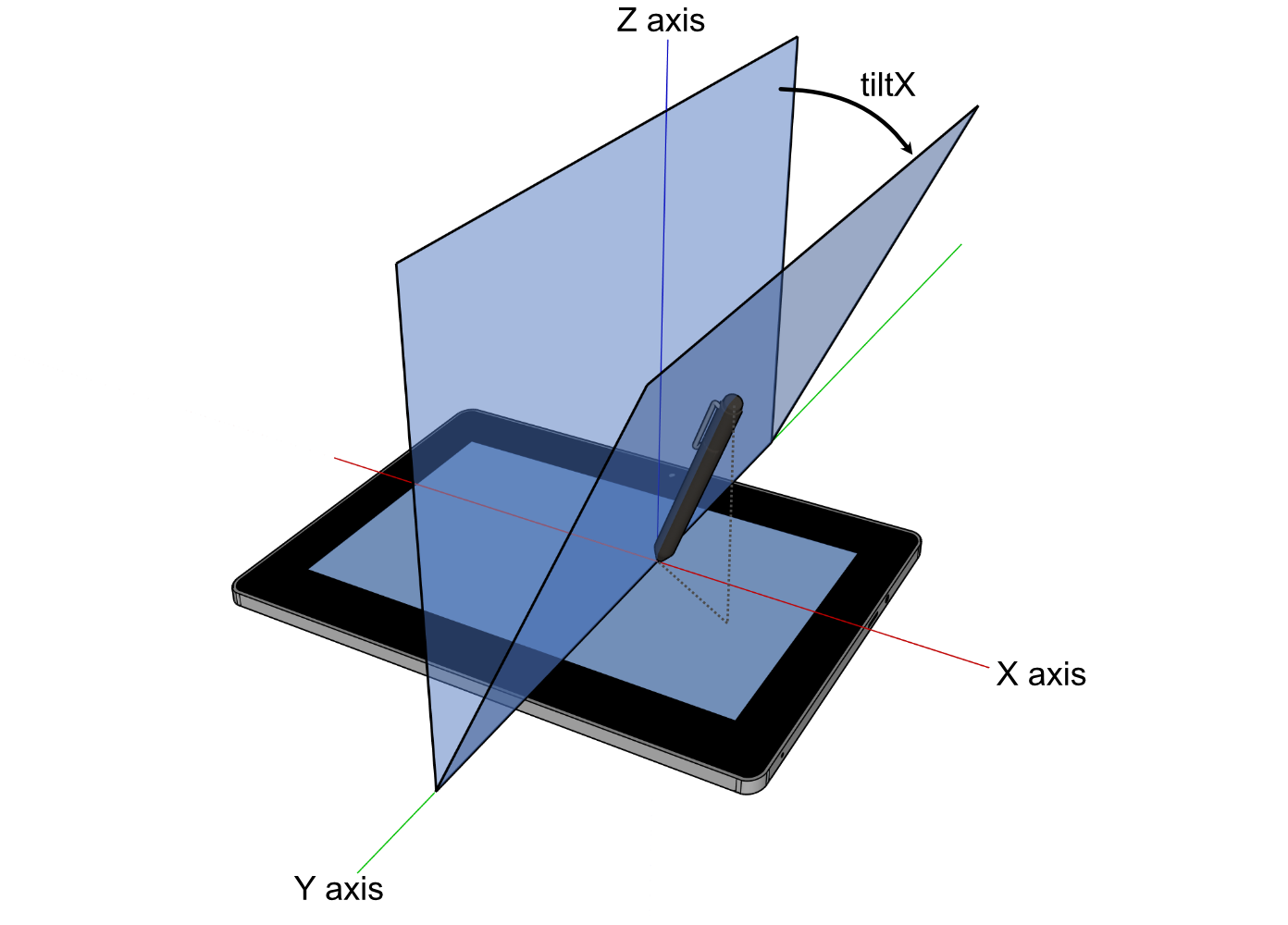** <sub>* For image attribution, see the* <a href="https://github.com/rust-windowing/winit/blob/master/winit/docs/ATTRIBUTION.md">* ATTRIBUTION.md* </a>* file.* </sub>*/int8_t x;/*** The plane angle in degrees between the surface X-Z plane and the plane containing the tool* and the surface X axis. Positive values are towards the user. In the range of -90 to* 90. 0 means the tool is perpendicular to the surface and is the default.** 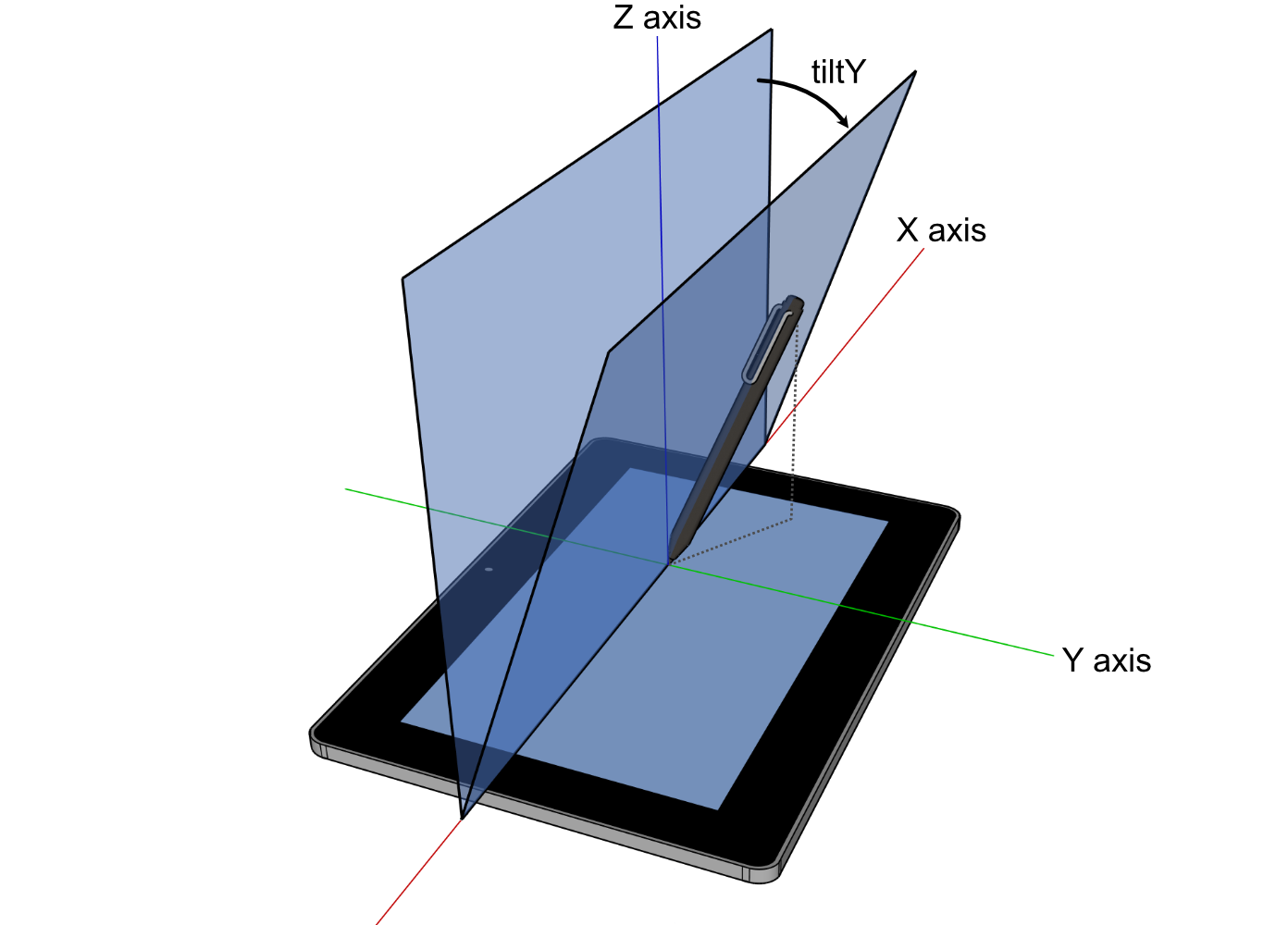** <sub>* For image attribution, see the* <a href="https://github.com/rust-windowing/winit/blob/master/winit/docs/ATTRIBUTION.md">* ATTRIBUTION.md* </a>* file.* </sub>*/int8_t y;} TabletToolTilt;typedef struct COption_TabletToolTilt {const struct TabletToolTilt *_0;} COption_TabletToolTilt;/*** The angular position in radians of a tool.*/typedef struct TabletToolAngle {/*** The altitude angle in radians between the tools perpendicular position to the surface and* the surface X-Y plane. In the range of 0, parallel to the surface, to π/2, perpendicular to* the surface. π/2 means the tool is perpendicular to the surface and is the default.** ** <sub>* For image attribution, see the* <a href="https://github.com/rust-windowing/winit/blob/master/docs/res/ATTRIBUTION.md">* ATTRIBUTION.md* </a>* file.* </sub>*/double altitude;/*** The azimuth angle in radiants representing the rotation between the major axis of the tool* and the surface X-Y plane. In the range of 0, 3 o'clock, progressively increasing clockwise* to 2π. 0 means the tool is at 3 o'clock or is perpendicular to the surface (`altitude` of* π/2) and is the default.** ** <sub>* For image attribution, see the* <a href="https://github.com/rust-windowing/winit/blob/master/docs/res/ATTRIBUTION.md">* ATTRIBUTION.md* </a>* file.* </sub>*/double azimuth;} TabletToolAngle;typedef struct COption_TabletToolAngle {const struct TabletToolAngle *_0;} COption_TabletToolAngle;typedef struct TabletToolData {/*** The force applied to the tool against the surface.** When the force information is not available, [`None`] is returned.** ## Platform-specific** **Web:** Has no mechanism to detect support, so this will always be [`Some`].*/struct COption_Force force;/*** Represents normalized tangential pressure, also known as barrel pressure. In the range of* -1 to 1. 0 means no tangential pressure is applied. [`None`] means backend or device has no* support.** ## Platform-specific** **Web:** Has no mechanism to detect support, so this will always be [`Some`] with a value* of 0.*/struct COption_f32 tangential_force;/*** The clockwise rotation in degrees of a tool around its own major axis. E.g. twisting a pen* around its length. In the range of 0 to 359. [`None`] means backend or device has no* support.** ## Platform-specific** **Web:** Has no mechanism to detect support, so this will always be [`Some`] with a value* of 0.*/struct COption_u16 twist;/*** The plane angle in degrees. [`None`] means backend or device has no support.** ## Platform-specific** **Web:** Has no mechanism to detect support, so this will always be [`Some`] with default* values.*/struct COption_TabletToolTilt tilt;/*** The angular position in radians. [`None`] means backend or device has no support.** ## Platform-specific** **Web:** Has no mechanism to detect device support, so this will always be [`Some`] with* default values unless browser support is lacking.*/struct COption_TabletToolAngle angle;} TabletToolData;/*** Represents the pointer type and its data for a pointer event.** **Wayland/X11:** [`Unknown`](Self::Unknown) device types are converted to known variants by the* system.*/enum PointerSource_Tag {Mouse,/*** Represents a touch event.** Every time the user touches the screen, a [`WindowEvent::PointerEntered`] and a* [`WindowEvent::PointerButton`] with [`ElementState::Pressed`] event with an unique* identifier for the finger is emitted. When a finger is lifted, a* [`WindowEvent::PointerButton`] with [`ElementState::Released`] and a* [`WindowEvent::PointerLeft`] event is generated with the same [`FingerId`].** After a [`WindowEvent::PointerEntered`] event has been emitted, there may be zero or more* [`WindowEvent::PointerMoved`] events when the finger is moved or the touch pressure* changes.** A [`WindowEvent::PointerLeft`] without a [`WindowEvent::PointerButton`] with* [`ElementState::Released`] event is emitted when the system has canceled tracking this* touch, such as when the window loses focus, or on mobile devices if the user moves the* device against their face.** The [`FingerId`] may be reused by the system after a [`WindowEvent::PointerLeft`] event.* The user should assume that a new [`WindowEvent::PointerEntered`] event received with the* same ID has nothing to do with the old finger and is a new finger.** ## Platform-specific** **macOS:** Unsupported.*/Touch,TabletTool,Unknown,};typedef uint8_t PointerSource_Tag;typedef struct Touch_Body {PointerSource_Tag tag;FingerId finger_id;/*** Describes how hard the screen was pressed. May be [`None`] if the hardware does not* support pressure sensitivity.** ## Platform-specific** - **MacOS / Orbital / Wayland / X11:** Always emits [`None`].* - **Android:** Will never be [`None`]. If the device doesn't support pressure* sensitivity, force will either be 0.0 or 1.0. Also see the* [android documentation](https://developer.android.com/reference/android/view/MotionEvent#AXIS_PRESSURE).* - **Web:** Will never be [`None`]. If the device doesn't support pressure sensitivity,* force will be 0.5 when a button is pressed or 0.0 otherwise.*/struct COption_Force force;} Touch_Body;typedef struct TabletTool_Body {PointerSource_Tag tag;/*** Describes as which tool kind the interaction happened.*/TabletToolKind kind;/*** Describes how the tool was held and used.*/struct TabletToolData data;} TabletTool_Body;typedef union PointerSource {PointerSource_Tag tag;Touch_Body touch;TabletTool_Body tablet_tool;} PointerSource;/*** Represents the kind type of a pointer event.** ## Platform-specific** **Wayland/X11:** [`Unknown`](Self::Unknown) device types are converted to known variants by the* system.*/enum PointerKind_Tag {Mouse,/*** See [`PointerSource::Touch`] for more details.** ## Platform-specific** **macOS:** Unsupported.*/Touch,TabletTool,Unknown,};typedef uint8_t PointerKind_Tag;typedef union PointerKind {PointerKind_Tag tag;struct {PointerKind_Tag touch_tag;FingerId touch;};struct {PointerKind_Tag tablet_tool_tag;TabletToolKind tablet_tool;};} PointerKind;/*** Describes a difference in the mouse scroll wheel state.*/enum MouseScrollDelta_Tag {/*** Amount in lines or rows to scroll in the horizontal* and vertical directions.** Positive values indicate that the content that is being scrolled should move* right and down (revealing more content left and up).*/LineDelta,/*** Amount in pixels to scroll in the horizontal and* vertical direction.** Scroll events are expressed as a `PixelDelta` if* supported by the device (eg. a touchpad) and* platform.** Positive values indicate that the content being scrolled should* move right/down.** For a 'natural scrolling' touch pad (that acts like a touch screen)* this means moving your fingers right and down should give positive values,* and move the content right and down (to reveal more things left and up).*/PixelDelta,};typedef uint8_t MouseScrollDelta_Tag;typedef struct LineDelta_Body {MouseScrollDelta_Tag tag;float _0;float _1;} LineDelta_Body;typedef union MouseScrollDelta {MouseScrollDelta_Tag tag;LineDelta_Body line_delta;struct {MouseScrollDelta_Tag pixel_delta_tag;struct PhysicalPosition_f64 pixel_delta;};} MouseScrollDelta;/*** Describes a button of a tool, e.g. a pen.*/enum TabletToolButton_Tag {Contact,Barrel,Other,};typedef uint8_t TabletToolButton_Tag;typedef union TabletToolButton {TabletToolButton_Tag tag;struct {TabletToolButton_Tag other_tag;uint16_t other;};} TabletToolButton;/*** Represents the pointer type of a [`WindowEvent::PointerButton`].** **Wayland/X11:** [`Unknown`](Self::Unknown) device types are converted to known variants by the* system.*/enum ButtonSource_Tag {Mouse,/*** See [`PointerSource::Touch`] for more details.** ## Platform-specific** **macOS:** Unsupported.*/Touch,TabletTool,/*** A pointer button of unknown source.** Codes are undefined and may not be reproducible across platforms or winit versions.*/Unknown,};typedef uint8_t ButtonSource_Tag;typedef struct Touch_Body {ButtonSource_Tag tag;FingerId finger_id;struct COption_Force force;} Touch_Body;typedef struct TabletTool_Body {ButtonSource_Tag tag;TabletToolKind kind;union TabletToolButton button;struct TabletToolData data;} TabletTool_Body;typedef union ButtonSource {ButtonSource_Tag tag;struct {ButtonSource_Tag mouse_tag;MouseButton mouse;};Touch_Body touch;TabletTool_Body tablet_tool;struct {ButtonSource_Tag unknown_tag;uint16_t unknown;};} ButtonSource;/*** A position represented in physical pixels.*/typedef struct PhysicalPosition_f32 {float x;float y;} PhysicalPosition_f32;/*** Handle to synchronously change the size of the window from the [`WindowEvent`].*/typedef struct SurfaceSizeWriter {void *new_surface_size;} SurfaceSizeWriter;enum WindowEvent_Tag {/*** The activation token was delivered back and now could be used.*/ActivationTokenDone,/*** The size of the window's surface has changed.** Contains the new dimensions of the surface (can also be retrieved with* [`Window::surface_size`]).** This event will not necessarily be emitted upon window creation, query* [`Window::surface_size`] if you need to determine the surface's initial size.** [`Window::surface_size`]: crate::window::Window::surface_size*/SurfaceResized,/*** The position of the window has changed.** Contains the window's new position in desktop coordinates (can also be retrieved with* [`Window::outer_position`]).** ## Platform-specific** - **iOS / Android / Web / Wayland:** Unsupported.*/Moved,/*** The window has been requested to close.*/CloseRequested,/*** The window has been destroyed.*/Destroyed,/*** A file drag operation has entered the window.*/DragEntered,/*** A file drag operation has moved over the window.*/DragMoved,/*** The file drag operation has dropped file(s) on the window.*/DragDropped,/*** The file drag operation has been cancelled or left the window.*/DragLeft,/*** The window gained or lost focus.** The parameter is true if the window has gained focus, and false if it has lost focus.** Windows are unfocused upon creation, but will usually be focused by the system soon* afterwards.*/Focused,/*** An event from the keyboard has been received.** ## Platform-specific* - **Windows:** The shift key overrides NumLock. In other words, while shift is held down,* numpad keys act as if NumLock wasn't active. When this is used, the OS sends fake key* events which are not marked as `is_synthetic`.* - **iOS:** Unsupported.*/KeyboardInput,/*** The keyboard modifiers have changed.*/ModifiersChanged,/*** An event from an input method.** **Note:** You have to explicitly enable this event using [`Window::set_ime_allowed`].** ## Platform-specific** - **iOS / Android / Web / Orbital:** Unsupported.*/Ime,/*** The pointer has moved on the window.*/PointerMoved,/*** The pointer has entered the window.*/PointerEntered,/*** The pointer has left the window.*/PointerLeft,/*** A mouse wheel movement or touchpad scroll occurred.*/MouseWheel,/*** An mouse button press has been received.*/PointerButton,/*** Two-finger pinch gesture, often used for magnification.** ## Platform-specific** - Only available on **macOS**, **iOS**, and **Wayland**.* - On iOS, not recognized by default. It must be enabled when needed.*/PinchGesture,/*** N-finger pan gesture** ## Platform-specific** - Only available on **iOS** and **Wayland**.* - On iOS, not recognized by default. It must be enabled when needed.*/PanGesture,/*** Double tap gesture.** On a Mac, smart magnification is triggered by a double tap with two fingers* on the trackpad and is commonly used to zoom on a certain object* (e.g. a paragraph of a PDF) or (sort of like a toggle) to reset any zoom.* The gesture is also supported in Safari, Pages, etc.** The event is general enough that its generating gesture is allowed to vary* across platforms. It could also be generated by another device.** Unfortunately, neither [Windows](https://support.microsoft.com/en-us/windows/touch-gestures-for-windows-a9d28305-4818-a5df-4e2b-e5590f850741)* nor [Wayland](https://wayland.freedesktop.org/libinput/doc/latest/gestures.html)* support this gesture or any other gesture with the same effect.** ## Platform-specific** - Only available on **macOS 10.8** and later, and **iOS**.* - On iOS, not recognized by default. It must be enabled when needed.*/DoubleTapGesture,/*** Two-finger rotation gesture.** Positive delta values indicate rotation counterclockwise and* negative delta values indicate rotation clockwise.** ## Platform-specific** - Only available on **macOS**, **iOS**, and **Wayland**.* - On iOS, not recognized by default. It must be enabled when needed.*/RotationGesture,/*** Touchpad pressure event.** ## Platform-specific** - **macOS**: Only supported on Apple forcetouch-capable macbooks.* - **Android / iOS / Wayland / X11 / Windows / Orbital / Web:** Unsupported.*/TouchpadPressure,/*** The window's scale factor has changed.** The following user actions can cause DPI changes:** * Changing the display's resolution.* * Changing the display's scale factor (e.g. in Control Panel on Windows).* * Moving the window to a display with a different scale factor.** To update the window size, use the provided [`SurfaceSizeWriter`] handle. By default, the* window is resized to the value suggested by the OS, but it can be changed to any value.** This event will not necessarily be emitted upon window creation, query* [`Window::scale_factor`] if you need to determine the window's initial scale factor.** For more information about DPI in general, see the [`dpi`] crate.** [`Window::scale_factor`]: crate::window::Window::scale_factor*/ScaleFactorChanged,/*** The system window theme has changed.** Applications might wish to react to this to change the theme of the content of the window* when the system changes the window theme.** This only reports a change if the window theme was not overridden by [`Window::set_theme`].** ## Platform-specific** - **iOS / Android / X11 / Wayland / Orbital:** Unsupported.*/ThemeChanged,/*** The window has been occluded (completely hidden from view).** This is different to window visibility as it depends on whether the window is closed,* minimised, set invisible, or fully occluded by another window.** ## Platform-specific** ### iOS** On iOS, the `Occluded(false)` event is emitted in response to an* [`applicationWillEnterForeground`] callback which means the application should start* preparing its data. The `Occluded(true)` event is emitted in response to an* [`applicationDidEnterBackground`] callback which means the application should free* resources (according to the [iOS application lifecycle]).** [`applicationWillEnterForeground`]: https://developer.apple.com/documentation/uikit/uiapplicationdelegate/1623076-applicationwillenterforeground* [`applicationDidEnterBackground`]: https://developer.apple.com/documentation/uikit/uiapplicationdelegate/1622997-applicationdidenterbackground* [iOS application lifecycle]: https://developer.apple.com/documentation/uikit/app_and_environment/managing_your_app_s_life_cycle** ### Others** - **Web:** Doesn't take into account CSS [`border`], [`padding`], or [`transform`].* - **Android / Wayland / Windows / Orbital:** Unsupported.** [`border`]: https://developer.mozilla.org/en-US/docs/Web/CSS/border* [`padding`]: https://developer.mozilla.org/en-US/docs/Web/CSS/padding* [`transform`]: https://developer.mozilla.org/en-US/docs/Web/CSS/transform*/Occluded,/*** Emitted when a window should be redrawn.** This gets triggered in a few scenarios:* - The OS has performed an operation that's invalidated the window's contents (such as* resizing the window, or changing [the safe area]).* - The application has explicitly requested a redraw via [`Window::request_redraw`].** Winit will aggregate duplicate redraw requests into a single event, to* help avoid duplicating rendering work.** [the safe area]: crate::window::Window::safe_area*/RedrawRequested,};typedef uint16_t WindowEvent_Tag;typedef struct ActivationTokenDone_Body {WindowEvent_Tag tag;AsyncRequestSerial serial;ActivationToken token;} ActivationTokenDone_Body;typedef struct DragEntered_Body {WindowEvent_Tag tag;/*** List of paths that are being dragged onto the window.*/struct CVec_CPathBuf paths;/*** (x,y) coordinates in pixels relative to the top-left corner of the window. May be* negative on some platforms if something is dragged over a window's decorations (title* bar, frame, etc).*/struct PhysicalPosition_f64 position;} DragEntered_Body;typedef struct DragMoved_Body {WindowEvent_Tag tag;/*** (x,y) coordinates in pixels relative to the top-left corner of the window. May be* negative on some platforms if something is dragged over a window's decorations (title* bar, frame, etc).*/struct PhysicalPosition_f64 position;} DragMoved_Body;typedef struct DragDropped_Body {WindowEvent_Tag tag;/*** List of paths that are being dragged onto the window.*/struct CVec_CPathBuf paths;/*** (x,y) coordinates in pixels relative to the top-left corner of the window. May be* negative on some platforms if something is dragged over a window's decorations (title* bar, frame, etc).*/struct PhysicalPosition_f64 position;} DragDropped_Body;typedef struct DragLeft_Body {WindowEvent_Tag tag;/*** (x,y) coordinates in pixels relative to the top-left corner of the window. May be* negative on some platforms if something is dragged over a window's decorations (title* bar, frame, etc).** ## Platform-specific** - **Windows:** Always emits [`None`].*/struct COption_PhysicalPosition_f64 position;} DragLeft_Body;typedef struct KeyboardInput_Body {WindowEvent_Tag tag;struct COption_DeviceId device_id;struct KeyEvent event;/*** If `true`, the event was generated synthetically by winit* in one of the following circumstances:** * Synthetic key press events are generated for all keys pressed when a window gains* focus. Likewise, synthetic key release events are generated for all keys pressed when* a window goes out of focus. ***Currently, this is only functional on X11 and* Windows***** Otherwise, this value is always `false`.*/bool is_synthetic;} KeyboardInput_Body;typedef struct PointerMoved_Body {WindowEvent_Tag tag;struct COption_DeviceId device_id;/*** (x,y) coordinates in pixels relative to the top-left corner of the window. Because the* range of this data is limited by the display area and it may have been* transformed by the OS to implement effects such as pointer acceleration, it* should not be used to implement non-pointer-like interactions such as 3D camera* control. For that, consider [`DeviceEvent::PointerMotion`].** ## Platform-specific** **Web:** Doesn't take into account CSS [`border`], [`padding`], or [`transform`].** [`border`]: https://developer.mozilla.org/en-US/docs/Web/CSS/border* [`padding`]: https://developer.mozilla.org/en-US/docs/Web/CSS/padding* [`transform`]: https://developer.mozilla.org/en-US/docs/Web/CSS/transform*/struct PhysicalPosition_f64 position;/*** Indicates whether the event is created by a primary pointer.** A pointer is considered primary when it's a mouse, the first finger in a multi-touch* interaction, or an unknown pointer source.*/bool primary;union PointerSource source;} PointerMoved_Body;typedef struct PointerEntered_Body {WindowEvent_Tag tag;struct COption_DeviceId device_id;/*** The position of the pointer when it entered the window.** ## Platform-specific** - **Orbital: Always emits `(0., 0.)`.* - **Web:** Doesn't take into account CSS [`border`], [`padding`], or [`transform`].** [`border`]: https://developer.mozilla.org/en-US/docs/Web/CSS/border* [`padding`]: https://developer.mozilla.org/en-US/docs/Web/CSS/padding* [`transform`]: https://developer.mozilla.org/en-US/docs/Web/CSS/transform*/struct PhysicalPosition_f64 position;/*** Indicates whether the event is created by a primary pointer.** A pointer is considered primary when it's a mouse, the first finger in a multi-touch* interaction, or an unknown pointer source.*/bool primary;union PointerKind kind;} PointerEntered_Body;typedef struct PointerLeft_Body {WindowEvent_Tag tag;struct COption_DeviceId device_id;/*** The position of the pointer when it left the window. The position reported can be* outside the bounds of the window.** ## Platform-specific** - **Orbital/Windows:** Always emits [`None`].* - **Web:** Doesn't take into account CSS [`border`], [`padding`], or [`transform`].** [`border`]: https://developer.mozilla.org/en-US/docs/Web/CSS/border* [`padding`]: https://developer.mozilla.org/en-US/docs/Web/CSS/padding* [`transform`]: https://developer.mozilla.org/en-US/docs/Web/CSS/transform*/struct COption_PhysicalPosition_f64 position;/*** Indicates whether the event is created by a primary pointer.** A pointer is considered primary when it's a mouse, the first finger in a multi-touch* interaction, or an unknown pointer source.*/bool primary;union PointerKind kind;} PointerLeft_Body;typedef struct MouseWheel_Body {WindowEvent_Tag tag;struct COption_DeviceId device_id;union MouseScrollDelta delta;TouchPhase phase;} MouseWheel_Body;typedef struct PointerButton_Body {WindowEvent_Tag tag;struct COption_DeviceId device_id;ElementState state;/*** The position of the pointer when the button was pressed.** ## Platform-specific** - **Orbital: Always emits `(0., 0.)`.* - **Web:** Doesn't take into account CSS [`border`], [`padding`], or [`transform`].** [`border`]: https://developer.mozilla.org/en-US/docs/Web/CSS/border* [`padding`]: https://developer.mozilla.org/en-US/docs/Web/CSS/padding* [`transform`]: https://developer.mozilla.org/en-US/docs/Web/CSS/transform*/struct PhysicalPosition_f64 position;/*** Indicates whether the event is created by a primary pointer.** A pointer is considered primary when it's a mouse, the first finger in a multi-touch* interaction, or an unknown pointer source.*/bool primary;union ButtonSource button;} PointerButton_Body;typedef struct PinchGesture_Body {WindowEvent_Tag tag;struct COption_DeviceId device_id;/*** Positive values indicate magnification (zooming in) and negative* values indicate shrinking (zooming out).** This value may be NaN.*/double delta;TouchPhase phase;} PinchGesture_Body;typedef struct PanGesture_Body {WindowEvent_Tag tag;struct COption_DeviceId device_id;/*** Change in pixels of pan gesture from last update.*/struct PhysicalPosition_f32 delta;TouchPhase phase;} PanGesture_Body;typedef struct DoubleTapGesture_Body {WindowEvent_Tag tag;struct COption_DeviceId device_id;} DoubleTapGesture_Body;typedef struct RotationGesture_Body {WindowEvent_Tag tag;struct COption_DeviceId device_id;/*** change in rotation in degrees*/float delta;TouchPhase phase;} RotationGesture_Body;typedef struct TouchpadPressure_Body {WindowEvent_Tag tag;struct COption_DeviceId device_id;/*** Value between 0 and 1 representing how hard the touchpad is being* pressed.*/float pressure;/*** Represents the click level.*/int64_t stage;} TouchpadPressure_Body;typedef struct ScaleFactorChanged_Body {WindowEvent_Tag tag;double scale_factor;/*** Handle to update surface size during scale changes.** See [`SurfaceSizeWriter`] docs for more details.*/struct SurfaceSizeWriter surface_size_writer;} ScaleFactorChanged_Body;typedef union WindowEvent {WindowEvent_Tag tag;ActivationTokenDone_Body activation_token_done;struct {WindowEvent_Tag surface_resized_tag;struct PhysicalSize_u32 surface_resized;};struct {WindowEvent_Tag moved_tag;struct PhysicalPosition_i32 moved;};DragEntered_Body drag_entered;DragMoved_Body drag_moved;DragDropped_Body drag_dropped;DragLeft_Body drag_left;struct {WindowEvent_Tag focused_tag;bool focused;};KeyboardInput_Body keyboard_input;struct {WindowEvent_Tag modifiers_changed_tag;struct Modifiers modifiers_changed;};struct {WindowEvent_Tag ime_tag;union Ime ime;};PointerMoved_Body pointer_moved;PointerEntered_Body pointer_entered;PointerLeft_Body pointer_left;MouseWheel_Body mouse_wheel;PointerButton_Body pointer_button;PinchGesture_Body pinch_gesture;PanGesture_Body pan_gesture;DoubleTapGesture_Body double_tap_gesture;RotationGesture_Body rotation_gesture;TouchpadPressure_Body touchpad_pressure;ScaleFactorChanged_Body scale_factor_changed;struct {WindowEvent_Tag theme_changed_tag;Theme theme_changed;};struct {WindowEvent_Tag occluded_tag;bool occluded;};} WindowEvent;void event_loop_drop(EventLoop event_loop);/*** Builds a new event loop.** ***For cross-platform compatibility, the [`EventLoop`] must be created on the main thread,* and only once per application.***** Calling this function will result in display backend initialisation.** ## Panics** Attempting to create the event loop off the main thread will panic. This* restriction isn't strictly necessary on all platforms, but is imposed to* eliminate any nasty surprises when porting to platforms that require it.*/EventLoop event_loop_new(void);void run_app(EventLoop event_loop,struct InitActions (*init)(void),EventActions (*on_window_event)(WindowId, union WindowEvent));File addition: bind-winit
[2.1]File addition: src
[0.112797]File addition: window.rs
[0.112821]File addition: util.rs
[0.112821]use std::{ffi::c_void, mem::ManuallyDrop, path::PathBuf, ptr};use smol_str::SmolStr;#[derive(Debug)]#[repr(C)]pub struct CVec<T> {ptr: *mut T,length: usize,capacity: usize,}impl<T> CVec<T> {pub fn into_vec(self) -> Vec<T> {let vec = ManuallyDrop::new(self);let CVec {ptr,length,capacity,} = *vec;unsafe { Vec::from_raw_parts(ptr, length, capacity) }}pub fn from_vec(vec: Vec<T>) -> CVec<T> {let mut vec = ManuallyDrop::new(vec);let ptr = vec.as_mut_ptr();let length = vec.len();let capacity = vec.capacity();Self {ptr,length,capacity,}}}impl<T> From<Vec<T>> for CVec<T> {fn from(vec: Vec<T>) -> Self {CVec::from_vec(vec)}}impl<T> Drop for CVec<T> {fn drop(&mut self) {let CVec {ptr,length,capacity,} = *self;let _ = unsafe { Vec::from_raw_parts(ptr, length, capacity) };}}#[derive(Debug)]#[repr(C)]pub struct Utf8String {ptr: *mut u8,length: usize,capacity: usize,}impl From<String> for Utf8String {fn from(mut value: String) -> Self {let ptr = value.as_mut_ptr();let length = value.len();let capacity = value.capacity();Self {ptr,length,capacity,}}}impl From<SmolStr> for Utf8String {fn from(value: SmolStr) -> Self {let mut value = ManuallyDrop::new(value.to_string());let ptr = value.as_mut_ptr();let length = value.len();let capacity = value.capacity();Self {ptr,length,capacity,}}}impl Drop for Utf8String {fn drop(&mut self) {let Self {ptr,length,capacity,} = self;let _ = unsafe { String::from_raw_parts(*ptr, *length, *capacity) };}}#[derive(Debug)]#[repr(C)]pub struct CPathBuf {ptr: *mut u8,length: usize,capacity: usize,}impl From<PathBuf> for CPathBuf {fn from(value: PathBuf) -> Self {let mut value = ManuallyDrop::new(value.into_os_string().into_encoded_bytes());let ptr = value.as_mut_ptr();let length = value.len();let capacity = value.capacity();Self {ptr,length,capacity,}}}impl Drop for CPathBuf {fn drop(&mut self) {let Self {ptr,length,capacity,} = self;let _ = unsafe { Vec::from_raw_parts(*ptr, *length, *capacity) };}}#[derive(Debug)]#[repr(C)]pub struct COption<T>(*const T);impl<I, O> From<Option<I>> for COption<O>whereO: From<I>,{fn from(value: Option<I>) -> Self {match value {Some(value) => COption(&O::from(value) as *const O),None => COption(ptr::null()),}}}impl<T> Drop for COption<T> {fn drop(&mut self) {let Self(ptr) = self;if !ptr.is_null() {let _ = unsafe { &**ptr as &T };}}}// #[derive(Debug)]// #[repr(C)]// pub enum CResult<T, E> {// Ok(T),// Err(E),// }#[derive(Debug)]#[repr(C)]pub struct Pair<A, B>(pub A, pub B);impl<A, B> From<(A, B)> for Pair<A, B> {fn from((a, b): (A, B)) -> Self {Self(a, b)}}/// Take manual ownership of the value by converting it to pointer./// One must call `from_ptr` to clean it up.pub fn into_ptr<T>(value: T) -> *mut T {debug_assert_eq!(size_of::<*mut T>(), size_of::<*mut c_void>());let boxed = Box::new(value);Box::into_raw(boxed)}pub unsafe fn from_ptr<T>(ptr: *mut T) -> T {debug_assert!(!ptr.is_null());debug_assert_eq!(size_of::<*mut T>(), size_of::<*mut c_void>());*unsafe { Box::from_raw(ptr) }}#[cfg(test)]mod test {use super::*;#[test]fn cvec() {let vec_in: Vec<usize> = vec![2, 5];let c_vec = CVec::from(vec_in.clone());let vec_out = c_vec.into_vec();assert_eq!(vec_in, vec_out);}}File addition: lib.rs
[0.112821]mod event;mod event_loop;mod util;mod window;pub use event_loop::{EventLoop, event_loop_drop, event_loop_new, run_app};File addition: event_loop.rs
[0.112821]use std::collections::HashMap;use winit::{application::ApplicationHandler, window::WindowAttributes};use crate::{event::WindowEvent,util::{CVec, from_ptr, into_ptr},};/// Provides a way to retrieve events from the system and from the windows that were registered to/// the events loop.////// An `EventLoop` can be seen more or less as a "context". Calling [`event_loop_new`]/// initializes everything that will be required to create windows. For example on Linux creating/// an event loop opens a connection to the X or Wayland server.////// To wake up an `EventLoop` from a another thread, see the [`EventLoopProxy`] docs.////// Note that this cannot be shared across threads (due to platform-dependant logic/// forbidding it), as such it is neither [`Send`] nor [`Sync`]. If you need cross-thread access,/// the [`Window`] created from this _can_ be sent to an other thread, and the/// [`EventLoopProxy`] allows you to wake up an `EventLoop` from another thread.#[repr(transparent)]pub struct EventLoop(pub *mut winit::event_loop::EventLoop);/// Builds a new event loop.////// ***For cross-platform compatibility, the [`EventLoop`] must be created on the main thread,/// and only once per application.***////// Calling this function will result in display backend initialisation.////// ## Panics////// Attempting to create the event loop off the main thread will panic. This/// restriction isn't strictly necessary on all platforms, but is imposed to/// eliminate any nasty surprises when porting to platforms that require it.#[unsafe(no_mangle)]pub extern "C" fn event_loop_new() -> EventLoop {let raw = winit::event_loop::EventLoop::builder().build().unwrap();EventLoop(into_ptr(raw))}#[unsafe(no_mangle)]pub unsafe extern "C" fn event_loop_drop(event_loop: EventLoop) {let EventLoop(ptr) = event_loop;unsafe { from_ptr(ptr) };}// #[derive(Debug)]// #[repr(transparent)]// pub struct Window(Box<dyn winit::window::Window>);#[derive(Debug)]#[repr(transparent)]pub struct WindowId(usize);#[derive(Debug)]struct App {init: extern "C" fn() -> InitActions,on_window_event: extern "C" fn(WindowId, WindowEvent) -> EventActions,windows: HashMap<winit::window::WindowId, Box<dyn winit::window::Window>>,}#[derive(Debug)]#[repr(C)]pub struct InitActions {pub fst: InitAction,pub rest: CVec<InitAction>,}#[derive(Debug)]#[repr(u8)]pub enum InitAction {// TODO add `WindowAttributes`CreateWindow,}pub type EventActions = CVec<EventAction>;#[derive(Debug)]#[repr(u8)]pub enum EventAction {// TODO add `WindowAttributes`CreateWindow,CloseWindow(WindowId),Exit,}#[unsafe(no_mangle)]pub extern "C" fn run_app(event_loop: EventLoop,init: extern "C" fn() -> InitActions,on_window_event: extern "C" fn(WindowId, WindowEvent) -> EventActions,) {let EventLoop(ptr) = event_loop;let event_loop: winit::event_loop::EventLoop = unsafe { from_ptr(ptr) };let app = App {init,on_window_event,windows: Default::default(),};event_loop.run_app(app).expect("TODO");}impl ApplicationHandler for App {fn can_create_surfaces(&mut self, event_loop: &dyn winit::event_loop::ActiveEventLoop) {let InitActions { fst, rest } = (self.init)();// TODO callback when ready to allow window creation on demand?for action in [fst].into_iter().chain(rest.into_vec().into_iter()) {match action {InitAction::CreateWindow => {let window = event_loop.create_window(WindowAttributes::default()).unwrap();let id = window.id();self.windows.insert(id, window);}}}}fn window_event(&mut self,event_loop: &dyn winit::event_loop::ActiveEventLoop,window_id: winit::window::WindowId,event: winit::event::WindowEvent,) {// Convert to C repr structureslet window_id = WindowId::from(window_id);let event = WindowEvent::from(event);let actions = (self.on_window_event)(window_id, event);for action in actions.into_vec() {match action {EventAction::CreateWindow => {let window = event_loop.create_window(WindowAttributes::default()).unwrap();let id = window.id();self.windows.insert(id, window);}EventAction::CloseWindow(WindowId(id)) => {let id = winit::window::WindowId::from_raw(id);// Drop closes the windowlet _window = self.windows.remove(&id);}EventAction::Exit => event_loop.exit(),}}}}impl From<winit::window::WindowId> for WindowId {fn from(value: winit::window::WindowId) -> Self {Self(value.into_raw())}}File addition: event.rs
[0.112821]#![allow(deprecated, unused)]use crate::util::{COption, CPathBuf, CVec, Pair, Utf8String};use std::{path::PathBuf,sync::{Mutex, Weak},};#[derive(Debug)]#[repr(u16)]pub enum WindowEvent {/// The activation token was delivered back and now could be used.ActivationTokenDone {serial: AsyncRequestSerial,token: ActivationToken,},/// The size of the window's surface has changed.////// Contains the new dimensions of the surface (can also be retrieved with/// [`Window::surface_size`]).////// This event will not necessarily be emitted upon window creation, query/// [`Window::surface_size`] if you need to determine the surface's initial size.////// [`Window::surface_size`]: crate::window::Window::surface_sizeSurfaceResized(PhysicalSize<u32>),/// The position of the window has changed.////// Contains the window's new position in desktop coordinates (can also be retrieved with/// [`Window::outer_position`]).////// ## Platform-specific////// - **iOS / Android / Web / Wayland:** Unsupported.Moved(PhysicalPosition<i32>),/// The window has been requested to close.CloseRequested,/// The window has been destroyed.Destroyed,/// A file drag operation has entered the window.DragEntered {/// List of paths that are being dragged onto the window.paths: CVec<CPathBuf>,/// (x,y) coordinates in pixels relative to the top-left corner of the window. May be/// negative on some platforms if something is dragged over a window's decorations (title/// bar, frame, etc).position: PhysicalPosition<f64>,},/// A file drag operation has moved over the window.DragMoved {/// (x,y) coordinates in pixels relative to the top-left corner of the window. May be/// negative on some platforms if something is dragged over a window's decorations (title/// bar, frame, etc).position: PhysicalPosition<f64>,},/// The file drag operation has dropped file(s) on the window.DragDropped {/// List of paths that are being dragged onto the window.paths: CVec<CPathBuf>,/// (x,y) coordinates in pixels relative to the top-left corner of the window. May be/// negative on some platforms if something is dragged over a window's decorations (title/// bar, frame, etc).position: PhysicalPosition<f64>,},/// The file drag operation has been cancelled or left the window.DragLeft {/// (x,y) coordinates in pixels relative to the top-left corner of the window. May be/// negative on some platforms if something is dragged over a window's decorations (title/// bar, frame, etc).////// ## Platform-specific////// - **Windows:** Always emits [`None`].position: COption<PhysicalPosition<f64>>,},/// The window gained or lost focus.////// The parameter is true if the window has gained focus, and false if it has lost focus.////// Windows are unfocused upon creation, but will usually be focused by the system soon/// afterwards.Focused(bool),/// An event from the keyboard has been received.////// ## Platform-specific/// - **Windows:** The shift key overrides NumLock. In other words, while shift is held down,/// numpad keys act as if NumLock wasn't active. When this is used, the OS sends fake key/// events which are not marked as `is_synthetic`./// - **iOS:** Unsupported.KeyboardInput {device_id: COption<DeviceId>,event: KeyEvent,/// If `true`, the event was generated synthetically by winit/// in one of the following circumstances:////// * Synthetic key press events are generated for all keys pressed when a window gains/// focus. Likewise, synthetic key release events are generated for all keys pressed when/// a window goes out of focus. ***Currently, this is only functional on X11 and/// Windows***////// Otherwise, this value is always `false`.is_synthetic: bool,},/// The keyboard modifiers have changed.ModifiersChanged(Modifiers),/// An event from an input method.////// **Note:** You have to explicitly enable this event using [`Window::set_ime_allowed`].////// ## Platform-specific////// - **iOS / Android / Web / Orbital:** Unsupported.Ime(Ime),/// The pointer has moved on the window.PointerMoved {device_id: COption<DeviceId>,/// (x,y) coordinates in pixels relative to the top-left corner of the window. Because the/// range of this data is limited by the display area and it may have been/// transformed by the OS to implement effects such as pointer acceleration, it/// should not be used to implement non-pointer-like interactions such as 3D camera/// control. For that, consider [`DeviceEvent::PointerMotion`].////// ## Platform-specific////// **Web:** Doesn't take into account CSS [`border`], [`padding`], or [`transform`].////// [`border`]: https://developer.mozilla.org/en-US/docs/Web/CSS/border/// [`padding`]: https://developer.mozilla.org/en-US/docs/Web/CSS/padding/// [`transform`]: https://developer.mozilla.org/en-US/docs/Web/CSS/transformposition: PhysicalPosition<f64>,/// Indicates whether the event is created by a primary pointer.////// A pointer is considered primary when it's a mouse, the first finger in a multi-touch/// interaction, or an unknown pointer source.primary: bool,source: PointerSource,},/// The pointer has entered the window.PointerEntered {device_id: COption<DeviceId>,/// The position of the pointer when it entered the window.////// ## Platform-specific////// - **Orbital: Always emits `(0., 0.)`./// - **Web:** Doesn't take into account CSS [`border`], [`padding`], or [`transform`].////// [`border`]: https://developer.mozilla.org/en-US/docs/Web/CSS/border/// [`padding`]: https://developer.mozilla.org/en-US/docs/Web/CSS/padding/// [`transform`]: https://developer.mozilla.org/en-US/docs/Web/CSS/transformposition: PhysicalPosition<f64>,/// Indicates whether the event is created by a primary pointer.////// A pointer is considered primary when it's a mouse, the first finger in a multi-touch/// interaction, or an unknown pointer source.primary: bool,kind: PointerKind,},/// The pointer has left the window.PointerLeft {device_id: COption<DeviceId>,/// The position of the pointer when it left the window. The position reported can be/// outside the bounds of the window.////// ## Platform-specific////// - **Orbital/Windows:** Always emits [`None`]./// - **Web:** Doesn't take into account CSS [`border`], [`padding`], or [`transform`].////// [`border`]: https://developer.mozilla.org/en-US/docs/Web/CSS/border/// [`padding`]: https://developer.mozilla.org/en-US/docs/Web/CSS/padding/// [`transform`]: https://developer.mozilla.org/en-US/docs/Web/CSS/transformposition: COption<PhysicalPosition<f64>>,/// Indicates whether the event is created by a primary pointer.////// A pointer is considered primary when it's a mouse, the first finger in a multi-touch/// interaction, or an unknown pointer source.primary: bool,kind: PointerKind,},/// A mouse wheel movement or touchpad scroll occurred.MouseWheel {device_id: COption<DeviceId>,delta: MouseScrollDelta,phase: TouchPhase,},/// An mouse button press has been received.PointerButton {device_id: COption<DeviceId>,state: ElementState,/// The position of the pointer when the button was pressed.////// ## Platform-specific////// - **Orbital: Always emits `(0., 0.)`./// - **Web:** Doesn't take into account CSS [`border`], [`padding`], or [`transform`].////// [`border`]: https://developer.mozilla.org/en-US/docs/Web/CSS/border/// [`padding`]: https://developer.mozilla.org/en-US/docs/Web/CSS/padding/// [`transform`]: https://developer.mozilla.org/en-US/docs/Web/CSS/transformposition: PhysicalPosition<f64>,/// Indicates whether the event is created by a primary pointer.////// A pointer is considered primary when it's a mouse, the first finger in a multi-touch/// interaction, or an unknown pointer source.primary: bool,button: ButtonSource,},/// Two-finger pinch gesture, often used for magnification.////// ## Platform-specific////// - Only available on **macOS**, **iOS**, and **Wayland**./// - On iOS, not recognized by default. It must be enabled when needed.PinchGesture {device_id: COption<DeviceId>,/// Positive values indicate magnification (zooming in) and negative/// values indicate shrinking (zooming out).////// This value may be NaN.delta: f64,phase: TouchPhase,},/// N-finger pan gesture////// ## Platform-specific////// - Only available on **iOS** and **Wayland**./// - On iOS, not recognized by default. It must be enabled when needed.PanGesture {device_id: COption<DeviceId>,/// Change in pixels of pan gesture from last update.delta: PhysicalPosition<f32>,phase: TouchPhase,},/// Double tap gesture.////// On a Mac, smart magnification is triggered by a double tap with two fingers/// on the trackpad and is commonly used to zoom on a certain object/// (e.g. a paragraph of a PDF) or (sort of like a toggle) to reset any zoom./// The gesture is also supported in Safari, Pages, etc.////// The event is general enough that its generating gesture is allowed to vary/// across platforms. It could also be generated by another device.////// Unfortunately, neither [Windows](https://support.microsoft.com/en-us/windows/touch-gestures-for-windows-a9d28305-4818-a5df-4e2b-e5590f850741)/// nor [Wayland](https://wayland.freedesktop.org/libinput/doc/latest/gestures.html)/// support this gesture or any other gesture with the same effect.////// ## Platform-specific////// - Only available on **macOS 10.8** and later, and **iOS**./// - On iOS, not recognized by default. It must be enabled when needed.DoubleTapGesture { device_id: COption<DeviceId> },/// Two-finger rotation gesture.////// Positive delta values indicate rotation counterclockwise and/// negative delta values indicate rotation clockwise.////// ## Platform-specific////// - Only available on **macOS**, **iOS**, and **Wayland**./// - On iOS, not recognized by default. It must be enabled when needed.RotationGesture {device_id: COption<DeviceId>,/// change in rotation in degreesdelta: f32,phase: TouchPhase,},/// Touchpad pressure event.////// ## Platform-specific////// - **macOS**: Only supported on Apple forcetouch-capable macbooks./// - **Android / iOS / Wayland / X11 / Windows / Orbital / Web:** Unsupported.TouchpadPressure {device_id: COption<DeviceId>,/// Value between 0 and 1 representing how hard the touchpad is being/// pressed.pressure: f32,/// Represents the click level.stage: i64,},/// The window's scale factor has changed.////// The following user actions can cause DPI changes:////// * Changing the display's resolution./// * Changing the display's scale factor (e.g. in Control Panel on Windows)./// * Moving the window to a display with a different scale factor.////// To update the window size, use the provided [`SurfaceSizeWriter`] handle. By default, the/// window is resized to the value suggested by the OS, but it can be changed to any value.////// This event will not necessarily be emitted upon window creation, query/// [`Window::scale_factor`] if you need to determine the window's initial scale factor.////// For more information about DPI in general, see the [`dpi`] crate.////// [`Window::scale_factor`]: crate::window::Window::scale_factorScaleFactorChanged {scale_factor: f64,/// Handle to update surface size during scale changes.////// See [`SurfaceSizeWriter`] docs for more details.surface_size_writer: SurfaceSizeWriter,},/// The system window theme has changed.////// Applications might wish to react to this to change the theme of the content of the window/// when the system changes the window theme.////// This only reports a change if the window theme was not overridden by [`Window::set_theme`].////// ## Platform-specific////// - **iOS / Android / X11 / Wayland / Orbital:** Unsupported.ThemeChanged(Theme),/// The window has been occluded (completely hidden from view).////// This is different to window visibility as it depends on whether the window is closed,/// minimised, set invisible, or fully occluded by another window.////// ## Platform-specific////// ### iOS////// On iOS, the `Occluded(false)` event is emitted in response to an/// [`applicationWillEnterForeground`] callback which means the application should start/// preparing its data. The `Occluded(true)` event is emitted in response to an/// [`applicationDidEnterBackground`] callback which means the application should free/// resources (according to the [iOS application lifecycle]).////// [`applicationWillEnterForeground`]: https://developer.apple.com/documentation/uikit/uiapplicationdelegate/1623076-applicationwillenterforeground/// [`applicationDidEnterBackground`]: https://developer.apple.com/documentation/uikit/uiapplicationdelegate/1622997-applicationdidenterbackground/// [iOS application lifecycle]: https://developer.apple.com/documentation/uikit/app_and_environment/managing_your_app_s_life_cycle////// ### Others////// - **Web:** Doesn't take into account CSS [`border`], [`padding`], or [`transform`]./// - **Android / Wayland / Windows / Orbital:** Unsupported.////// [`border`]: https://developer.mozilla.org/en-US/docs/Web/CSS/border/// [`padding`]: https://developer.mozilla.org/en-US/docs/Web/CSS/padding/// [`transform`]: https://developer.mozilla.org/en-US/docs/Web/CSS/transformOccluded(bool),/// Emitted when a window should be redrawn.////// This gets triggered in a few scenarios:/// - The OS has performed an operation that's invalidated the window's contents (such as/// resizing the window, or changing [the safe area])./// - The application has explicitly requested a redraw via [`Window::request_redraw`].////// Winit will aggregate duplicate redraw requests into a single event, to/// help avoid duplicating rendering work.////// [the safe area]: crate::window::Window::safe_areaRedrawRequested,}/// Represents the kind type of a pointer event.////// ## Platform-specific////// **Wayland/X11:** [`Unknown`](Self::Unknown) device types are converted to known variants by the/// system.#[derive(Debug)]#[repr(u8)]pub enum PointerKind {Mouse,/// See [`PointerSource::Touch`] for more details.////// ## Platform-specific////// **macOS:** Unsupported.Touch(FingerId),TabletTool(TabletToolKind),Unknown,}/// Represents the pointer type and its data for a pointer event.////// **Wayland/X11:** [`Unknown`](Self::Unknown) device types are converted to known variants by the/// system.#[derive(Debug)]#[repr(u8)]pub enum PointerSource {Mouse,/// Represents a touch event.////// Every time the user touches the screen, a [`WindowEvent::PointerEntered`] and a/// [`WindowEvent::PointerButton`] with [`ElementState::Pressed`] event with an unique/// identifier for the finger is emitted. When a finger is lifted, a/// [`WindowEvent::PointerButton`] with [`ElementState::Released`] and a/// [`WindowEvent::PointerLeft`] event is generated with the same [`FingerId`].////// After a [`WindowEvent::PointerEntered`] event has been emitted, there may be zero or more/// [`WindowEvent::PointerMoved`] events when the finger is moved or the touch pressure/// changes.////// A [`WindowEvent::PointerLeft`] without a [`WindowEvent::PointerButton`] with/// [`ElementState::Released`] event is emitted when the system has canceled tracking this/// touch, such as when the window loses focus, or on mobile devices if the user moves the/// device against their face.////// The [`FingerId`] may be reused by the system after a [`WindowEvent::PointerLeft`] event./// The user should assume that a new [`WindowEvent::PointerEntered`] event received with the/// same ID has nothing to do with the old finger and is a new finger.////// ## Platform-specific////// **macOS:** Unsupported.Touch {finger_id: FingerId,/// Describes how hard the screen was pressed. May be [`None`] if the hardware does not/// support pressure sensitivity.////// ## Platform-specific////// - **MacOS / Orbital / Wayland / X11:** Always emits [`None`]./// - **Android:** Will never be [`None`]. If the device doesn't support pressure/// sensitivity, force will either be 0.0 or 1.0. Also see the/// [android documentation](https://developer.android.com/reference/android/view/MotionEvent#AXIS_PRESSURE)./// - **Web:** Will never be [`None`]. If the device doesn't support pressure sensitivity,/// force will be 0.5 when a button is pressed or 0.0 otherwise.force: COption<Force>,},TabletTool {/// Describes as which tool kind the interaction happened.kind: TabletToolKind,/// Describes how the tool was held and used.data: TabletToolData,},Unknown,}/// Represents the pointer type of a [`WindowEvent::PointerButton`].////// **Wayland/X11:** [`Unknown`](Self::Unknown) device types are converted to known variants by the/// system.#[derive(Debug)]#[repr(u8)]pub enum ButtonSource {Mouse(MouseButton),/// See [`PointerSource::Touch`] for more details.////// ## Platform-specific////// **macOS:** Unsupported.Touch {finger_id: FingerId,force: COption<Force>,},TabletTool {kind: TabletToolKind,button: TabletToolButton,data: TabletToolData,},/// A pointer button of unknown source.////// Codes are undefined and may not be reproducible across platforms or winit versions.Unknown(u16),}/// Identifier of an input device.////// Whenever you receive an event arising from a particular input device, this event contains a/// `DeviceId` which identifies its origin. Note that devices may be virtual (representing an/// on-screen cursor and keyboard focus) or physical. Virtual devices typically aggregate inputs/// from multiple physical devices.#[derive(Debug)]#[repr(transparent)]pub struct DeviceId(i64);/// Identifier of a finger in a touch event.////// Whenever a touch event is received it contains a `FingerId` which uniquely identifies the finger/// used for the current interaction.#[derive(Debug)]#[repr(transparent)]pub struct FingerId(pub usize);/// Represents raw hardware events that are not associated with any particular window.////// Useful for interactions that diverge significantly from a conventional 2D GUI, such as 3D camera/// or first-person game controls. Many physical actions, such as mouse movement, can produce both/// device and [window events]. Because window events typically arise from virtual devices/// (corresponding to GUI pointers and keyboard focus) the device IDs may not match.////// Note that these events are delivered regardless of input focus.////// [window events]: WindowEvent#[derive(Debug)]#[repr(u8)]pub enum DeviceEvent {/// Change in physical position of a pointing device.////// This represents raw, unfiltered physical motion. Not to be confused with/// [`WindowEvent::PointerMoved`].////// ## Platform-specific////// **Web:** Only returns raw data, not OS accelerated, if [`CursorGrabMode::Locked`] is used/// and browser support is available.////// [`CursorGrabMode::Locked`]: crate::window::CursorGrabMode::LockedPointerMotion {/// (x, y) change in position in unspecified units.////// Different devices may use different units.delta: (f64, f64),},/// Physical scroll event//// NOTE: Flattened-in `MouseScrollDelta` for compact C repr matching Rust size from://// MouseWheel {// delta: MouseScrollDelta,// },//// to:MouseWheelLineDelta(f32, f32),MouseWheelPixelDelta(PhysicalPosition<f64>),Button {button: ButtonId,state: ElementState,},Key(RawKeyEvent),}/// Describes a keyboard input as a raw device event.////// Note that holding down a key may produce repeated `RawKeyEvent`s. The/// operating system doesn't provide information whether such an event is a/// repeat or the initial keypress. An application may emulate this by, for/// example keeping a Map/Set of pressed keys and determining whether a keypress/// corresponds to an already pressed key.#[derive(Debug)]#[repr(C)]pub struct RawKeyEvent {pub physical_key: PhysicalKey,pub state: ElementState,}/// Describes a keyboard input targeting a window.#[derive(Debug)]#[repr(C)]pub struct KeyEvent {/// Represents the position of a key independent of the currently active layout.////// It also uniquely identifies the physical key (i.e. it's mostly synonymous with a scancode)./// The most prevalent use case for this is games. For example the default keys for the player/// to move around might be the W, A, S, and D keys on a US layout. The position of these keys/// is more important than their label, so they should map to Z, Q, S, and D on an "AZERTY"/// layout. (This value is `KeyCode::KeyW` for the Z key on an AZERTY layout.)////// ## Caveats////// - Certain niche hardware will shuffle around physical key positions, e.g. a keyboard that/// implements DVORAK in hardware (or firmware)/// - Your application will likely have to handle keyboards which are missing keys that your/// own keyboard has./// - Certain `KeyCode`s will move between a couple of different positions depending on what/// layout the keyboard was manufactured to support.////// **Because of these caveats, it is important that you provide users with a way to configure/// most (if not all) keybinds in your application.**////// ## `Fn` and `FnLock`////// `Fn` and `FnLock` key events are *exceedingly unlikely* to be emitted by Winit. These keys/// are usually handled at the hardware or OS level, and aren't surfaced to applications. If/// you somehow see this in the wild, we'd like to know :)pub physical_key: PhysicalKey,/// This value is affected by all modifiers except <kbd>Ctrl</kbd>.////// This has two use cases:/// - Allows querying whether the current input is a Dead key./// - Allows handling key-bindings on platforms which don't support [`key_without_modifiers`].////// If you use this field (or [`key_without_modifiers`] for that matter) for keyboard/// shortcuts, **it is important that you provide users with a way to configure your/// application's shortcuts so you don't render your application unusable for users with an/// incompatible keyboard layout.**////// ## Platform-specific/// - **Web:** Dead keys might be reported as the real key instead of `Dead` depending on the/// browser/OS.////// [`key_without_modifiers`]: Self::key_without_modifierspub logical_key: Key,/// Contains the text produced by this keypress.////// In most cases this is identical to the content/// of the `Character` variant of `logical_key`./// However, on Windows when a dead key was pressed earlier/// but cannot be combined with the character from this/// keypress, the produced text will consist of two characters:/// the dead-key-character followed by the character resulting/// from this keypress.////// An additional difference from `logical_key` is that/// this field stores the text representation of any key/// that has such a representation. For example when/// `logical_key` is `Key::Named(NamedKey::Enter)`, this field is `Some("\r")`.////// This is `None` if the current keypress cannot/// be interpreted as text.////// See also [`text_with_all_modifiers`][Self::text_with_all_modifiers].pub text: COption<Utf8String>,/// Contains the location of this key on the keyboard.////// Certain keys on the keyboard may appear in more than once place. For example, the "Shift"/// key appears on the left side of the QWERTY keyboard as well as the right side. However,/// both keys have the same symbolic value. Another example of this phenomenon is the "1"/// key, which appears both above the "Q" key and as the "Keypad 1" key.////// This field allows the user to differentiate between keys like this that have the same/// symbolic value but different locations on the keyboard.////// See the [`KeyLocation`] type for more details.////// [`KeyLocation`]: crate::keyboard::KeyLocationpub location: KeyLocation,/// Whether the key is being pressed or released.////// See the [`ElementState`] type for more details.pub state: ElementState,/// Whether or not this key is a key repeat event.////// On some systems, holding down a key for some period of time causes that key to be repeated/// as though it were being pressed and released repeatedly. This field is `true` if and only/// if this event is the result of one of those repeats.////// # Example////// In games, you often want to ignore repeated key events - this can be/// done by ignoring events where this property is set.////// ```no_run/// use winit_core::event::{ElementState, KeyEvent, WindowEvent};/// use winit_core::keyboard::{KeyCode, PhysicalKey};/// # let window_event = WindowEvent::RedrawRequested; // To make the example compile/// match window_event {/// WindowEvent::KeyboardInput {/// event:/// KeyEvent {/// physical_key: PhysicalKey::Code(KeyCode::KeyW),/// state: ElementState::Pressed,/// repeat: false,/// ../// },/// ../// } => {/// // The physical key `W` was pressed, and it was not a repeat/// },/// _ => {}, // Handle other events/// }/// ```pub repeat: bool,/// Similar to [`text`][Self::text], except that this is affected by <kbd>Ctrl</kbd> and may/// produce ASCII control characters.////// For example, pressing <kbd>Ctrl</kbd>+<kbd>space</kbd> produces `Some("\x00")`.////// ## Platform-specific////// - **Android:** Unimplemented, this field is always the same value as `text`./// - **iOS:** Unimplemented, this field is always the same value as `text`./// - **Web:** Unsupported, this field is always the same value as `text`.pub text_with_all_modifiers: COption<Utf8String>,/// This value ignores all modifiers including, but not limited to <kbd>Shift</kbd>,/// <kbd>Caps Lock</kbd>, and <kbd>Ctrl</kbd>. In most cases this means that the/// unicode character in the resulting string is lowercase.////// This is useful for key-bindings / shortcut key combinations.////// In case [`logical_key`][Self::logical_key] reports [`Dead`][keyboard::Key::Dead],/// this will still report the key as `Character` according to the current keyboard/// layout. This value cannot be `Dead`.////// ## Platform-specific////// - **Android:** Unimplemented, this field is always the same value as `logical_key`./// - **iOS:** Unimplemented, this field is always the same value as `logical_key`./// - **Web:** Unsupported, this field is always the same value as `logical_key`.pub key_without_modifiers: Key,}/// Describes keyboard modifiers event.#[derive(Debug)]#[repr(C)]pub struct Modifiers {pub(crate) state: ModifiersState,// NOTE: Currently active modifiers keys (logically, but not necessarily physically, pressed).//// The field providing a metadata, it shouldn't be used as a source of truth.pub(crate) pressed_mods: ModifiersKeys,}/// Describes [input method](https://en.wikipedia.org/wiki/Input_method) events.////// The `Ime` events must be applied in the order they arrive.////// This is also called a "composition event".////// Most keypresses using a latin-like keyboard layout simply generate a/// [`WindowEvent::KeyboardInput`]. However, one couldn't possibly have a key for every single/// unicode character that the user might want to type/// - so the solution operating systems employ is to allow the user to type these using _a sequence/// of keypresses_ instead.////// A prominent example of this is accents - many keyboard layouts allow you to first click the/// "accent key", and then the character you want to apply the accent to. In this case, some/// platforms will generate the following event sequence:////// ```ignore/// // Press "`" key/// Ime::Preedit("`", Some((0, 0)))/// // Press "E" key/// Ime::Preedit("", None) // Synthetic event generated by winit to clear preedit./// Ime::Commit("é")/// ```////// Additionally, certain input devices are configured to display a candidate box that allow the/// user to select the desired character interactively. (To properly position this box, you must use/// [`Window::set_ime_cursor_area`].)////// An example of a keyboard layout which uses candidate boxes is pinyin. On a latin keyboard the/// following event sequence could be obtained:////// ```ignore/// // Press "A" key/// Ime::Preedit("a", Some((1, 1)))/// // Press "B" key/// Ime::Preedit("a b", Some((3, 3)))/// // Press left arrow key/// Ime::Preedit("a b", Some((1, 1)))/// // Press space key/// Ime::Preedit("啊b", Some((3, 3)))/// // Press space key/// Ime::Preedit("", None) // Synthetic event generated by winit to clear preedit./// Ime::Commit("啊不")/// ```#[derive(Debug)]#[repr(u8)]pub enum Ime {/// Notifies when the IME was enabled.////// After getting this event you could receive [`Preedit`][Self::Preedit] and/// [`Commit`][Self::Commit] events. You should also start performing IME related requests/// like [`Window::set_ime_cursor_area`].Enabled,/// Notifies when a new composing text should be set at the cursor position.////// The value represents a pair of the preedit string and the cursor begin position and end/// position. When it's `None`, the cursor should be hidden. When `String` is an empty string/// this indicates that preedit was cleared.////// The cursor position is byte-wise indexed, assuming UTF-8.Preedit(Utf8String, COption<Pair<usize, usize>>),/// Notifies when text should be inserted into the editor widget.////// Right before this event winit will send empty [`Self::Preedit`] event.Commit(Utf8String),/// Delete text surrounding the cursor or selection.////// This event does not affect either the pre-edit string./// This means that the application must first remove the pre-edit,/// then execute the deletion, then insert the removed text back.////// This event assumes text is stored in UTF-8.DeleteSurrounding {/// Bytes to remove before the selectionbefore_bytes: usize,/// Bytes to remove after the selectionafter_bytes: usize,},/// Notifies when the IME was disabled.////// After receiving this event you won't get any more [`Preedit`][Self::Preedit] or/// [`Commit`][Self::Commit] events until the next [`Enabled`][Self::Enabled] event. You should/// also stop issuing IME related requests like [`Window::set_ime_cursor_area`] and clear/// pending preedit text.Disabled,}/// Describes touch-screen input state.#[derive(Debug)]#[repr(u8)]pub enum TouchPhase {Started,Moved,Ended,Cancelled,}/// Describes the force of a touch event#[derive(Debug)]#[repr(u8)]pub enum Force {/// On iOS, the force is calibrated so that the same number corresponds to/// roughly the same amount of pressure on the screen regardless of the/// device.Calibrated {/// The force of the touch, where a value of 1.0 represents the force of/// an average touch (predetermined by the system, not user-specific).////// The force reported by Apple Pencil is measured along the axis of the/// pencil. If you want a force perpendicular to the device, you need to/// calculate this value using the [`TabletToolAngle::altitude`] value.force: f64,/// The maximum possible force for a touch.////// The value of this field is sufficiently high to provide a wide/// dynamic range for values of the `force` field.max_possible_force: f64,},/// If the platform reports the force as normalized, we have no way of/// knowing how much pressure 1.0 corresponds to – we know it's the maximum/// amount of force, but as to how much force, you might either have to/// press really really hard, or not hard at all, depending on the device.Normalized(f64),}/// Identifier for a specific button on some device.pub type ButtonId = u32;/// Tablet of the tablet tool.#[derive(Debug)]#[repr(u8)]pub enum TabletToolKind {Pen,Eraser,Brush,Pencil,Airbrush,Finger,Mouse,Lens,}#[derive(Debug)]#[repr(C)]pub struct TabletToolData {/// The force applied to the tool against the surface.////// When the force information is not available, [`None`] is returned.////// ## Platform-specific////// **Web:** Has no mechanism to detect support, so this will always be [`Some`].pub force: COption<Force>,/// Represents normalized tangential pressure, also known as barrel pressure. In the range of/// -1 to 1. 0 means no tangential pressure is applied. [`None`] means backend or device has no/// support.////// ## Platform-specific////// **Web:** Has no mechanism to detect support, so this will always be [`Some`] with a value/// of 0.pub tangential_force: COption<f32>,/// The clockwise rotation in degrees of a tool around its own major axis. E.g. twisting a pen/// around its length. In the range of 0 to 359. [`None`] means backend or device has no/// support.////// ## Platform-specific////// **Web:** Has no mechanism to detect support, so this will always be [`Some`] with a value/// of 0.pub twist: COption<u16>,/// The plane angle in degrees. [`None`] means backend or device has no support.////// ## Platform-specific////// **Web:** Has no mechanism to detect support, so this will always be [`Some`] with default/// values.pub tilt: COption<TabletToolTilt>,/// The angular position in radians. [`None`] means backend or device has no support.////// ## Platform-specific////// **Web:** Has no mechanism to detect device support, so this will always be [`Some`] with/// default values unless browser support is lacking.pub angle: COption<TabletToolAngle>,}/// The plane angle in degrees of a tool.#[derive(Debug)]#[repr(C)]pub struct TabletToolTilt {/// The plane angle in degrees between the surface Y-Z plane and the plane containing the tool/// and the surface Y axis. Positive values are to the right. In the range of -90 to 90. 0/// means the tool is perpendicular to the surface and is the default.////// ////// <sub>/// For image attribution, see the/// <a href="https://github.com/rust-windowing/winit/blob/master/winit/docs/ATTRIBUTION.md">/// ATTRIBUTION.md/// </a>/// file./// </sub>pub x: i8,/// The plane angle in degrees between the surface X-Z plane and the plane containing the tool/// and the surface X axis. Positive values are towards the user. In the range of -90 to/// 90. 0 means the tool is perpendicular to the surface and is the default.////// ////// <sub>/// For image attribution, see the/// <a href="https://github.com/rust-windowing/winit/blob/master/winit/docs/ATTRIBUTION.md">/// ATTRIBUTION.md/// </a>/// file./// </sub>pub y: i8,}/// The angular position in radians of a tool.#[derive(Debug)]#[repr(C)]pub struct TabletToolAngle {/// The altitude angle in radians between the tools perpendicular position to the surface and/// the surface X-Y plane. In the range of 0, parallel to the surface, to π/2, perpendicular to/// the surface. π/2 means the tool is perpendicular to the surface and is the default.////// ////// <sub>/// For image attribution, see the/// <a href="https://github.com/rust-windowing/winit/blob/master/docs/res/ATTRIBUTION.md">/// ATTRIBUTION.md/// </a>/// file./// </sub>pub altitude: f64,/// The azimuth angle in radiants representing the rotation between the major axis of the tool/// and the surface X-Y plane. In the range of 0, 3 o'clock, progressively increasing clockwise/// to 2π. 0 means the tool is at 3 o'clock or is perpendicular to the surface (`altitude` of/// π/2) and is the default.////// ////// <sub>/// For image attribution, see the/// <a href="https://github.com/rust-windowing/winit/blob/master/docs/res/ATTRIBUTION.md">/// ATTRIBUTION.md/// </a>/// file./// </sub>pub azimuth: f64,}/// Describes the input state of a key.#[derive(Debug)]#[repr(u8)]pub enum ElementState {Pressed,Released,}/// Identifies a button of a mouse controller.////// ## Platform-specific////// The first three buttons should be supported on all platforms./// [`Self::Back`] and [`Self::Forward`] are supported on most platforms/// (when using a compatible mouse).////// - **Android, iOS:** Currently not supported./// - **Orbital:** Only left/right/middle buttons are supported at this time./// - **Web, Windows:** Supports left/right/middle/back/forward buttons./// - **Wayland:** Supports buttons 0..=15./// - **macOS:** Supports all button variants./// - **X11:** Technically supports further buttons than this (0..=250), these are emitted in/// `ButtonSource::Unknown`.#[derive(Debug, Hash, PartialEq, Eq, PartialOrd, Ord, Clone, Copy)]#[repr(u8)]pub enum MouseButton {/// The primary (usually left) buttonLeft = 0,/// The secondary (usually right) buttonRight = 1,/// The tertiary (usually middle) buttonMiddle = 2,/// The first side button, frequently assigned a back functionBack = 3,/// The second side button, frequently assigned a forward functionForward = 4,/// The sixth buttonButton6 = 5,/// The seventh buttonButton7 = 6,/// The eighth buttonButton8 = 7,/// The ninth buttonButton9 = 8,/// The tenth buttonButton10 = 9,/// The eleventh buttonButton11 = 10,/// The twelfth buttonButton12 = 11,/// The thirteenth buttonButton13 = 12,/// The fourteenth buttonButton14 = 13,/// The fifteenth buttonButton15 = 14,/// The sixteenth buttonButton16 = 15,Button17 = 16,Button18 = 17,Button19 = 18,Button20 = 19,Button21 = 20,Button22 = 21,Button23 = 22,Button24 = 23,Button25 = 24,Button26 = 25,Button27 = 26,Button28 = 27,Button29 = 28,Button30 = 29,Button31 = 30,Button32 = 31,}/// Describes a button of a tool, e.g. a pen.#[derive(Debug)]#[repr(u8)]pub enum TabletToolButton {Contact,Barrel,Other(u16),}/// Describes a difference in the mouse scroll wheel state.#[derive(Debug)]#[repr(u8)]pub enum MouseScrollDelta {/// Amount in lines or rows to scroll in the horizontal/// and vertical directions.////// Positive values indicate that the content that is being scrolled should move/// right and down (revealing more content left and up).LineDelta(f32, f32),/// Amount in pixels to scroll in the horizontal and/// vertical direction.////// Scroll events are expressed as a `PixelDelta` if/// supported by the device (eg. a touchpad) and/// platform.////// Positive values indicate that the content being scrolled should/// move right/down.////// For a 'natural scrolling' touch pad (that acts like a touch screen)/// this means moving your fingers right and down should give positive values,/// and move the content right and down (to reveal more things left and up).PixelDelta(PhysicalPosition<f64>),}/// Handle to synchronously change the size of the window from the [`WindowEvent`].#[derive(Debug)]#[repr(C)]pub struct SurfaceSizeWriter {pub new_surface_size: *mut (),}/// A unique identifier of the winit's async request.////// This could be used to identify the async request once it's done/// and a specific action must be taken.////// One of the handling scenarios could be to maintain a working list/// containing [`AsyncRequestSerial`] and some closure associated with it./// Then once event is arriving the working list is being traversed and a job/// executed and removed from the list.#[derive(Debug)]#[repr(transparent)]pub struct AsyncRequestSerial {pub serial: usize,}/// An opaque token used to activate the [`Window`].////// [`Window`]: crate::window::Window#[derive(Debug)]#[repr(transparent)]pub struct ActivationToken {pub token: Utf8String,}/// A size represented in physical pixels.#[derive(Debug)]#[repr(C)]pub struct PhysicalSize<P> {pub width: P,pub height: P,}/// A position represented in physical pixels.#[derive(Debug)]#[repr(C)]pub struct PhysicalPosition<P> {pub x: P,pub y: P,}/// The theme variant to use.#[derive(Debug)]#[repr(u8)]pub enum Theme {/// Use the light variant.Light,/// Use the dark variant.Dark,}/// Represents the location of a physical key.////// Winit will not emit [`KeyCode::Unidentified`] when it cannot recognize the key, instead it will/// emit [`PhysicalKey::Unidentified`] with additional data about the key.#[derive(Debug)]#[repr(u8)]pub enum PhysicalKey {/// A known key codeCode(KeyCode),/// This variant is used when the key cannot be translated to a [`KeyCode`]////// The native keycode is provided (if available) so you're able to more reliably match/// key-press and key-release events by hashing the [`PhysicalKey`]. It is also possible to use/// this for keybinds for non-standard keys, but such keybinds are tied to a given platform.//// NOTE: Flattened-in `NativeKeyCode` for a compact C repr matching Rust size from://// Unidentified(NativeKeyCode)//// to:Unidentified,/// An Android "scancode".Android(u32),/// A macOS "scancode".MacOS(u16),/// A Windows "scancode".Windows(u16),/// An XKB "keycode".Xkb(u32),}/// Code is the physical position of a key.////// The names are based on the US keyboard. If the key/// is not present on US keyboards, a name from another/// layout is used.////// Specification:/// <https://w3c.github.io/uievents-code/>#[derive(Debug)]#[repr(u8)]pub enum KeyCode {/// <kbd>`~</kbd> on a US keyboard. This is the <kbd>半角/全角/漢字</kbd> (<span class="unicode">hankaku/zenkaku/kanji</span>) key on Japanese keyboards/// This is also called a backtick or grave.Backquote,/// Used for both the US <kbd>\|</kbd> (on the 101-key layout) and also for the key/// located between the <kbd>"</kbd> and <kbd>Enter</kbd> keys on row C of the 102-,/// 104- and 106-key layouts./// Labelled <kbd>#~</kbd> on a UK (102) keyboard.Backslash,/// <kbd>[{</kbd> on a US keyboard.BracketLeft,/// <kbd>]}</kbd> on a US keyboard.BracketRight,/// <kbd>,<</kbd> on a US keyboard.Comma,/// <kbd>0)</kbd> on a US keyboard.Digit0,/// <kbd>1!</kbd> on a US keyboard.Digit1,/// <kbd>2@</kbd> on a US keyboard.Digit2,/// <kbd>3#</kbd> on a US keyboard.Digit3,/// <kbd>4$</kbd> on a US keyboard.Digit4,/// <kbd>5%</kbd> on a US keyboard.Digit5,/// <kbd>6^</kbd> on a US keyboard.Digit6,/// <kbd>7&</kbd> on a US keyboard.Digit7,/// <kbd>8*</kbd> on a US keyboard.Digit8,/// <kbd>9(</kbd> on a US keyboard.Digit9,/// <kbd>=+</kbd> on a US keyboard.Equal,/// Located between the left <kbd>Shift</kbd> and <kbd>Z</kbd> keys./// Labelled <kbd>\|</kbd> on a UK keyboard.IntlBackslash,/// Located between the <kbd>/</kbd> and right <kbd>Shift</kbd> keys./// Labelled <kbd>\ろ</kbd> (<span class="unicode">ro</span>) on a Japanese keyboard.IntlRo,/// Located between the <kbd>=</kbd> and <kbd>Backspace</kbd> keys./// Labelled <kbd>¥</kbd> (<span class="unicode">yen</span>) on a Japanese keyboard. <kbd>\/</kbd> on a/// Russian keyboard.IntlYen,/// <kbd>a</kbd> on a US keyboard./// Labelled <kbd>q</kbd> on an AZERTY (e.g., French) keyboard.KeyA,/// <kbd>b</kbd> on a US keyboard.KeyB,/// <kbd>c</kbd> on a US keyboard.KeyC,/// <kbd>d</kbd> on a US keyboard.KeyD,/// <kbd>e</kbd> on a US keyboard.KeyE,/// <kbd>f</kbd> on a US keyboard.KeyF,/// <kbd>g</kbd> on a US keyboard.KeyG,/// <kbd>h</kbd> on a US keyboard.KeyH,/// <kbd>i</kbd> on a US keyboard.KeyI,/// <kbd>j</kbd> on a US keyboard.KeyJ,/// <kbd>k</kbd> on a US keyboard.KeyK,/// <kbd>l</kbd> on a US keyboard.KeyL,/// <kbd>m</kbd> on a US keyboard.KeyM,/// <kbd>n</kbd> on a US keyboard.KeyN,/// <kbd>o</kbd> on a US keyboard.KeyO,/// <kbd>p</kbd> on a US keyboard.KeyP,/// <kbd>q</kbd> on a US keyboard./// Labelled <kbd>a</kbd> on an AZERTY (e.g., French) keyboard.KeyQ,/// <kbd>r</kbd> on a US keyboard.KeyR,/// <kbd>s</kbd> on a US keyboard.KeyS,/// <kbd>t</kbd> on a US keyboard.KeyT,/// <kbd>u</kbd> on a US keyboard.KeyU,/// <kbd>v</kbd> on a US keyboard.KeyV,/// <kbd>w</kbd> on a US keyboard./// Labelled <kbd>z</kbd> on an AZERTY (e.g., French) keyboard.KeyW,/// <kbd>x</kbd> on a US keyboard.KeyX,/// <kbd>y</kbd> on a US keyboard./// Labelled <kbd>z</kbd> on a QWERTZ (e.g., German) keyboard.KeyY,/// <kbd>z</kbd> on a US keyboard./// Labelled <kbd>w</kbd> on an AZERTY (e.g., French) keyboard, and <kbd>y</kbd> on a/// QWERTZ (e.g., German) keyboard.KeyZ,/// <kbd>-_</kbd> on a US keyboard.Minus,/// <kbd>.></kbd> on a US keyboard.Period,/// <kbd>'"</kbd> on a US keyboard./// This is also called an apostrophe.#[doc(alias = "Apostrophe")]Quote,/// <kbd>;:</kbd> on a US keyboard.Semicolon,/// <kbd>/?</kbd> on a US keyboard.Slash,/// <kbd>Alt</kbd>, <kbd>Option</kbd> or <kbd>⌥</kbd>.AltLeft,/// <kbd>Alt</kbd>, <kbd>Option</kbd> or <kbd>⌥</kbd>./// This is labelled <kbd>AltGr</kbd> key on many keyboard layouts.AltRight,/// <kbd>Backspace</kbd> or <kbd>⌫</kbd>./// Labelled <kbd>Delete</kbd> on Apple keyboards.Backspace,/// <kbd>CapsLock</kbd> or <kbd>⇪</kbd>CapsLock,/// The application context menu key, which is typically found between the right <kbd>Meta</kbd> key and the right <kbd>Control</kbd> key.ContextMenu,/// <kbd>Control</kbd> or <kbd>⌃</kbd>ControlLeft,/// <kbd>Control</kbd> or <kbd>⌃</kbd>ControlRight,/// <kbd>Enter</kbd> or <kbd>↵</kbd>. Labelled <kbd>Return</kbd> on Apple keyboards.#[doc(alias = "Return")]Enter,/// The Windows, <kbd>⌘</kbd>, <kbd>Command</kbd> or other OS symbol key./// In Linux (XKB) terminology, this is often referred to as the left "Super".#[doc(alias = "SuperLeft")]#[doc(alias = "OSLeft")]MetaLeft,/// The Windows, <kbd>⌘</kbd>, <kbd>Command</kbd> or other OS symbol key./// In Linux (XKB) terminology, this is often referred to as the right "Super".#[doc(alias = "SuperRight")]#[doc(alias = "OSRight")]MetaRight,/// <kbd>Shift</kbd> or <kbd>⇧</kbd>ShiftLeft,/// <kbd>Shift</kbd> or <kbd>⇧</kbd>ShiftRight,/// <kbd> </kbd> (space)Space,/// <kbd>Tab</kbd> or <kbd>⇥</kbd>Tab,/// Japanese: <kbd>変換</kbd> (<span class="unicode">henkan</span>)Convert,/// Japanese: <kbd>カタカナ/ひらがな/ローマ字</kbd> (<span class="unicode">katakana/hiragana/romaji</span>)KanaMode,/// Korean: HangulMode <kbd>한/영</kbd> (<span class="unicode">han/yeong</span>)<br/>Japanese (Mac keyboard): <kbd>かな</kbd> (<span class="unicode">kana</span>)Lang1,/// Korean: Hanja <kbd>한자</kbd> (<span class="unicode">hanja</span>)<br/>Japanese (Mac keyboard): <kbd>英数</kbd> (<span class="unicode">eisu</span>)Lang2,/// Japanese (word-processing keyboard): KatakanaLang3,/// Japanese (word-processing keyboard): HiraganaLang4,/// Japanese (word-processing keyboard): Zenkaku/HankakuLang5,/// Japanese: <kbd>無変換</kbd> (<span class="unicode">muhenkan</span>)NonConvert,/// <kbd>⌦</kbd>. The forward delete key./// Note that on Apple keyboards, the key labelled <kbd>Delete</kbd> on the main part of/// the keyboard should be encoded as [`Backspace`][Code::Backspace].Delete,/// <kbd>End</kbd> or <kbd>↘</kbd>End,/// <kbd>Help</kbd>. Not present on standard PC keyboards.Help,/// <kbd>Home</kbd> or <kbd>↖</kbd>Home,/// <kbd>Insert</kbd> or <kbd>Ins</kbd>. Not present on Apple keyboards.Insert,/// <kbd>Page Down</kbd>, <kbd>PgDn</kbd> or <kbd>⇟</kbd>PageDown,/// <kbd>Page Up</kbd>, <kbd>PgUp</kbd> or <kbd>⇞</kbd>PageUp,/// <kbd>↓</kbd>ArrowDown,/// <kbd>←</kbd>ArrowLeft,/// <kbd>→</kbd>ArrowRight,/// <kbd>↑</kbd>ArrowUp,/// On the Mac, the [`NumLock`][Code::NumLock] code should be used for the numpad <kbd>Clear</kbd> key.NumLock,/// <kbd>0 Ins</kbd> on a keyboard<br/><kbd>0</kbd> on a phone or remote controlNumpad0,/// <kbd>1 End</kbd> on a keyboard<br/><kbd>1</kbd> or <kbd>1 QZ</kbd> on a phone or/// remote controlNumpad1,/// <kbd>2 ↓</kbd> on a keyboard<br/><kbd>2 ABC</kbd> on a phone or remote controlNumpad2,/// <kbd>3 PgDn</kbd> on a keyboard<br/><kbd>3 DEF</kbd> on a phone or remote controlNumpad3,/// <kbd>4 ←</kbd> on a keyboard<br/><kbd>4 GHI</kbd> on a phone or remote controlNumpad4,/// <kbd>5</kbd> on a keyboard<br/><kbd>5 JKL</kbd> on a phone or remote controlNumpad5,/// <kbd>6 →</kbd> on a keyboard<br/><kbd>6 MNO</kbd> on a phone or remote controlNumpad6,/// <kbd>7 Home</kbd> on a keyboard<br/><kbd>7 PQRS</kbd> or <kbd>7 PRS</kbd> on a phone/// or remote controlNumpad7,/// <kbd>8 ↑</kbd> on a keyboard<br/><kbd>8 TUV</kbd> on a phone or remote controlNumpad8,/// <kbd>9 PgUp</kbd> on a keyboard<br/><kbd>9 WXYZ</kbd> or <kbd>9 WXY</kbd> on a phone/// or remote controlNumpad9,/// <kbd>+</kbd>NumpadAdd,/// Found on the Microsoft Natural Keyboard.NumpadBackspace,/// <kbd>C</kbd> or <kbd>AC</kbd> (All Clear). Also for use with numpads that have a <kbd>Clear</kbd> key that is separate from the <kbd>NumLock</kbd> key. On the Mac, the numpad <kbd>Clear</kbd> key should always/// be encoded as [`NumLock`][Code::NumLock].NumpadClear,/// <kbd>CE</kbd> (Clear Entry)NumpadClearEntry,/// <kbd>,</kbd> (thousands separator). For locales where the thousands separator/// is a "." (e.g., Brazil), this key may generate a <kbd>.</kbd>.NumpadComma,/// <kbd>. Del</kbd>. For locales where the decimal separator is "," (e.g.,/// Brazil), this key may generate a <kbd>,</kbd>.NumpadDecimal,/// <kbd>/</kbd>NumpadDivide,NumpadEnter,/// <kbd>=</kbd>NumpadEqual,/// <kbd>#</kbd> on a phone or remote control device. This key is typically found/// below the <kbd>9</kbd> key and to the right of the <kbd>0</kbd> key.NumpadHash,/// <kbd>M+</kbd> Add current entry to the value stored in memory.NumpadMemoryAdd,/// <kbd>MC</kbd> Clear the value stored in memory.NumpadMemoryClear,/// <kbd>MR</kbd> Replace the current entry with the value stored in memory.NumpadMemoryRecall,/// <kbd>MS</kbd> Replace the value stored in memory with the current entry.NumpadMemoryStore,/// <kbd>M-</kbd> Subtract current entry from the value stored in memory.NumpadMemorySubtract,/// <kbd>*</kbd> on a keyboard. For use with numpads that provide mathematical/// operations (<kbd>+</kbd>, <kbd>-</kbd>, <kbd>*</kbd> and <kbd>/</kbd>).<br/>Use [`NumpadStar`][Code::NumpadStar] for the <kbd>*</kbd> key on phones and remote controls.NumpadMultiply,/// <kbd>(</kbd> Found on the Microsoft Natural Keyboard.NumpadParenLeft,/// <kbd>)</kbd> Found on the Microsoft Natural Keyboard.NumpadParenRight,/// <kbd>*</kbd> on a phone or remote control device./// This key is typically found below the <kbd>7</kbd> key and to the left of/// the <kbd>0</kbd> key.<br/>Use [`NumpadMultiply`][Code::NumpadMultiply] for the <kbd>*</kbd> key on/// numeric keypads.NumpadStar,/// <kbd>-</kbd>NumpadSubtract,/// <kbd>Esc</kbd> or <kbd>⎋</kbd>Escape,/// <kbd>Fn</kbd> This is typically a hardware key that does not generate a separate/// code. Most keyboards do not place this key in the function section, but it is/// included here to keep it with related keys.Fn,/// <kbd>FLock</kbd> or <kbd>FnLock</kbd>. Function Lock key. Found on the Microsoft/// Natural Keyboard.FnLock,/// <kbd>PrtScr SysRq</kbd> or <kbd>Print Screen</kbd>PrintScreen,/// <kbd>Scroll Lock</kbd>ScrollLock,/// <kbd>Pause Break</kbd>Pause,/// Some laptops place this key to the left of the <kbd>↑</kbd> key.BrowserBack,BrowserFavorites,/// Some laptops place this key to the right of the <kbd>↑</kbd> key.BrowserForward,BrowserHome,BrowserRefresh,BrowserSearch,BrowserStop,/// <kbd>Eject</kbd> or <kbd>⏏</kbd>. This key is placed in the function/// section on some Apple keyboards.Eject,/// Sometimes labelled <kbd>My Computer</kbd> on the keyboardLaunchApp1,/// Sometimes labelled <kbd>Calculator</kbd> on the keyboardLaunchApp2,LaunchMail,MediaPlayPause,#[doc(alias = "LaunchMediaPlayer")]MediaSelect,MediaStop,MediaTrackNext,MediaTrackPrevious,/// This key is placed in the function section on some Apple keyboards,/// replacing the <kbd>Eject</kbd> key.Power,Sleep,#[doc(alias = "VolumeDown")]AudioVolumeDown,#[doc(alias = "VolumeMute")]AudioVolumeMute,#[doc(alias = "VolumeUp")]AudioVolumeUp,WakeUp,#[deprecated = "marked as legacy in the spec, use Meta instead"]Hyper,#[deprecated = "marked as legacy in the spec, use Meta instead"]Super,#[deprecated = "marked as legacy in the spec, use Meta instead"]Turbo,Abort,Resume,Suspend,/// Found on Sun’s USB keyboard.Again,/// Found on Sun’s USB keyboard.Copy,/// Found on Sun’s USB keyboard.Cut,/// Found on Sun’s USB keyboard.Find,/// Found on Sun’s USB keyboard.Open,/// Found on Sun’s USB keyboard.Paste,/// Found on Sun’s USB keyboard.Props,/// Found on Sun’s USB keyboard.Select,/// Found on Sun’s USB keyboard.Undo,/// Use for dedicated <kbd>ひらがな</kbd> key found on some Japanese word processing keyboards.Hiragana,/// Use for dedicated <kbd>カタカナ</kbd> key found on some Japanese word processing keyboards.Katakana,/// This value code should be used when no other/// value given in this specification is appropriate.Unidentified,/// <kbd>F1</kbd>F1,/// <kbd>F2</kbd>F2,/// <kbd>F3</kbd>F3,/// <kbd>F4</kbd>F4,/// <kbd>F5</kbd>F5,/// <kbd>F6</kbd>F6,/// <kbd>F7</kbd>F7,/// <kbd>F8</kbd>F8,/// <kbd>F9</kbd>F9,/// <kbd>F10</kbd>F10,/// <kbd>F11</kbd>F11,/// <kbd>F12</kbd>F12,/// <kbd>F13</kbd>F13,/// <kbd>F14</kbd>F14,/// <kbd>F15</kbd>F15,/// <kbd>F16</kbd>F16,/// <kbd>F17</kbd>F17,/// <kbd>F18</kbd>F18,/// <kbd>F19</kbd>F19,/// <kbd>F20</kbd>F20,/// <kbd>F21</kbd>F21,/// <kbd>F22</kbd>F22,/// <kbd>F23</kbd>F23,/// <kbd>F24</kbd>F24,/// <kbd>F25</kbd>F25,/// <kbd>F26</kbd>F26,/// <kbd>F27</kbd>F27,/// <kbd>F28</kbd>F28,/// <kbd>F29</kbd>F29,/// <kbd>F30</kbd>F30,/// <kbd>F31</kbd>F31,/// <kbd>F32</kbd>F32,/// <kbd>F33</kbd>F33,/// <kbd>F34</kbd>F34,/// <kbd>F35</kbd>F35,/// Non-standard code value supported by Chromium.BrightnessDown,/// Non-standard code value supported by Chromium.BrightnessUp,/// Non-standard code value supported by Chromium.DisplayToggleIntExt,/// Non-standard code value supported by Chromium.KeyboardLayoutSelect,/// Non-standard code value supported by Chromium.LaunchAssistant,/// Non-standard code value supported by Chromium.LaunchControlPanel,/// Non-standard code value supported by Chromium.LaunchScreenSaver,/// Non-standard code value supported by Chromium.MailForward,/// Non-standard code value supported by Chromium.MailReply,/// Non-standard code value supported by Chromium.MailSend,/// Non-standard code value supported by Chromium.MediaFastForward,/// Non-standard code value supported by Chromium.MediaPause,/// Non-standard code value supported by Chromium.MediaPlay,/// Non-standard code value supported by Chromium.MediaRecord,/// Non-standard code value supported by Chromium.MediaRewind,/// Non-standard code value supported by Chromium.MicrophoneMuteToggle,/// Non-standard code value supported by Chromium.PrivacyScreenToggle,/// Non-standard code value supported by Chromium.KeyboardBacklightToggle,/// Non-standard code value supported by Chromium.SelectTask,/// Non-standard code value supported by Chromium.ShowAllWindows,/// Non-standard code value supported by Chromium.ZoomToggle,}/// Key represents the meaning of a keypress.////// This is a superset of the UI Events Specification's [`KeyboardEvent.key`] with/// additions:/// - All simple variants are wrapped under the `Named` variant/// - The `Unidentified` variant here, can still identify a key through it's `NativeKeyCode`./// - The `Dead` variant here, can specify the character which is inserted when pressing the/// dead-key twice.////// [`KeyboardEvent.key`]: https://w3c.github.io/uievents-key/#[derive(Debug)]#[repr(u8)]pub enum Key {/// A simple (unparameterised) actionNamed(NamedKey),/// A key string that corresponds to the character typed by the user, taking into account the/// user’s current locale setting, and any system-level keyboard mapping overrides that are in/// effect.Character(Utf8String),/// This variant is used when the key cannot be translated to any other variant.////// The native key is provided (if available) in order to allow the user to specify keybindings/// for keys which are not defined by this API, mainly through some sort of UI.// NOTE: Flattened-in `NativeKey` for compact C repr matching Rust size from://// Unidentified(NativeKey),//// to:Unidentified,/// An Android "keycode", which is similar to a "virtual-key code" on Windows.UnidentifiedAndroid(u32),/// A macOS "scancode". There does not appear to be any direct analogue to either keysyms or/// "virtual-key" codes in macOS, so we report the scancode instead.UnidentifiedMacOS(u16),/// A Windows "virtual-key code".UnidentifiedWindows(u16),/// An XKB "keysym".UnidentifiedXkb(u32),/// A "key value string".UnidentifiedWeb(Utf8String),/// Contains the text representation of the dead-key when available.////// ## Platform-specific/// - **Web:** Always contains `None`Dead(COption<u32>),}/// Key represents the meaning of a keypress.////// Specification:/// <https://w3c.github.io/uievents-key/>////// Note: "Space" is deliberately not a named key (to match the specification), use/// `Key::Character(" ")` instead.#[derive(Debug)]#[repr(u16)]pub enum NamedKey {/// This key value is used when an implementation is unable to/// identify another key value, due to either hardware,/// platform, or software constraints.Unidentified,/// The <kbd>Alt</kbd> (Alternative) key.<br/> This key enables the alternate modifier function for interpreting concurrent or subsequent keyboard input.<br/> This key value is also used for the Apple <kbd>Option</kbd> key.Alt,/// The Alternate Graphics (<kbd>AltGr</kbd> or <kbd>AltGraph</kbd>) key./// This key is used enable the ISO Level 3 shift modifier (the standard <kbd>Shift</kbd> key is the level 2 modifier)./// See [ISO9995-1].AltGraph,/// The <kbd>Caps Lock</kbd> (Capital) key./// Toggle capital character lock function for interpreting subsequent keyboard input event.CapsLock,/// The <kbd>Control</kbd> or <kbd>Ctrl</kbd> key, to enable control modifier function for interpreting concurrent or subsequent keyboard input.Control,/// The Function switch <kbd>Fn</kbd> key.<br/> Activating this key simultaneously with another key changes that key’s value to an alternate character or function./// This key is often handled directly in the keyboard hardware and does not usually generate key events.Fn,/// The Function-Lock (<kbd>FnLock</kbd> or <kbd>F-Lock</kbd>) key./// Activating this key switches the mode of the keyboard to changes some keys' values to an alternate character or function./// This key is often handled directly in the keyboard hardware and does not usually generate key events.FnLock,/// The <kbd>Meta</kbd> key, to enable meta modifier function for interpreting concurrent or subsequent keyboard input./// This key value is used for the <q>Windows Logo</q> key and the Apple <kbd>Command</kbd> or <kbd>⌘</kbd> key./// In Linux (XKB) terminology, this is often referred to as "Super".#[doc(alias = "Super")]Meta,/// The <kbd>NumLock</kbd> or Number Lock key, to toggle numpad mode function for interpreting subsequent keyboard input.NumLock,/// The <kbd>Scroll Lock</kbd> key, to toggle between scrolling and cursor movement modes.ScrollLock,/// The <kbd>Shift</kbd> key, to enable shift modifier function for interpreting concurrent or subsequent keyboard input.Shift,/// The Symbol modifier key (used on some virtual keyboards).Symbol,/// The Symbol Lock key.SymbolLock,/// The <kbd>Hyper</kbd> key.#[deprecated = "marked as legacy in the spec, use Meta instead"]Hyper,/// The <kbd>Super</kbd> key.#[deprecated = "marked as legacy in the spec, use Meta instead"]Super,/// The <kbd>Enter</kbd> or <kbd>↵</kbd> key, to activate current selection or accept current input.<br/> This key value is also used for the <kbd>Return</kbd> (Macintosh numpad) key.<br/> This key value is also used for the Android <code class="android">KEYCODE_DPAD_CENTER</code>.#[doc(alias = "Return")]Enter,/// The Horizontal Tabulation <kbd>Tab</kbd> key.Tab,/// The down arrow key, to navigate or traverse downward. (<code class="android">KEYCODE_DPAD_DOWN</code>)ArrowDown,/// The left arrow key, to navigate or traverse leftward. (<code class="android">KEYCODE_DPAD_LEFT</code>)ArrowLeft,/// The right arrow key, to navigate or traverse rightward. (<code class="android">KEYCODE_DPAD_RIGHT</code>)ArrowRight,/// The up arrow key, to navigate or traverse upward. (<code class="android">KEYCODE_DPAD_UP</code>)ArrowUp,/// The End key, used with keyboard entry to go to the end of content (<code class="android">KEYCODE_MOVE_END</code>).End,/// The Home key, used with keyboard entry, to go to start of content (<code class="android">KEYCODE_MOVE_HOME</code>).<br/> For the mobile phone <kbd>Home</kbd> key (which goes to the phone’s main screen), use [`GoHome`][NamedKey::GoHome].Home,/// The Page Down key, to scroll down or display next page of content.PageDown,/// The Page Up key, to scroll up or display previous page of content.PageUp,/// The Backspace key. This key value is also used for the key labeled <kbd>Delete</kbd> on MacOS keyboards.Backspace,/// Remove the currently selected input.Clear,/// Copy the current selection. (<code class="appcommand">APPCOMMAND_COPY</code>)Copy,/// The Cursor Select (Crsel) key.CrSel,/// Cut the current selection. (<code class="appcommand">APPCOMMAND_CUT</code>)Cut,/// The Delete (Del) Key./// This key value is also used for the key labeled <kbd>Delete</kbd> on MacOS keyboards when modified by the <kbd>Fn</kbd> key.Delete,/// The Erase to End of Field key./// This key deletes all characters from the current cursor position to the end of the current field.EraseEof,/// The Extend Selection (Exsel) key.ExSel,/// The Insert (Ins) key, to toggle between text modes for insertion or overtyping. (<code class="android">KEYCODE_INSERT</code>)Insert,/// The Paste key. (<code class="appcommand">APPCOMMAND_PASTE</code>)Paste,/// Redo the last action. (<code class="appcommand">APPCOMMAND_REDO</code>)Redo,/// Undo the last action. (<code class="appcommand">APPCOMMAND_UNDO</code>)Undo,/// The Accept (Commit, OK) key. Accept current option or input method sequence conversion.Accept,/// The Again key, to redo or repeat an action.Again,/// The Attention (Attn) key.Attn,/// The Cancel key.Cancel,/// Show the application’s context menu./// This key is commonly found between the right <kbd>Meta</kbd> key and the right <kbd>Control</kbd> key.ContextMenu,/// The <kbd>Esc</kbd> key. This key was originally used to initiate an escape sequence, but is/// now more generally used to exit or "escape" the current context, such as closing a dialog/// or exiting full screen mode.Escape,/// The Execute key.Execute,/// Open the Find dialog. (<code class="appcommand">APPCOMMAND_FIND</code>)Find,/// Open a help dialog or toggle display of help information. (<code class="appcommand"><code class="appcommand">APPCOMMAND_HELP</code></code>, <code class="android"><code class="android">KEYCODE_HELP</code></code>)Help,/// Pause the current state or application (as appropriate)./// <p class="note" role="note">Do not use this value for the <kbd>Pause</kbd> button on media controllers. Use [`MediaPause`][NamedKey::MediaPause] instead.</p>Pause,/// Play or resume the current state or application (as appropriate)./// <p class="note" role="note">Do not use this value for the <kbd>Play</kbd> button on media controllers. Use [`MediaPlay`][NamedKey::MediaPlay] instead.</p>Play,/// The properties (Props) key.Props,/// The Select key.Select,/// The ZoomIn key. (<code class="android">KEYCODE_ZOOM_IN</code>)ZoomIn,/// The ZoomOut key. (<code class="android">KEYCODE_ZOOM_OUT</code>)ZoomOut,/// The Brightness Down key. Typically controls the display brightness. (<code class="android">KEYCODE_BRIGHTNESS_DOWN</code>)BrightnessDown,/// The Brightness Up key. Typically controls the display brightness. (<code class="android">KEYCODE_BRIGHTNESS_UP</code>)BrightnessUp,/// Toggle removable media to eject (open) and insert (close) state. (<code class="android">KEYCODE_MEDIA_EJECT</code>)Eject,/// The LogOff key.LogOff,/// Toggle power state. (<code class="android">KEYCODE_POWER</code>)/// <p class="note" role="note">Note: Some devices might not expose this key to the operating environment.</p>Power,/// The <kbd>PowerOff</kbd> key. Sometime called <kbd>PowerDown</kbd>.PowerOff,/// The <kbd>Print Screen</kbd> or <kbd>SnapShot</kbd> key, to initiate print-screen function.PrintScreen,/// The Hibernate key./// This key saves the current state of the computer to disk so that it can be restored. The computer will then shutdown.Hibernate,/// The Standby key./// This key turns off the display and places the computer into a low-power mode without completely shutting down./// It is sometimes labelled <kbd>Suspend</kbd> or <kbd>Sleep</kbd> key. (<code class="android"><code class="android">KEYCODE_SLEEP</code></code>)Standby,/// The WakeUp key. (<code class="android">KEYCODE_WAKEUP</code>)WakeUp,/// The All Candidates key, to initiate the multi-candidate mode.AllCandidates,/// The Alphanumeric key.Alphanumeric,/// The Code Input key, to initiate the Code Input mode to allow characters to be entered by their code points.CodeInput,/// The Compose key, also known as <em>Multi_key</em> on the X Window System./// This key acts in a manner similar to a/// dead key, triggering a mode where subsequent key presses are combined to produce a different character.Compose,/// The Convert key, to convert the current input method sequence.Convert,/// A dead key combining key. It may be any combining key from any keyboard layout. For example, on a/// PC/AT French keyboard, using a French mapping and without any modifier activated, this is the key value <code class="unicode">U+0302</code> COMBINING CIRCUMFLEX ACCENT. In another layout this might be a different unicode combining key.<br/> For applications that need to differentiate between specific combining characters, the associated compositionupdate event’s data attribute provides the specific key value.Dead,/// The Final Mode <kbd>Final</kbd> key used on some Asian keyboards, to enable the final mode for IMEs.FinalMode,/// Switch to the first character group. (ISO/IEC 9995)GroupFirst,/// Switch to the last character group. (ISO/IEC 9995)GroupLast,/// Switch to the next character group. (ISO/IEC 9995)GroupNext,/// Switch to the previous character group. (ISO/IEC 9995)GroupPrevious,/// The Mode Change key, to toggle between or cycle through input modes of IMEs.ModeChange,/// The Next Candidate function key.NextCandidate,/// The NonConvert ("Don’t Convert") key, to accept current input method sequence without conversion in IMEs.NonConvert,/// The Previous Candidate function key.PreviousCandidate,/// The Process key.Process,/// The Single Candidate function key.SingleCandidate,/// The Hangul (Korean characters) Mode key, to toggle between Hangul and English modes.HangulMode,/// The Hanja (Korean characters) Mode key.HanjaMode,/// The Junja (Korean characters) Mode key.JunjaMode,/// The Eisu key. This key may close the IME, but its purpose/// is defined by the current IME. (<code class="android">KEYCODE_EISU</code>)Eisu,/// The (Half-Width) Characters key.Hankaku,/// The Hiragana (Japanese Kana characters) key.Hiragana,/// The Hiragana/Katakana toggle key. (<code class="android">KEYCODE_KATAKANA_HIRAGANA</code>)HiraganaKatakana,/// The Kana Mode (Kana Lock) key. This key is used to enter/// hiragana mode (typically from romaji mode).KanaMode,/// The Kanji (Japanese name for ideographic characters of Chinese origin) Mode key./// This key is typically used to switch to a hiragana keyboard for/// the purpose of converting input into kanji. (<code class="android">KEYCODE_KANA</code>)KanjiMode,/// The Katakana (Japanese Kana characters) key.Katakana,/// The Roman characters function key.Romaji,/// The Zenkaku (Full-Width) Characters key.Zenkaku,/// The Zenkaku/Hankaku (full-width/half-width) toggle key. (<code class="android">KEYCODE_ZENKAKU_HANKAKU</code>)ZenkakuHankaku,/// General purpose virtual function key, as index 1.Soft1,/// General purpose virtual function key, as index 2.Soft2,/// General purpose virtual function key, as index 3.Soft3,/// General purpose virtual function key, as index 4.Soft4,/// Select next (numerically or logically) lower channel. (<code class="appcommand"><code class="appcommand">APPCOMMAND_MEDIA_CHANNEL_DOWN</code></code>, <code class="android"><code class="android">KEYCODE_CHANNEL_DOWN</code></code>)ChannelDown,/// Select next (numerically or logically) higher channel. (<code class="appcommand"><code class="appcommand">APPCOMMAND_MEDIA_CHANNEL_UP</code></code>, <code class="android"><code class="android">KEYCODE_CHANNEL_UP</code></code>)ChannelUp,/// Close the current document or message (Note: This doesn’t close the application). (<code class="appcommand">APPCOMMAND_CLOSE</code>)Close,/// Open an editor to forward the current message. (<code class="appcommand">APPCOMMAND_FORWARD_MAIL</code>)MailForward,/// Open an editor to reply to the current message. (<code class="appcommand">APPCOMMAND_REPLY_TO_MAIL</code>)MailReply,/// Send the current message. (<code class="appcommand">APPCOMMAND_SEND_MAIL</code>)MailSend,/// Close the current media, for example to close a CD or DVD tray. (<code class="android">KEYCODE_MEDIA_CLOSE</code>)MediaClose,/// Initiate or continue forward playback at faster than normal speed, or increase speed if already fast forwarding. (<code class="appcommand"><code class="appcommand">APPCOMMAND_MEDIA_FAST_FORWARD</code></code>, <code class="android"><code class="android">KEYCODE_MEDIA_FAST_FORWARD</code></code>)MediaFastForward,/// Pause the currently playing media. (<code class="appcommand"><code class="appcommand">APPCOMMAND_MEDIA_PAUSE</code></code>, <code class="android"><code class="android">KEYCODE_MEDIA_PAUSE</code></code>)/// <p class="note" role="note">Media controller devices should use this value rather than [`Pause`][NamedKey::Pause] for their pause keys.</p>MediaPause,/// Initiate or continue media playback at normal speed, if not currently playing at normal speed. (<code class="appcommand"><code class="appcommand">APPCOMMAND_MEDIA_PLAY</code></code>, <code class="android"><code class="android">KEYCODE_MEDIA_PLAY</code></code>)MediaPlay,/// Toggle media between play and pause states. (<code class="appcommand"><code class="appcommand">APPCOMMAND_MEDIA_PLAY_PAUSE</code></code>, <code class="android"><code class="android">KEYCODE_MEDIA_PLAY_PAUSE</code></code>)MediaPlayPause,/// Initiate or resume recording of currently selected media. (<code class="appcommand"><code class="appcommand">APPCOMMAND_MEDIA_RECORD</code></code>, <code class="android"><code class="android">KEYCODE_MEDIA_RECORD</code></code>)MediaRecord,/// Initiate or continue reverse playback at faster than normal speed, or increase speed if already rewinding. (<code class="appcommand"><code class="appcommand">APPCOMMAND_MEDIA_REWIND</code></code>, <code class="android"><code class="android">KEYCODE_MEDIA_REWIND</code></code>)MediaRewind,/// Stop media playing, pausing, forwarding, rewinding, or recording, if not already stopped. (<code class="appcommand"><code class="appcommand">APPCOMMAND_MEDIA_STOP</code></code>, <code class="android"><code class="android">KEYCODE_MEDIA_STOP</code></code>)MediaStop,/// Seek to next media or program track. (<code class="appcommand"><code class="appcommand">APPCOMMAND_MEDIA_NEXTTRACK</code></code>, <code class="android"><code class="android">KEYCODE_MEDIA_NEXT</code></code>)MediaTrackNext,/// Seek to previous media or program track. (<code class="appcommand"><code class="appcommand">APPCOMMAND_MEDIA_PREVIOUSTRACK</code></code>, <code class="android"><code class="android">KEYCODE_MEDIA_PREVIOUS</code></code>)MediaTrackPrevious,/// Open a new document or message. (<code class="appcommand">APPCOMMAND_NEW</code>)New,/// Open an existing document or message. (<code class="appcommand">APPCOMMAND_OPEN</code>)Open,/// Print the current document or message. (<code class="appcommand">APPCOMMAND_PRINT</code>)Print,/// Save the current document or message. (<code class="appcommand">APPCOMMAND_SAVE</code>)Save,/// Spellcheck the current document or selection. (<code class="appcommand">APPCOMMAND_SPELL_CHECK</code>)SpellCheck,/// The <kbd>11</kbd> key found on media numpads that/// have buttons from <kbd>1</kbd> ... <kbd>12</kbd>.Key11,/// The <kbd>12</kbd> key found on media numpads that/// have buttons from <kbd>1</kbd> ... <kbd>12</kbd>.Key12,/// Adjust audio balance leftward. (<code class="vk">VK_AUDIO_BALANCE_LEFT</code>)AudioBalanceLeft,/// Adjust audio balance rightward. (<code class="vk">VK_AUDIO_BALANCE_RIGHT</code>)AudioBalanceRight,/// Decrease audio bass boost or cycle down through bass boost states. (<code class="appcommand"><code class="appcommand">APPCOMMAND_BASS_DOWN</code></code>, <code class="vk"><code class="vk">VK_BASS_BOOST_DOWN</code></code>)AudioBassBoostDown,/// Toggle bass boost on/off. (<code class="appcommand">APPCOMMAND_BASS_BOOST</code>)AudioBassBoostToggle,/// Increase audio bass boost or cycle up through bass boost states. (<code class="appcommand"><code class="appcommand">APPCOMMAND_BASS_UP</code></code>, <code class="vk"><code class="vk">VK_BASS_BOOST_UP</code></code>)AudioBassBoostUp,/// Adjust audio fader towards front. (<code class="vk">VK_FADER_FRONT</code>)AudioFaderFront,/// Adjust audio fader towards rear. (<code class="vk">VK_FADER_REAR</code>)AudioFaderRear,/// Advance surround audio mode to next available mode. (<code class="vk">VK_SURROUND_MODE_NEXT</code>)AudioSurroundModeNext,/// Decrease treble. (<code class="appcommand">APPCOMMAND_TREBLE_DOWN</code>)AudioTrebleDown,/// Increase treble. (<code class="appcommand">APPCOMMAND_TREBLE_UP</code>)AudioTrebleUp,/// Decrease audio volume. (<code class="appcommand"><code class="appcommand">APPCOMMAND_VOLUME_DOWN</code></code>, <code class="android"><code class="android">KEYCODE_VOLUME_DOWN</code></code>)AudioVolumeDown,/// Increase audio volume. (<code class="appcommand"><code class="appcommand">APPCOMMAND_VOLUME_UP</code></code>, <code class="android"><code class="android">KEYCODE_VOLUME_UP</code></code>)AudioVolumeUp,/// Toggle between muted state and prior volume level. (<code class="appcommand"><code class="appcommand">APPCOMMAND_VOLUME_MUTE</code></code>, <code class="android"><code class="android">KEYCODE_VOLUME_MUTE</code></code>)AudioVolumeMute,/// Toggle the microphone on/off. (<code class="appcommand">APPCOMMAND_MIC_ON_OFF_TOGGLE</code>)MicrophoneToggle,/// Decrease microphone volume. (<code class="appcommand">APPCOMMAND_MICROPHONE_VOLUME_DOWN</code>)MicrophoneVolumeDown,/// Increase microphone volume. (<code class="appcommand">APPCOMMAND_MICROPHONE_VOLUME_UP</code>)MicrophoneVolumeUp,/// Mute the microphone. (<code class="appcommand"><code class="appcommand">APPCOMMAND_MICROPHONE_VOLUME_MUTE</code></code>, <code class="android"><code class="android">KEYCODE_MUTE</code></code>)MicrophoneVolumeMute,/// Show correction list when a word is incorrectly identified. (<code class="appcommand">APPCOMMAND_CORRECTION_LIST</code>)SpeechCorrectionList,/// Toggle between dictation mode and command/control mode. (<code class="appcommand">APPCOMMAND_DICTATE_OR_COMMAND_CONTROL_TOGGLE</code>)SpeechInputToggle,/// The first generic "LaunchApplication" key. This is commonly associated with launching "My Computer", and may have a computer symbol on the key. (<code class="appcommand">APPCOMMAND_LAUNCH_APP1</code>)LaunchApplication1,/// The second generic "LaunchApplication" key. This is commonly associated with launching "Calculator", and may have a calculator symbol on the key. (<code class="appcommand"><code class="appcommand">APPCOMMAND_LAUNCH_APP2</code></code>, <code class="android"><code class="android">KEYCODE_CALCULATOR</code></code>)LaunchApplication2,/// The "Calendar" key. (<code class="android">KEYCODE_CALENDAR</code>)LaunchCalendar,/// The "Contacts" key. (<code class="android">KEYCODE_CONTACTS</code>)LaunchContacts,/// The "Mail" key. (<code class="appcommand">APPCOMMAND_LAUNCH_MAIL</code>)LaunchMail,/// The "Media Player" key. (<code class="appcommand">APPCOMMAND_LAUNCH_MEDIA_SELECT</code>)LaunchMediaPlayer,/// The "Music Player" key.LaunchMusicPlayer,/// The "Phone" key.LaunchPhone,/// The "Screen Saver" key.LaunchScreenSaver,/// The "Spreadsheet" key.LaunchSpreadsheet,/// The "Web Browser" key.LaunchWebBrowser,/// The "WebCam" key.LaunchWebCam,/// The "Word Processor" key.LaunchWordProcessor,/// Navigate to previous content or page in current history. (<code class="appcommand">APPCOMMAND_BROWSER_BACKWARD</code>)BrowserBack,/// Open the list of browser favorites. (<code class="appcommand">APPCOMMAND_BROWSER_FAVORITES</code>)BrowserFavorites,/// Navigate to next content or page in current history. (<code class="appcommand">APPCOMMAND_BROWSER_FORWARD</code>)BrowserForward,/// Go to the user’s preferred home page. (<code class="appcommand">APPCOMMAND_BROWSER_HOME</code>)BrowserHome,/// Refresh the current page or content. (<code class="appcommand">APPCOMMAND_BROWSER_REFRESH</code>)BrowserRefresh,/// Call up the user’s preferred search page. (<code class="appcommand">APPCOMMAND_BROWSER_SEARCH</code>)BrowserSearch,/// Stop loading the current page or content. (<code class="appcommand">APPCOMMAND_BROWSER_STOP</code>)BrowserStop,/// The Application switch key, which provides a list of recent apps to switch between. (<code class="android">KEYCODE_APP_SWITCH</code>)AppSwitch,/// The Call key. (<code class="android">KEYCODE_CALL</code>)Call,/// The Camera key. (<code class="android">KEYCODE_CAMERA</code>)Camera,/// The Camera focus key. (<code class="android">KEYCODE_FOCUS</code>)CameraFocus,/// The End Call key. (<code class="android">KEYCODE_ENDCALL</code>)EndCall,/// The Back key. (<code class="android">KEYCODE_BACK</code>)GoBack,/// The Home key, which goes to the phone’s main screen. (<code class="android">KEYCODE_HOME</code>)GoHome,/// The Headset Hook key. (<code class="android">KEYCODE_HEADSETHOOK</code>)HeadsetHook,/// The Last Number Redial key.LastNumberRedial,/// The Notification key. (<code class="android">KEYCODE_NOTIFICATION</code>)Notification,/// Toggle between manner mode state: silent, vibrate, ring, ... (<code class="android">KEYCODE_MANNER_MODE</code>)MannerMode,/// The Voice Dial key.VoiceDial,/// Switch to viewing TV. (<code class="android">KEYCODE_TV</code>)TV,/// TV 3D Mode. (<code class="android">KEYCODE_3D_MODE</code>)TV3DMode,/// Toggle between antenna and cable input. (<code class="android">KEYCODE_TV_ANTENNA_CABLE</code>)TVAntennaCable,/// Audio description. (<code class="android">KEYCODE_TV_AUDIO_DESCRIPTION</code>)TVAudioDescription,/// Audio description mixing volume down. (<code class="android">KEYCODE_TV_AUDIO_DESCRIPTION_MIX_DOWN</code>)TVAudioDescriptionMixDown,/// Audio description mixing volume up. (<code class="android">KEYCODE_TV_AUDIO_DESCRIPTION_MIX_UP</code>)TVAudioDescriptionMixUp,/// Contents menu. (<code class="android">KEYCODE_TV_CONTENTS_MENU</code>)TVContentsMenu,/// Contents menu. (<code class="android">KEYCODE_TV_DATA_SERVICE</code>)TVDataService,/// Switch the input mode on an external TV. (<code class="android">KEYCODE_TV_INPUT</code>)TVInput,/// Switch to component input #1. (<code class="android">KEYCODE_TV_INPUT_COMPONENT_1</code>)TVInputComponent1,/// Switch to component input #2. (<code class="android">KEYCODE_TV_INPUT_COMPONENT_2</code>)TVInputComponent2,/// Switch to composite input #1. (<code class="android">KEYCODE_TV_INPUT_COMPOSITE_1</code>)TVInputComposite1,/// Switch to composite input #2. (<code class="android">KEYCODE_TV_INPUT_COMPOSITE_2</code>)TVInputComposite2,/// Switch to HDMI input #1. (<code class="android">KEYCODE_TV_INPUT_HDMI_1</code>)TVInputHDMI1,/// Switch to HDMI input #2. (<code class="android">KEYCODE_TV_INPUT_HDMI_2</code>)TVInputHDMI2,/// Switch to HDMI input #3. (<code class="android">KEYCODE_TV_INPUT_HDMI_3</code>)TVInputHDMI3,/// Switch to HDMI input #4. (<code class="android">KEYCODE_TV_INPUT_HDMI_4</code>)TVInputHDMI4,/// Switch to VGA input #1. (<code class="android">KEYCODE_TV_INPUT_VGA_1</code>)TVInputVGA1,/// Media context menu. (<code class="android">KEYCODE_TV_MEDIA_CONTEXT_MENU</code>)TVMediaContext,/// Toggle network. (<code class="android">KEYCODE_TV_NETWORK</code>)TVNetwork,/// Number entry. (<code class="android">KEYCODE_TV_NUMBER_ENTRY</code>)TVNumberEntry,/// Toggle the power on an external TV. (<code class="android">KEYCODE_TV_POWER</code>)TVPower,/// Radio. (<code class="android">KEYCODE_TV_RADIO_SERVICE</code>)TVRadioService,/// Satellite. (<code class="android">KEYCODE_TV_SATELLITE</code>)TVSatellite,/// Broadcast Satellite. (<code class="android">KEYCODE_TV_SATELLITE_BS</code>)TVSatelliteBS,/// Communication Satellite. (<code class="android">KEYCODE_TV_SATELLITE_CS</code>)TVSatelliteCS,/// Toggle between available satellites. (<code class="android">KEYCODE_TV_SATELLITE_SERVICE</code>)TVSatelliteToggle,/// Analog Terrestrial. (<code class="android">KEYCODE_TV_TERRESTRIAL_ANALOG</code>)TVTerrestrialAnalog,/// Digital Terrestrial. (<code class="android">KEYCODE_TV_TERRESTRIAL_DIGITAL</code>)TVTerrestrialDigital,/// Timer programming. (<code class="android">KEYCODE_TV_TIMER_PROGRAMMING</code>)TVTimer,/// Switch the input mode on an external AVR (audio/video receiver). (<code class="android">KEYCODE_AVR_INPUT</code>)AVRInput,/// Toggle the power on an external AVR (audio/video receiver). (<code class="android">KEYCODE_AVR_POWER</code>)AVRPower,/// General purpose color-coded media function key, as index 0 (red). (<code class="vk"><code class="vk">VK_COLORED_KEY_0</code></code>, <code class="android"><code class="android">KEYCODE_PROG_RED</code></code>)ColorF0Red,/// General purpose color-coded media function key, as index 1 (green). (<code class="vk"><code class="vk">VK_COLORED_KEY_1</code></code>, <code class="android"><code class="android">KEYCODE_PROG_GREEN</code></code>)ColorF1Green,/// General purpose color-coded media function key, as index 2 (yellow). (<code class="vk"><code class="vk">VK_COLORED_KEY_2</code></code>, <code class="android"><code class="android">KEYCODE_PROG_YELLOW</code></code>)ColorF2Yellow,/// General purpose color-coded media function key, as index 3 (blue). (<code class="vk"><code class="vk">VK_COLORED_KEY_3</code></code>, <code class="android"><code class="android">KEYCODE_PROG_BLUE</code></code>)ColorF3Blue,/// General purpose color-coded media function key, as index 4 (grey). (<code class="vk">VK_COLORED_KEY_4</code>)ColorF4Grey,/// General purpose color-coded media function key, as index 5 (brown). (<code class="vk">VK_COLORED_KEY_5</code>)ColorF5Brown,/// Toggle the display of Closed Captions. (<code class="vk"><code class="vk">VK_CC</code></code>, <code class="android"><code class="android">KEYCODE_CAPTIONS</code></code>)ClosedCaptionToggle,/// Adjust brightness of device, by toggling between or cycling through states. (<code class="vk">VK_DIMMER</code>)Dimmer,/// Swap video sources. (<code class="vk">VK_DISPLAY_SWAP</code>)DisplaySwap,/// Select Digital Video Rrecorder. (<code class="android">KEYCODE_DVR</code>)DVR,/// Exit the current application. (<code class="vk">VK_EXIT</code>)Exit,/// Clear program or content stored as favorite 0. (<code class="vk">VK_CLEAR_FAVORITE_0</code>)FavoriteClear0,/// Clear program or content stored as favorite 1. (<code class="vk">VK_CLEAR_FAVORITE_1</code>)FavoriteClear1,/// Clear program or content stored as favorite 2. (<code class="vk">VK_CLEAR_FAVORITE_2</code>)FavoriteClear2,/// Clear program or content stored as favorite 3. (<code class="vk">VK_CLEAR_FAVORITE_3</code>)FavoriteClear3,/// Select (recall) program or content stored as favorite 0. (<code class="vk">VK_RECALL_FAVORITE_0</code>)FavoriteRecall0,/// Select (recall) program or content stored as favorite 1. (<code class="vk">VK_RECALL_FAVORITE_1</code>)FavoriteRecall1,/// Select (recall) program or content stored as favorite 2. (<code class="vk">VK_RECALL_FAVORITE_2</code>)FavoriteRecall2,/// Select (recall) program or content stored as favorite 3. (<code class="vk">VK_RECALL_FAVORITE_3</code>)FavoriteRecall3,/// Store current program or content as favorite 0. (<code class="vk">VK_STORE_FAVORITE_0</code>)FavoriteStore0,/// Store current program or content as favorite 1. (<code class="vk">VK_STORE_FAVORITE_1</code>)FavoriteStore1,/// Store current program or content as favorite 2. (<code class="vk">VK_STORE_FAVORITE_2</code>)FavoriteStore2,/// Store current program or content as favorite 3. (<code class="vk">VK_STORE_FAVORITE_3</code>)FavoriteStore3,/// Toggle display of program or content guide. (<code class="vk"><code class="vk">VK_GUIDE</code></code>, <code class="android"><code class="android">KEYCODE_GUIDE</code></code>)Guide,/// If guide is active and displayed, then display next day’s content. (<code class="vk">VK_NEXT_DAY</code>)GuideNextDay,/// If guide is active and displayed, then display previous day’s content. (<code class="vk">VK_PREV_DAY</code>)GuidePreviousDay,/// Toggle display of information about currently selected context or media. (<code class="vk"><code class="vk">VK_INFO</code></code>, <code class="android"><code class="android">KEYCODE_INFO</code></code>)Info,/// Toggle instant replay. (<code class="vk">VK_INSTANT_REPLAY</code>)InstantReplay,/// Launch linked content, if available and appropriate. (<code class="vk">VK_LINK</code>)Link,/// List the current program. (<code class="vk">VK_LIST</code>)ListProgram,/// Toggle display listing of currently available live content or programs. (<code class="vk">VK_LIVE</code>)LiveContent,/// Lock or unlock current content or program. (<code class="vk">VK_LOCK</code>)Lock,/// Show a list of media applications: audio/video players and image viewers. (<code class="vk">VK_APPS</code>)/// <p class="note" role="note">Do not confuse this key value with the Windows' <code class="vk"><code class="vk">VK_APPS</code></code> / <code class="vk"><code class="vk">VK_CONTEXT_MENU</code></code> key, which is encoded as [`ContextMenu`][NamedKey::ContextMenu].</p>MediaApps,/// Audio track key. (<code class="android">KEYCODE_MEDIA_AUDIO_TRACK</code>)MediaAudioTrack,/// Select previously selected channel or media. (<code class="vk"><code class="vk">VK_LAST</code></code>, <code class="android"><code class="android">KEYCODE_LAST_CHANNEL</code></code>)MediaLast,/// Skip backward to next content or program. (<code class="android">KEYCODE_MEDIA_SKIP_BACKWARD</code>)MediaSkipBackward,/// Skip forward to next content or program. (<code class="vk"><code class="vk">VK_SKIP</code></code>, <code class="android"><code class="android">KEYCODE_MEDIA_SKIP_FORWARD</code></code>)MediaSkipForward,/// Step backward to next content or program. (<code class="android">KEYCODE_MEDIA_STEP_BACKWARD</code>)MediaStepBackward,/// Step forward to next content or program. (<code class="android">KEYCODE_MEDIA_STEP_FORWARD</code>)MediaStepForward,/// Media top menu. (<code class="android">KEYCODE_MEDIA_TOP_MENU</code>)MediaTopMenu,/// Navigate in. (<code class="android">KEYCODE_NAVIGATE_IN</code>)NavigateIn,/// Navigate to next key. (<code class="android">KEYCODE_NAVIGATE_NEXT</code>)NavigateNext,/// Navigate out. (<code class="android">KEYCODE_NAVIGATE_OUT</code>)NavigateOut,/// Navigate to previous key. (<code class="android">KEYCODE_NAVIGATE_PREVIOUS</code>)NavigatePrevious,/// Cycle to next favorite channel (in favorites list). (<code class="vk">VK_NEXT_FAVORITE_CHANNEL</code>)NextFavoriteChannel,/// Cycle to next user profile (if there are multiple user profiles). (<code class="vk">VK_USER</code>)NextUserProfile,/// Access on-demand content or programs. (<code class="vk">VK_ON_DEMAND</code>)OnDemand,/// Pairing key to pair devices. (<code class="android">KEYCODE_PAIRING</code>)Pairing,/// Move picture-in-picture window down. (<code class="vk">VK_PINP_DOWN</code>)PinPDown,/// Move picture-in-picture window. (<code class="vk">VK_PINP_MOVE</code>)PinPMove,/// Toggle display of picture-in-picture window. (<code class="vk">VK_PINP_TOGGLE</code>)PinPToggle,/// Move picture-in-picture window up. (<code class="vk">VK_PINP_UP</code>)PinPUp,/// Decrease media playback speed. (<code class="vk">VK_PLAY_SPEED_DOWN</code>)PlaySpeedDown,/// Reset playback to normal speed. (<code class="vk">VK_PLAY_SPEED_RESET</code>)PlaySpeedReset,/// Increase media playback speed. (<code class="vk">VK_PLAY_SPEED_UP</code>)PlaySpeedUp,/// Toggle random media or content shuffle mode. (<code class="vk">VK_RANDOM_TOGGLE</code>)RandomToggle,/// Not a physical key, but this key code is sent when the remote control battery is low. (<code class="vk">VK_RC_LOW_BATTERY</code>)RcLowBattery,/// Toggle or cycle between media recording speeds. (<code class="vk">VK_RECORD_SPEED_NEXT</code>)RecordSpeedNext,/// Toggle RF (radio frequency) input bypass mode (pass RF input directly to the RF output). (<code class="vk">VK_RF_BYPASS</code>)RfBypass,/// Toggle scan channels mode. (<code class="vk">VK_SCAN_CHANNELS_TOGGLE</code>)ScanChannelsToggle,/// Advance display screen mode to next available mode. (<code class="vk">VK_SCREEN_MODE_NEXT</code>)ScreenModeNext,/// Toggle display of device settings screen. (<code class="vk"><code class="vk">VK_SETTINGS</code></code>, <code class="android"><code class="android">KEYCODE_SETTINGS</code></code>)Settings,/// Toggle split screen mode. (<code class="vk">VK_SPLIT_SCREEN_TOGGLE</code>)SplitScreenToggle,/// Switch the input mode on an external STB (set top box). (<code class="android">KEYCODE_STB_INPUT</code>)STBInput,/// Toggle the power on an external STB (set top box). (<code class="android">KEYCODE_STB_POWER</code>)STBPower,/// Toggle display of subtitles, if available. (<code class="vk">VK_SUBTITLE</code>)Subtitle,/// Toggle display of teletext, if available (<code class="vk"><code class="vk">VK_TELETEXT</code></code>, <code class="android"><code class="android">KEYCODE_TV_TELETEXT</code></code>).Teletext,/// Advance video mode to next available mode. (<code class="vk">VK_VIDEO_MODE_NEXT</code>)VideoModeNext,/// Cause device to identify itself in some manner, e.g., audibly or visibly. (<code class="vk">VK_WINK</code>)Wink,/// Toggle between full-screen and scaled content, or alter magnification level. (<code class="vk"><code class="vk">VK_ZOOM</code></code>, <code class="android"><code class="android">KEYCODE_TV_ZOOM_MODE</code></code>)ZoomToggle,/// The F1 key, a general purpose function key, as index 1.F1,/// The F2 key, a general purpose function key, as index 2.F2,/// The F3 key, a general purpose function key, as index 3.F3,/// The F4 key, a general purpose function key, as index 4.F4,/// The F5 key, a general purpose function key, as index 5.F5,/// The F6 key, a general purpose function key, as index 6.F6,/// The F7 key, a general purpose function key, as index 7.F7,/// The F8 key, a general purpose function key, as index 8.F8,/// The F9 key, a general purpose function key, as index 9.F9,/// The F10 key, a general purpose function key, as index 10.F10,/// The F11 key, a general purpose function key, as index 11.F11,/// The F12 key, a general purpose function key, as index 12.F12,/// The F13 key, a general purpose function key, as index 13.F13,/// The F14 key, a general purpose function key, as index 14.F14,/// The F15 key, a general purpose function key, as index 15.F15,/// The F16 key, a general purpose function key, as index 16.F16,/// The F17 key, a general purpose function key, as index 17.F17,/// The F18 key, a general purpose function key, as index 18.F18,/// The F19 key, a general purpose function key, as index 19.F19,/// The F20 key, a general purpose function key, as index 20.F20,/// The F21 key, a general purpose function key, as index 21.F21,/// The F22 key, a general purpose function key, as index 22.F22,/// The F23 key, a general purpose function key, as index 23.F23,/// The F24 key, a general purpose function key, as index 24.F24,/// The F25 key, a general purpose function key, as index 25.F25,/// The F26 key, a general purpose function key, as index 26.F26,/// The F27 key, a general purpose function key, as index 27.F27,/// The F28 key, a general purpose function key, as index 28.F28,/// The F29 key, a general purpose function key, as index 29.F29,/// The F30 key, a general purpose function key, as index 30.F30,/// The F31 key, a general purpose function key, as index 31.F31,/// The F32 key, a general purpose function key, as index 32.F32,/// The F33 key, a general purpose function key, as index 33.F33,/// The F34 key, a general purpose function key, as index 34.F34,/// The F35 key, a general purpose function key, as index 35.F35,}/// The location attribute contains an indication of the physical location of the key on the device.////// Certain keys on the keyboard can have the same value, but are in different locations. For/// instance, the <kbd>Shift</kbd> key can be on the left or right side of the keyboard, or the/// number keys can be above the letters or on the numpad. This enum allows differentiating them.////// See also [MDN's documentation](https://developer.mozilla.org/en-US/docs/Web/API/KeyboardEvent/location).#[derive(Debug)]#[repr(u8)]pub enum KeyLocation {/// The key is in its "normal" location on the keyboard.////// The key activation MUST NOT be distinguished as the left or right/// version of the key, and (other than the `NumLock` key) did not/// originate from the numeric keypad (or did not originate with a/// virtual key corresponding to the numeric keypad).////// This variant is the default, and is also used when the location of the key cannot be/// identified.////// # Example////// The <kbd>1</kbd> key above the <kbd>Q</kbd> key on a QWERTY keyboard will use this location.///Standard = 0x00,/// The key activated originated from the left key location (when there/// is more than one possible location for this key).////// # Example////// The left <kbd>Shift</kbd> key below the <kbd>Caps Lock</kbd> key on a QWERTY keyboard will/// use this location.///Left = 0x01,/// The key activation originated from the right key location (when/// there is more than one possible location for this key).////// # Example////// The right <kbd>Shift</kbd> key below the <kbd>Enter</kbd> key on a QWERTY keyboard will use/// this location.///Right = 0x02,/// The key activation originated on the numeric keypad or with a virtual/// key corresponding to the numeric keypad (when there is more than one/// possible location for this key). Note that the `NumLock` key should/// always be encoded with a location of `Location::Standard`.////// # Example////// The <kbd>1</kbd> key on the numpad will use this location.Numpad = 0x03,}/// Represents the current logical state of the keyboard modifiers////// Each flag represents a modifier and is set if this modifier is active.////// Note that the modifier key can be physically released with the modifier/// still being marked as active, as in the case of sticky modifiers./// See [`ModifiersKeyState`] for more details on what "sticky" means.#[derive(Debug)]#[repr(transparent)]pub struct ModifiersState(pub u32);// NOTE: the exact modifier key is not used to represent modifiers state in the// first place due to a fact that modifiers state could be changed without any// key being pressed and on some platforms like Wayland/X11 which key resulted// in modifiers change is hidden, also, not that it really matters.//// The reason this API is even exposed is mostly to provide a way for users// to treat modifiers differently based on their position, which is required// on macOS due to their AltGr/Option situation.#[derive(Debug)]#[repr(transparent)]pub struct ModifiersKeys(pub u8);//------------------------------------------------------------------------------// Conversions from winit//------------------------------------------------------------------------------impl From<winit::event::WindowEvent> for WindowEvent {fn from(value: winit::event::WindowEvent) -> Self {use WindowEvent as C;use winit::event::WindowEvent as N;match value {N::ActivationTokenDone { serial, token } => C::ActivationTokenDone {serial: serial.into(),token: token.into(),},N::SurfaceResized(physical_size) => C::SurfaceResized(physical_size.into()),N::Moved(physical_position) => C::Moved(physical_position.into()),N::CloseRequested => C::CloseRequested,N::Destroyed => C::Destroyed,N::DragEntered { paths, position } => C::DragEntered {paths: paths.into(),position: position.into(),},N::DragMoved { position } => C::DragMoved {position: position.into(),},N::DragDropped { paths, position } => C::DragDropped {paths: paths.into(),position: position.into(),},N::DragLeft { position } => C::DragLeft {position: position.into(),},N::Focused(flag) => C::Focused(flag),N::KeyboardInput {device_id,event,is_synthetic,} => C::KeyboardInput {device_id: device_id.into(),event: event.into(),is_synthetic: is_synthetic,},N::ModifiersChanged(modifiers) => C::ModifiersChanged(modifiers.into()),N::Ime(ime) => C::Ime(ime.into()),N::PointerMoved {device_id,position,primary,source,} => C::PointerMoved {device_id: device_id.into(),position: position.into(),primary,source: source.into(),},N::PointerEntered {device_id,position,primary,kind,} => C::PointerEntered {device_id: device_id.into(),position: position.into(),primary,kind: kind.into(),},N::PointerLeft {device_id,position,primary,kind,} => C::PointerLeft {device_id: device_id.into(),position: position.into(),primary,kind: kind.into(),},N::MouseWheel {device_id,delta,phase,} => C::MouseWheel {device_id: device_id.into(),delta: delta.into(),phase: phase.into(),},N::PointerButton {device_id,state,position,primary,button,} => C::PointerButton {device_id: device_id.into(),state: state.into(),position: position.into(),primary,button: button.into(),},N::PinchGesture {device_id,delta,phase,} => C::PinchGesture {device_id: device_id.into(),delta,phase: phase.into(),},N::PanGesture {device_id,delta,phase,} => C::PanGesture {device_id: device_id.into(),delta: delta.into(),phase: phase.into(),},N::DoubleTapGesture { device_id } => C::DoubleTapGesture {device_id: device_id.into(),},N::RotationGesture {device_id,delta,phase,} => C::RotationGesture {device_id: device_id.into(),delta,phase: phase.into(),},N::TouchpadPressure {device_id,pressure,stage,} => C::TouchpadPressure {device_id: device_id.into(),pressure,stage,},N::ScaleFactorChanged {scale_factor,surface_size_writer,} => C::ScaleFactorChanged {scale_factor,surface_size_writer: surface_size_writer.into(),},N::ThemeChanged(theme) => C::ThemeChanged(theme.into()),N::Occluded(flag) => C::Occluded(flag),N::RedrawRequested => C::RedrawRequested,}}}impl<P> From<winit::dpi::PhysicalSize<P>> for PhysicalSize<P> {fn from(value: winit::dpi::PhysicalSize<P>) -> Self {let winit::dpi::PhysicalSize { width, height } = value;Self { width, height }}}impl<P> From<winit::dpi::PhysicalPosition<P>> for PhysicalPosition<P> {fn from(value: winit::dpi::PhysicalPosition<P>) -> Self {let winit::dpi::PhysicalPosition { x, y } = value;Self { x, y }}}impl From<winit::event::ButtonSource> for ButtonSource {fn from(value: winit::event::ButtonSource) -> Self {use ButtonSource as C;use winit::event::ButtonSource as N;match value {N::Mouse(mouse_button) => C::Mouse(mouse_button.into()),N::Touch { finger_id, force } => C::Touch {finger_id: finger_id.into(),force: force.into(),},N::TabletTool { kind, button, data } => C::TabletTool {kind: kind.into(),button: button.into(),data: data.into(),},N::Unknown(val) => C::Unknown(val),}}}impl From<winit::event::DeviceId> for DeviceId {fn from(value: winit::event::DeviceId) -> Self {Self(value.into_raw())}}impl From<winit::event::ElementState> for ElementState {fn from(value: winit::event::ElementState) -> Self {use ElementState as C;use winit::event::ElementState as N;match value {N::Pressed => C::Pressed,N::Released => C::Released,}}}impl From<winit::event::Ime> for Ime {fn from(value: winit::event::Ime) -> Self {use Ime as C;use winit::event::Ime as N;match value {N::Enabled => C::Enabled,N::Preedit(m, n) => C::Preedit(m.into(), n.into()),N::Commit(m) => C::Commit(m.into()),N::DeleteSurrounding {before_bytes,after_bytes,} => C::DeleteSurrounding {before_bytes,after_bytes,},N::Disabled => C::Disabled,}}}impl From<winit::event::KeyEvent> for KeyEvent {fn from(value: winit::event::KeyEvent) -> Self {let winit::event::KeyEvent {physical_key,logical_key,text,location,state,repeat,text_with_all_modifiers,key_without_modifiers,} = value;Self {physical_key: physical_key.into(),logical_key: logical_key.into(),text: text.into(),location: location.into(),state: state.into(),repeat,text_with_all_modifiers: text_with_all_modifiers.into(),key_without_modifiers: key_without_modifiers.into(),}}}impl From<winit::event::Modifiers> for Modifiers {fn from(value: winit::event::Modifiers) -> Self {// NOTE: Inaccessible fieldslet (state, pressed_mods): (winit::keyboard::ModifiersState,winit::keyboard::ModifiersKeys,) = unsafe { std::mem::transmute(value) };Self {state: state.into(),pressed_mods: pressed_mods.into(),}}}impl From<winit::event::MouseButton> for MouseButton {fn from(value: winit::event::MouseButton) -> Self {use MouseButton as C;use winit::event::MouseButton as N;match value {N::Left => C::Left,N::Right => C::Right,N::Middle => C::Middle,N::Back => C::Back,N::Forward => C::Forward,N::Button6 => C::Button6,N::Button7 => C::Button7,N::Button8 => C::Button8,N::Button9 => C::Button9,N::Button10 => C::Button10,N::Button11 => C::Button11,N::Button12 => C::Button12,N::Button13 => C::Button13,N::Button14 => C::Button14,N::Button15 => C::Button15,N::Button16 => C::Button16,N::Button17 => C::Button17,N::Button18 => C::Button18,N::Button19 => C::Button19,N::Button20 => C::Button20,N::Button21 => C::Button21,N::Button22 => C::Button22,N::Button23 => C::Button23,N::Button24 => C::Button24,N::Button25 => C::Button25,N::Button26 => C::Button26,N::Button27 => C::Button27,N::Button28 => C::Button28,N::Button29 => C::Button29,N::Button30 => C::Button30,N::Button31 => C::Button31,N::Button32 => C::Button32,}}}impl From<winit::event::MouseScrollDelta> for MouseScrollDelta {fn from(value: winit::event::MouseScrollDelta) -> Self {use MouseScrollDelta as C;use winit::event::MouseScrollDelta as N;match value {N::LineDelta(h, v) => C::LineDelta(h, v),N::PixelDelta(physical_position) => C::PixelDelta(physical_position.into()),}}}impl From<winit::event::PointerKind> for PointerKind {fn from(value: winit::event::PointerKind) -> Self {use PointerKind as C;use winit::event::PointerKind as N;match value {N::Mouse => C::Mouse,N::Touch(finger_id) => C::Touch(finger_id.into()),N::TabletTool(tablet_tool_kind) => C::TabletTool(tablet_tool_kind.into()),N::Unknown => C::Unknown,}}}impl From<winit::event::PointerSource> for PointerSource {fn from(value: winit::event::PointerSource) -> Self {use PointerSource as C;use winit::event::PointerSource as N;match value {N::Mouse => C::Mouse,N::Touch { finger_id, force } => C::Touch {finger_id: finger_id.into(),force: force.into(),},N::TabletTool { kind, data } => C::TabletTool {kind: kind.into(),data: data.into(),},N::Unknown => C::Unknown,}}}impl From<winit::event::FingerId> for FingerId {fn from(value: winit::event::FingerId) -> Self {Self(value.into_raw())}}impl From<winit::event::Force> for Force {fn from(value: winit::event::Force) -> Self {use Force as C;use winit::event::Force as N;match value {N::Calibrated {force,max_possible_force,} => C::Calibrated {force,max_possible_force,},N::Normalized(val) => C::Normalized(val),}}}impl From<winit::event::TabletToolData> for TabletToolData {fn from(value: winit::event::TabletToolData) -> Self {let winit::event::TabletToolData {force,tangential_force,twist,tilt,angle,} = value;Self {force: force.into(),tangential_force: tangential_force.into(),twist: twist.into(),tilt: tilt.into(),angle: angle.into(),}}}impl From<winit::event::TabletToolAngle> for TabletToolAngle {fn from(value: winit::event::TabletToolAngle) -> Self {let winit::event::TabletToolAngle { altitude, azimuth } = value;Self { altitude, azimuth }}}impl From<winit::event::TabletToolTilt> for TabletToolTilt {fn from(value: winit::event::TabletToolTilt) -> Self {let winit::event::TabletToolTilt { x, y } = value;Self { x, y }}}impl From<winit::event::TabletToolKind> for TabletToolKind {fn from(value: winit::event::TabletToolKind) -> Self {use TabletToolKind as C;use winit::event::TabletToolKind as N;match value {N::Pen => C::Pen,N::Eraser => C::Eraser,N::Brush => C::Brush,N::Pencil => C::Pencil,N::Airbrush => C::Airbrush,N::Finger => C::Finger,N::Mouse => C::Mouse,N::Lens => C::Lens,_ => panic!("{value:?}"),}}}impl From<winit::event::TabletToolButton> for TabletToolButton {fn from(value: winit::event::TabletToolButton) -> Self {use TabletToolButton as C;use winit::event::TabletToolButton as N;match value {N::Contact => C::Contact,N::Barrel => C::Barrel,N::Other(val) => C::Other(val),}}}impl From<winit::event::SurfaceSizeWriter> for SurfaceSizeWriter {fn from(value: winit::event::SurfaceSizeWriter) -> Self {// NOTE: Inaccessible fieldlet new_surface_size: Weak<Mutex<PhysicalSize<u32>>> =unsafe { std::mem::transmute(value) };let new_surface_size = &new_surface_size as *const _ as *mut ();Self { new_surface_size }}}impl From<winit::event::TouchPhase> for TouchPhase {fn from(value: winit::event::TouchPhase) -> Self {use TouchPhase as C;use winit::event::TouchPhase as N;match value {N::Started => C::Started,N::Moved => C::Moved,N::Ended => C::Ended,N::Cancelled => C::Cancelled,}}}impl From<winit::event_loop::AsyncRequestSerial> for AsyncRequestSerial {fn from(value: winit::event_loop::AsyncRequestSerial) -> Self {// NOTE: Inaccessible fieldlet serial: usize = unsafe { std::mem::transmute(value) };Self { serial }}}impl From<winit::keyboard::PhysicalKey> for PhysicalKey {fn from(value: winit::keyboard::PhysicalKey) -> Self {use PhysicalKey as C;use winit::keyboard::NativeKeyCode as NK;use winit::keyboard::PhysicalKey as N;match value {N::Code(code) => C::Code(code.into()),N::Unidentified(native_key_code) => match native_key_code {NK::Unidentified => C::Unidentified,NK::Android(val) => C::Android(val),NK::MacOS(val) => C::MacOS(val),NK::Windows(val) => C::Windows(val),NK::Xkb(val) => C::Xkb(val),},}}}impl From<winit::keyboard::KeyCode> for KeyCode {fn from(value: winit::keyboard::KeyCode) -> Self {use KeyCode as C;use winit::keyboard::KeyCode as N;match value {N::Backquote => C::Backquote,N::Backslash => C::Backslash,N::BracketLeft => C::BracketLeft,N::BracketRight => C::BracketRight,N::Comma => C::Comma,N::Digit0 => C::Digit0,N::Digit1 => C::Digit1,N::Digit2 => C::Digit2,N::Digit3 => C::Digit3,N::Digit4 => C::Digit4,N::Digit5 => C::Digit5,N::Digit6 => C::Digit6,N::Digit7 => C::Digit7,N::Digit8 => C::Digit8,N::Digit9 => C::Digit9,N::Equal => C::Equal,N::IntlBackslash => C::IntlBackslash,N::IntlRo => C::IntlRo,N::IntlYen => C::IntlYen,N::KeyA => C::KeyA,N::KeyB => C::KeyB,N::KeyC => C::KeyC,N::KeyD => C::KeyD,N::KeyE => C::KeyE,N::KeyF => C::KeyF,N::KeyG => C::KeyG,N::KeyH => C::KeyH,N::KeyI => C::KeyI,N::KeyJ => C::KeyJ,N::KeyK => C::KeyK,N::KeyL => C::KeyL,N::KeyM => C::KeyM,N::KeyN => C::KeyN,N::KeyO => C::KeyO,N::KeyP => C::KeyP,N::KeyQ => C::KeyQ,N::KeyR => C::KeyR,N::KeyS => C::KeyS,N::KeyT => C::KeyT,N::KeyU => C::KeyU,N::KeyV => C::KeyV,N::KeyW => C::KeyW,N::KeyX => C::KeyX,N::KeyY => C::KeyY,N::KeyZ => C::KeyZ,N::Minus => C::Minus,N::Period => C::Period,N::Quote => C::Quote,N::Semicolon => C::Semicolon,N::Slash => C::Slash,N::AltLeft => C::AltLeft,N::AltRight => C::AltRight,N::Backspace => C::Backspace,N::CapsLock => C::CapsLock,N::ContextMenu => C::ContextMenu,N::ControlLeft => C::ControlLeft,N::ControlRight => C::ControlRight,N::Enter => C::Enter,N::MetaLeft => C::MetaLeft,N::MetaRight => C::MetaRight,N::ShiftLeft => C::ShiftLeft,N::ShiftRight => C::ShiftRight,N::Space => C::Space,N::Tab => C::Tab,N::Convert => C::Convert,N::KanaMode => C::KanaMode,N::Lang1 => C::Lang1,N::Lang2 => C::Lang2,N::Lang3 => C::Lang3,N::Lang4 => C::Lang4,N::Lang5 => C::Lang5,N::NonConvert => C::NonConvert,N::Delete => C::Delete,N::End => C::End,N::Help => C::Help,N::Home => C::Home,N::Insert => C::Insert,N::PageDown => C::PageDown,N::PageUp => C::PageUp,N::ArrowDown => C::ArrowDown,N::ArrowLeft => C::ArrowLeft,N::ArrowRight => C::ArrowRight,N::ArrowUp => C::ArrowUp,N::NumLock => C::NumLock,N::Numpad0 => C::Numpad0,N::Numpad1 => C::Numpad1,N::Numpad2 => C::Numpad2,N::Numpad3 => C::Numpad3,N::Numpad4 => C::Numpad4,N::Numpad5 => C::Numpad5,N::Numpad6 => C::Numpad6,N::Numpad7 => C::Numpad7,N::Numpad8 => C::Numpad8,N::Numpad9 => C::Numpad9,N::NumpadAdd => C::NumpadAdd,N::NumpadBackspace => C::NumpadBackspace,N::NumpadClear => C::NumpadClear,N::NumpadClearEntry => C::NumpadClearEntry,N::NumpadComma => C::NumpadComma,N::NumpadDecimal => C::NumpadDecimal,N::NumpadDivide => C::NumpadDivide,N::NumpadEnter => C::NumpadEnter,N::NumpadEqual => C::NumpadEqual,N::NumpadHash => C::NumpadHash,N::NumpadMemoryAdd => C::NumpadMemoryAdd,N::NumpadMemoryClear => C::NumpadMemoryClear,N::NumpadMemoryRecall => C::NumpadMemoryRecall,N::NumpadMemoryStore => C::NumpadMemoryStore,N::NumpadMemorySubtract => C::NumpadMemorySubtract,N::NumpadMultiply => C::NumpadMultiply,N::NumpadParenLeft => C::NumpadParenLeft,N::NumpadParenRight => C::NumpadParenRight,N::NumpadStar => C::NumpadStar,N::NumpadSubtract => C::NumpadSubtract,N::Escape => C::Escape,N::Fn => C::Fn,N::FnLock => C::FnLock,N::PrintScreen => C::PrintScreen,N::ScrollLock => C::ScrollLock,N::Pause => C::Pause,N::BrowserBack => C::BrowserBack,N::BrowserFavorites => C::BrowserFavorites,N::BrowserForward => C::BrowserForward,N::BrowserHome => C::BrowserHome,N::BrowserRefresh => C::BrowserRefresh,N::BrowserSearch => C::BrowserSearch,N::BrowserStop => C::BrowserStop,N::Eject => C::Eject,N::LaunchApp1 => C::LaunchApp1,N::LaunchApp2 => C::LaunchApp2,N::LaunchMail => C::LaunchMail,N::MediaPlayPause => C::MediaPlayPause,N::MediaSelect => C::MediaSelect,N::MediaStop => C::MediaStop,N::MediaTrackNext => C::MediaTrackNext,N::MediaTrackPrevious => C::MediaTrackPrevious,N::Power => C::Power,N::Sleep => C::Sleep,N::AudioVolumeDown => C::AudioVolumeDown,N::AudioVolumeMute => C::AudioVolumeMute,N::AudioVolumeUp => C::AudioVolumeUp,N::WakeUp => C::WakeUp,N::Hyper => C::Hyper,N::Super => C::Super,N::Turbo => C::Turbo,N::Abort => C::Abort,N::Resume => C::Resume,N::Suspend => C::Suspend,N::Again => C::Again,N::Copy => C::Copy,N::Cut => C::Cut,N::Find => C::Find,N::Open => C::Open,N::Paste => C::Paste,N::Props => C::Props,N::Select => C::Select,N::Undo => C::Undo,N::Hiragana => C::Hiragana,N::Katakana => C::Katakana,N::Unidentified => C::Unidentified,N::F1 => C::F1,N::F2 => C::F2,N::F3 => C::F3,N::F4 => C::F4,N::F5 => C::F5,N::F6 => C::F6,N::F7 => C::F7,N::F8 => C::F8,N::F9 => C::F9,N::F10 => C::F10,N::F11 => C::F11,N::F12 => C::F12,N::F13 => C::F13,N::F14 => C::F14,N::F15 => C::F15,N::F16 => C::F16,N::F17 => C::F17,N::F18 => C::F18,N::F19 => C::F19,N::F20 => C::F20,N::F21 => C::F21,N::F22 => C::F22,N::F23 => C::F23,N::F24 => C::F24,N::F25 => C::F25,N::F26 => C::F26,N::F27 => C::F27,N::F28 => C::F28,N::F29 => C::F29,N::F30 => C::F30,N::F31 => C::F31,N::F32 => C::F32,N::F33 => C::F33,N::F34 => C::F34,N::F35 => C::F35,N::BrightnessDown => C::BrightnessDown,N::BrightnessUp => C::BrightnessUp,N::DisplayToggleIntExt => C::DisplayToggleIntExt,N::KeyboardLayoutSelect => C::KeyboardLayoutSelect,N::LaunchAssistant => C::LaunchAssistant,N::LaunchControlPanel => C::LaunchControlPanel,N::LaunchScreenSaver => C::LaunchScreenSaver,N::MailForward => C::MailForward,N::MailReply => C::MailReply,N::MailSend => C::MailSend,N::MediaFastForward => C::MediaFastForward,N::MediaPause => C::MediaPause,N::MediaPlay => C::MediaPlay,N::MediaRecord => C::MediaRecord,N::MediaRewind => C::MediaRewind,N::MicrophoneMuteToggle => C::MicrophoneMuteToggle,N::PrivacyScreenToggle => C::PrivacyScreenToggle,N::KeyboardBacklightToggle => C::KeyboardBacklightToggle,N::SelectTask => C::SelectTask,N::ShowAllWindows => C::ShowAllWindows,N::ZoomToggle => C::ZoomToggle,_ => panic!("{value:?}"),}}}impl From<winit::keyboard::Key> for Key {fn from(value: winit::keyboard::Key) -> Self {use Key as C;use winit::keyboard::Key as N;use winit::keyboard::NativeKey as NK;match value {N::Named(named_key) => C::Named(named_key.into()),N::Character(val) => C::Character(val.into()),N::Unidentified(native_key) => match native_key {NK::Unidentified => C::Unidentified,NK::Android(val) => C::UnidentifiedAndroid(val),NK::MacOS(val) => C::UnidentifiedMacOS(val),NK::Windows(val) => C::UnidentifiedWindows(val),NK::Xkb(val) => C::UnidentifiedXkb(val),NK::Web(smol_str) => C::UnidentifiedWeb(smol_str.into()),},N::Unidentified(native_key) => todo!(),N::Dead(val) => C::Dead(val.into()),}}}impl From<winit::keyboard::NamedKey> for NamedKey {fn from(value: winit::keyboard::NamedKey) -> Self {use NamedKey as C;use winit::keyboard::NamedKey as N;match value {N::Unidentified => C::Unidentified,N::Alt => C::Alt,N::AltGraph => C::AltGraph,N::CapsLock => C::CapsLock,N::Control => C::Control,N::Fn => C::Fn,N::FnLock => C::FnLock,N::Meta => C::Meta,N::NumLock => C::NumLock,N::ScrollLock => C::ScrollLock,N::Shift => C::Shift,N::Symbol => C::Symbol,N::SymbolLock => C::SymbolLock,N::Hyper => C::Hyper,N::Super => C::Super,N::Enter => C::Enter,N::Tab => C::Tab,N::ArrowDown => C::ArrowDown,N::ArrowLeft => C::ArrowLeft,N::ArrowRight => C::ArrowRight,N::ArrowUp => C::ArrowUp,N::End => C::End,N::Home => C::Home,N::PageDown => C::PageDown,N::PageUp => C::PageUp,N::Backspace => C::Backspace,N::Clear => C::Clear,N::Copy => C::Copy,N::CrSel => C::CrSel,N::Cut => C::Cut,N::Delete => C::Delete,N::EraseEof => C::EraseEof,N::ExSel => C::ExSel,N::Insert => C::Insert,N::Paste => C::Paste,N::Redo => C::Redo,N::Undo => C::Undo,N::Accept => C::Accept,N::Again => C::Again,N::Attn => C::Attn,N::Cancel => C::Cancel,N::ContextMenu => C::ContextMenu,N::Escape => C::Escape,N::Execute => C::Execute,N::Find => C::Find,N::Help => C::Help,N::Pause => C::Pause,N::Play => C::Play,N::Props => C::Props,N::Select => C::Select,N::ZoomIn => C::ZoomIn,N::ZoomOut => C::ZoomOut,N::BrightnessDown => C::BrightnessDown,N::BrightnessUp => C::BrightnessUp,N::Eject => C::Eject,N::LogOff => C::LogOff,N::Power => C::Power,N::PowerOff => C::PowerOff,N::PrintScreen => C::PrintScreen,N::Hibernate => C::Hibernate,N::Standby => C::Standby,N::WakeUp => C::WakeUp,N::AllCandidates => C::AllCandidates,N::Alphanumeric => C::Alphanumeric,N::CodeInput => C::CodeInput,N::Compose => C::Compose,N::Convert => C::Convert,N::Dead => C::Dead,N::FinalMode => C::FinalMode,N::GroupFirst => C::GroupFirst,N::GroupLast => C::GroupLast,N::GroupNext => C::GroupNext,N::GroupPrevious => C::GroupPrevious,N::ModeChange => C::ModeChange,N::NextCandidate => C::NextCandidate,N::NonConvert => C::NonConvert,N::PreviousCandidate => C::PreviousCandidate,N::Process => C::Process,N::SingleCandidate => C::SingleCandidate,N::HangulMode => C::HangulMode,N::HanjaMode => C::HanjaMode,N::JunjaMode => C::JunjaMode,N::Eisu => C::Eisu,N::Hankaku => C::Hankaku,N::Hiragana => C::Hiragana,N::HiraganaKatakana => C::HiraganaKatakana,N::KanaMode => C::KanaMode,N::KanjiMode => C::KanjiMode,N::Katakana => C::Katakana,N::Romaji => C::Romaji,N::Zenkaku => C::Zenkaku,N::ZenkakuHankaku => C::ZenkakuHankaku,N::Soft1 => C::Soft1,N::Soft2 => C::Soft2,N::Soft3 => C::Soft3,N::Soft4 => C::Soft4,N::ChannelDown => C::ChannelDown,N::ChannelUp => C::ChannelUp,N::Close => C::Close,N::MailForward => C::MailForward,N::MailReply => C::MailReply,N::MailSend => C::MailSend,N::MediaClose => C::MediaClose,N::MediaFastForward => C::MediaFastForward,N::MediaPause => C::MediaPause,N::MediaPlay => C::MediaPlay,N::MediaPlayPause => C::MediaPlayPause,N::MediaRecord => C::MediaRecord,N::MediaRewind => C::MediaRewind,N::MediaStop => C::MediaStop,N::MediaTrackNext => C::MediaTrackNext,N::MediaTrackPrevious => C::MediaTrackPrevious,N::New => C::New,N::Open => C::Open,N::Print => C::Print,N::Save => C::Save,N::SpellCheck => C::SpellCheck,N::Key11 => C::Key11,N::Key12 => C::Key12,N::AudioBalanceLeft => C::AudioBalanceLeft,N::AudioBalanceRight => C::AudioBalanceRight,N::AudioBassBoostDown => C::AudioBassBoostDown,N::AudioBassBoostToggle => C::AudioBassBoostToggle,N::AudioBassBoostUp => C::AudioBassBoostUp,N::AudioFaderFront => C::AudioFaderFront,N::AudioFaderRear => C::AudioFaderRear,N::AudioSurroundModeNext => C::AudioSurroundModeNext,N::AudioTrebleDown => C::AudioTrebleDown,N::AudioTrebleUp => C::AudioTrebleUp,N::AudioVolumeDown => C::AudioVolumeDown,N::AudioVolumeUp => C::AudioVolumeUp,N::AudioVolumeMute => C::AudioVolumeMute,N::MicrophoneToggle => C::MicrophoneToggle,N::MicrophoneVolumeDown => C::MicrophoneVolumeDown,N::MicrophoneVolumeUp => C::MicrophoneVolumeUp,N::MicrophoneVolumeMute => C::MicrophoneVolumeMute,N::SpeechCorrectionList => C::SpeechCorrectionList,N::SpeechInputToggle => C::SpeechInputToggle,N::LaunchApplication1 => C::LaunchApplication1,N::LaunchApplication2 => C::LaunchApplication2,N::LaunchCalendar => C::LaunchCalendar,N::LaunchContacts => C::LaunchContacts,N::LaunchMail => C::LaunchMail,N::LaunchMediaPlayer => C::LaunchMediaPlayer,N::LaunchMusicPlayer => C::LaunchMusicPlayer,N::LaunchPhone => C::LaunchPhone,N::LaunchScreenSaver => C::LaunchScreenSaver,N::LaunchSpreadsheet => C::LaunchSpreadsheet,N::LaunchWebBrowser => C::LaunchWebBrowser,N::LaunchWebCam => C::LaunchWebCam,N::LaunchWordProcessor => C::LaunchWordProcessor,N::BrowserBack => C::BrowserBack,N::BrowserFavorites => C::BrowserFavorites,N::BrowserForward => C::BrowserForward,N::BrowserHome => C::BrowserHome,N::BrowserRefresh => C::BrowserRefresh,N::BrowserSearch => C::BrowserSearch,N::BrowserStop => C::BrowserStop,N::AppSwitch => C::AppSwitch,N::Call => C::Call,N::Camera => C::Camera,N::CameraFocus => C::CameraFocus,N::EndCall => C::EndCall,N::GoBack => C::GoBack,N::GoHome => C::GoHome,N::HeadsetHook => C::HeadsetHook,N::LastNumberRedial => C::LastNumberRedial,N::Notification => C::Notification,N::MannerMode => C::MannerMode,N::VoiceDial => C::VoiceDial,N::TV => C::TV,N::TV3DMode => C::TV3DMode,N::TVAntennaCable => C::TVAntennaCable,N::TVAudioDescription => C::TVAudioDescription,N::TVAudioDescriptionMixDown => C::TVAudioDescriptionMixDown,N::TVAudioDescriptionMixUp => C::TVAudioDescriptionMixUp,N::TVContentsMenu => C::TVContentsMenu,N::TVDataService => C::TVDataService,N::TVInput => C::TVInput,N::TVInputComponent1 => C::TVInputComponent1,N::TVInputComponent2 => C::TVInputComponent2,N::TVInputComposite1 => C::TVInputComposite1,N::TVInputComposite2 => C::TVInputComposite2,N::TVInputHDMI1 => C::TVInputHDMI1,N::TVInputHDMI2 => C::TVInputHDMI2,N::TVInputHDMI3 => C::TVInputHDMI3,N::TVInputHDMI4 => C::TVInputHDMI4,N::TVInputVGA1 => C::TVInputVGA1,N::TVMediaContext => C::TVMediaContext,N::TVNetwork => C::TVNetwork,N::TVNumberEntry => C::TVNumberEntry,N::TVPower => C::TVPower,N::TVRadioService => C::TVRadioService,N::TVSatellite => C::TVSatellite,N::TVSatelliteBS => C::TVSatelliteBS,N::TVSatelliteCS => C::TVSatelliteCS,N::TVSatelliteToggle => C::TVSatelliteToggle,N::TVTerrestrialAnalog => C::TVTerrestrialAnalog,N::TVTerrestrialDigital => C::TVTerrestrialDigital,N::TVTimer => C::TVTimer,N::AVRInput => C::AVRInput,N::AVRPower => C::AVRPower,N::ColorF0Red => C::ColorF0Red,N::ColorF1Green => C::ColorF1Green,N::ColorF2Yellow => C::ColorF2Yellow,N::ColorF3Blue => C::ColorF3Blue,N::ColorF4Grey => C::ColorF4Grey,N::ColorF5Brown => C::ColorF5Brown,N::ClosedCaptionToggle => C::ClosedCaptionToggle,N::Dimmer => C::Dimmer,N::DisplaySwap => C::DisplaySwap,N::DVR => C::DVR,N::Exit => C::Exit,N::FavoriteClear0 => C::FavoriteClear0,N::FavoriteClear1 => C::FavoriteClear1,N::FavoriteClear2 => C::FavoriteClear2,N::FavoriteClear3 => C::FavoriteClear3,N::FavoriteRecall0 => C::FavoriteRecall0,N::FavoriteRecall1 => C::FavoriteRecall1,N::FavoriteRecall2 => C::FavoriteRecall2,N::FavoriteRecall3 => C::FavoriteRecall3,N::FavoriteStore0 => C::FavoriteStore0,N::FavoriteStore1 => C::FavoriteStore1,N::FavoriteStore2 => C::FavoriteStore2,N::FavoriteStore3 => C::FavoriteStore3,N::Guide => C::Guide,N::GuideNextDay => C::GuideNextDay,N::GuidePreviousDay => C::GuidePreviousDay,N::Info => C::Info,N::InstantReplay => C::InstantReplay,N::Link => C::Link,N::ListProgram => C::ListProgram,N::LiveContent => C::LiveContent,N::Lock => C::Lock,N::MediaApps => C::MediaApps,N::MediaAudioTrack => C::MediaAudioTrack,N::MediaLast => C::MediaLast,N::MediaSkipBackward => C::MediaSkipBackward,N::MediaSkipForward => C::MediaSkipForward,N::MediaStepBackward => C::MediaStepBackward,N::MediaStepForward => C::MediaStepForward,N::MediaTopMenu => C::MediaTopMenu,N::NavigateIn => C::NavigateIn,N::NavigateNext => C::NavigateNext,N::NavigateOut => C::NavigateOut,N::NavigatePrevious => C::NavigatePrevious,N::NextFavoriteChannel => C::NextFavoriteChannel,N::NextUserProfile => C::NextUserProfile,N::OnDemand => C::OnDemand,N::Pairing => C::Pairing,N::PinPDown => C::PinPDown,N::PinPMove => C::PinPMove,N::PinPToggle => C::PinPToggle,N::PinPUp => C::PinPUp,N::PlaySpeedDown => C::PlaySpeedDown,N::PlaySpeedReset => C::PlaySpeedReset,N::PlaySpeedUp => C::PlaySpeedUp,N::RandomToggle => C::RandomToggle,N::RcLowBattery => C::RcLowBattery,N::RecordSpeedNext => C::RecordSpeedNext,N::RfBypass => C::RfBypass,N::ScanChannelsToggle => C::ScanChannelsToggle,N::ScreenModeNext => C::ScreenModeNext,N::Settings => C::Settings,N::SplitScreenToggle => C::SplitScreenToggle,N::STBInput => C::STBInput,N::STBPower => C::STBPower,N::Subtitle => C::Subtitle,N::Teletext => C::Teletext,N::VideoModeNext => C::VideoModeNext,N::Wink => C::Wink,N::ZoomToggle => C::ZoomToggle,N::F1 => C::F1,N::F2 => C::F2,N::F3 => C::F3,N::F4 => C::F4,N::F5 => C::F5,N::F6 => C::F6,N::F7 => C::F7,N::F8 => C::F8,N::F9 => C::F9,N::F10 => C::F10,N::F11 => C::F11,N::F12 => C::F12,N::F13 => C::F13,N::F14 => C::F14,N::F15 => C::F15,N::F16 => C::F16,N::F17 => C::F17,N::F18 => C::F18,N::F19 => C::F19,N::F20 => C::F20,N::F21 => C::F21,N::F22 => C::F22,N::F23 => C::F23,N::F24 => C::F24,N::F25 => C::F25,N::F26 => C::F26,N::F27 => C::F27,N::F28 => C::F28,N::F29 => C::F29,N::F30 => C::F30,N::F31 => C::F31,N::F32 => C::F32,N::F33 => C::F33,N::F34 => C::F34,N::F35 => C::F35,_ => panic!("{value:?}"),}}}impl From<winit::keyboard::KeyLocation> for KeyLocation {fn from(value: winit::keyboard::KeyLocation) -> Self {use KeyLocation as C;use winit::keyboard::KeyLocation as N;match value {N::Standard => C::Standard,N::Left => C::Left,N::Right => C::Right,N::Numpad => C::Numpad,}}}impl From<winit::keyboard::ModifiersState> for ModifiersState {fn from(value: winit::keyboard::ModifiersState) -> Self {Self(value.bits())}}impl From<winit::keyboard::ModifiersKeys> for ModifiersKeys {fn from(value: winit::keyboard::ModifiersKeys) -> Self {Self(value.bits())}}impl From<winit::window::ActivationToken> for ActivationToken {fn from(value: winit::window::ActivationToken) -> Self {Self {token: value.into_raw().into(),}}}impl From<winit::window::Theme> for Theme {fn from(value: winit::window::Theme) -> Self {use Theme as C;use winit::window::Theme as N;match value {N::Light => C::Light,N::Dark => C::Dark,}}}impl From<Vec<PathBuf>> for CVec<CPathBuf> {fn from(value: Vec<PathBuf>) -> Self {Self::from(value.into_iter().map(CPathBuf::from).collect::<Vec<_>>())}}#[cfg(test)]mod test {use std::any::type_name;use super::*;#[test]fn check_sizes() {check_size::<ModifiersKeys, winit::keyboard::ModifiersKeys>();check_size::<ModifiersState, winit::keyboard::ModifiersState>();check_size::<KeyLocation, winit::keyboard::KeyLocation>();check_size::<NamedKey, winit::keyboard::NamedKey>();check_size::<Key, winit::keyboard::Key>();check_size::<KeyCode, winit::keyboard::KeyCode>();check_size::<PhysicalKey, winit::keyboard::PhysicalKey>();check_size::<Theme, winit::window::Theme>();check_size::<ActivationToken, winit::window::ActivationToken>();check_size::<PhysicalPosition<f32>, winit::dpi::PhysicalPosition<f32>>();check_size::<PhysicalSize<f32>, winit::dpi::PhysicalSize<f32>>();check_size::<SurfaceSizeWriter, winit::event::SurfaceSizeWriter>();check_size::<MouseScrollDelta, winit::event::MouseScrollDelta>();check_size::<TabletToolButton, winit::event::TabletToolButton>();check_size::<MouseButton, winit::event::MouseButton>();check_size::<ElementState, winit::event::ElementState>();check_size::<TabletToolAngle, winit::event::TabletToolAngle>();check_size::<TabletToolTilt, winit::event::TabletToolTilt>();check_size::<TabletToolData, winit::event::TabletToolData>();check_size::<TabletToolKind, winit::event::TabletToolKind>();check_size::<ButtonId, winit::event::ButtonId>();check_size::<Force, winit::event::Force>();check_size::<TouchPhase, winit::event::TouchPhase>();check_size::<Ime, winit::event::Ime>();check_size::<Modifiers, winit::event::Modifiers>();check_size::<KeyEvent, winit::event::KeyEvent>();check_size::<RawKeyEvent, winit::event::RawKeyEvent>();check_size::<DeviceEvent, winit::event::DeviceEvent>();check_size::<FingerId, winit::event::FingerId>();check_size::<DeviceId, winit::event::DeviceId>();check_size::<ButtonSource, winit::event::ButtonSource>();check_size::<PointerSource, winit::event::PointerSource>();check_size::<PointerKind, winit::event::PointerKind>();check_size::<WindowEvent, winit::event::WindowEvent>();}#[track_caller]fn check_size<CType, Native>() {let c = size_of::<CType>();let cn = type_name::<CType>();let n = size_of::<Native>();let nn = type_name::<Native>();assert!(c <= n, "Expected {c} <= {n} ({cn} vs. {nn})");}/// Helper to check memory layout of some data////// # Examples////// ```/// let a = winit::keyboard::PhysicalKey::Code(winit::keyboard::KeyCode::Backquote);/// dbg!(slice_of(&a));/// ```#[allow(dead_code)]fn slice_of<T>(data: &T) -> &[u8] {unsafe {std::slice::from_raw_parts(data as *const _ as *const u8, std::mem::size_of::<T>())}}}File addition: examples
[0.112797]File addition: app.rs
[0.271969]// NOTE: Loading mods from paths as `bind_winit` is cdylib which cannot be// linked as a Rust dependency#[path = "../src/event.rs"]mod event;#[path = "../src/event_loop.rs"]mod event_loop;#[path = "../src/util.rs"]mod util;use event::WindowEvent;use event_loop::{EventAction, EventActions, InitAction, InitActions, WindowId, event_loop_new, run_app,};use util::CVec;fn main() {let event_loop = event_loop_new();extern "C" fn init() -> InitActions {InitActions {fst: InitAction::CreateWindow,rest: CVec::from_vec(vec![]),}}extern "C" fn on_window_event(window_id: WindowId, event: WindowEvent) -> EventActions {dbg!(window_id, &event);let actions = match event {WindowEvent::CloseRequested => vec![EventAction::Exit],_ => vec![],};EventActions::from_vec(actions)}run_app(event_loop, init, on_window_event);}File addition: cbindgen.toml
[0.112797]# See https://github.com/mozilla/cbindgen/blob/main/docs.md#cbindgentoml# for detailed documentation of every option here.language = "C"############## Options for Wrapping the Contents of the Header ################## header = "/* Text to put at the beginning of the generated file. Probably a license. */"# trailer = "/* Text to put at the end of the generated file */"# include_guard = "my_bindings_h"# pragma_once = true# autogen_warning = "/* Warning, this file is autogenerated by cbindgen. Don't modify this manually. */"include_version = false# namespace = "my_namespace"namespaces = []using_namespaces = []sys_includes = []includes = []no_includes = false# cpp_compat = trueafter_includes = ""############################ Code Style Options ################################braces = "SameLine"line_length = 100tab_width = 2documentation = truedocumentation_style = "auto"documentation_length = "full"line_endings = "LF" # also "CR", "CRLF", "Native"############################# Codegen Options ##################################style = "both"sort_by = "Name" # default for `fn.sort_by` and `const.sort_by`usize_is_size_t = true[defines]# "target_os = freebsd" = "DEFINE_FREEBSD"# "feature = serde" = "DEFINE_SERDE"[export]include = []exclude = []# prefix = "CAPI_"item_types = []renaming_overrides_prefixing = false[export.rename][export.body][export.mangle][fn]rename_args = "None"# must_use = "MUST_USE_FUNC"# deprecated = "DEPRECATED_FUNC"# deprecated_with_note = "DEPRECATED_FUNC_WITH_NOTE"# no_return = "NO_RETURN"# prefix = "START_FUNC"# postfix = "END_FUNC"args = "auto"sort_by = "Name"[struct]rename_fields = "None"# must_use = "MUST_USE_STRUCT"# deprecated = "DEPRECATED_STRUCT"# deprecated_with_note = "DEPRECATED_STRUCT_WITH_NOTE"rename_associated_constant = "None"derive_constructor = falsederive_eq = falsederive_neq = falsederive_lt = falsederive_lte = falsederive_gt = falsederive_gte = false[enum]rename_variants = "None"# must_use = "MUST_USE_ENUM"# deprecated = "DEPRECATED_ENUM"# deprecated_with_note = "DEPRECATED_ENUM_WITH_NOTE"add_sentinel = falseprefix_with_name = falsederive_helper_methods = falsederive_const_casts = falsederive_mut_casts = false# cast_assert_name = "ASSERT"derive_tagged_enum_destructor = falsederive_tagged_enum_copy_constructor = falseenum_class = falseprivate_default_tagged_enum_constructor = false[const]allow_static_const = trueallow_constexpr = falsesort_by = "Name"[macro_expansion]bitflags = false############## Options for How Your Rust library Should Be Parsed ##############[parse]parse_deps = false# include = []exclude = []clean = falseextra_bindings = [][parse.expand]crates = []all_features = falsedefault_features = truefeatures = []File addition: Cargo.toml
[0.112797][package]name = "bind_winit"version = "0.1.0"edition = "2024"[lib]crate-type = ["cdylib"][dependencies]smol_str.version = "0.3"winit.version = "0.31.0-beta.2"File addition: Cargo.lock
[0.112797]# This file is automatically @generated by Cargo.# It is not intended for manual editing.version = 4[[package]]name = "ab_glyph"version = "0.2.32"source = "registry+https://github.com/rust-lang/crates.io-index"checksum = "01c0457472c38ea5bd1c3b5ada5e368271cb550be7a4ca4a0b4634e9913f6cc2"dependencies = ["ab_glyph_rasterizer","owned_ttf_parser",][[package]]name = "ab_glyph_rasterizer"version = "0.1.10"source = "registry+https://github.com/rust-lang/crates.io-index"checksum = "366ffbaa4442f4684d91e2cd7c5ea7c4ed8add41959a31447066e279e432b618"[[package]]name = "ahash"version = "0.8.12"source = "registry+https://github.com/rust-lang/crates.io-index"checksum = "5a15f179cd60c4584b8a8c596927aadc462e27f2ca70c04e0071964a73ba7a75"dependencies = ["cfg-if","getrandom","once_cell","version_check","zerocopy",][[package]]name = "android-activity"version = "0.6.1"source = "registry+https://github.com/rust-lang/crates.io-index"checksum = "0f2a1bb052857d5dd49572219344a7332b31b76405648eabac5bc68978251bcd"dependencies = ["android-properties","bitflags","cc","jni","libc","log","ndk","ndk-context","ndk-sys","num_enum","thiserror 2.0.18",][[package]]name = "android-properties"version = "0.2.2"source = "registry+https://github.com/rust-lang/crates.io-index"checksum = "fc7eb209b1518d6bb87b283c20095f5228ecda460da70b44f0802523dea6da04"[[package]]name = "arrayref"version = "0.3.9"source = "registry+https://github.com/rust-lang/crates.io-index"checksum = "76a2e8124351fda1ef8aaaa3bbd7ebbcb486bbcd4225aca0aa0d84bb2db8fecb"[[package]]name = "arrayvec"version = "0.7.6"source = "registry+https://github.com/rust-lang/crates.io-index"checksum = "7c02d123df017efcdfbd739ef81735b36c5ba83ec3c59c80a9d7ecc718f92e50"[[package]]name = "as-raw-xcb-connection"version = "1.0.1"source = "registry+https://github.com/rust-lang/crates.io-index"checksum = "175571dd1d178ced59193a6fc02dde1b972eb0bc56c892cde9beeceac5bf0f6b"[[package]]name = "atomic-waker"version = "1.1.2"source = "registry+https://github.com/rust-lang/crates.io-index"checksum = "1505bd5d3d116872e7271a6d4e16d81d0c8570876c8de68093a09ac269d8aac0"[[package]]name = "bind_winit"version = "0.1.0"dependencies = ["smol_str","winit",][[package]]name = "bitflags"version = "2.11.1"source = "registry+https://github.com/rust-lang/crates.io-index"checksum = "c4512299f36f043ab09a583e57bceb5a5aab7a73db1805848e8fef3c9e8c78b3"[[package]]name = "block2"version = "0.6.2"source = "registry+https://github.com/rust-lang/crates.io-index"checksum = "cdeb9d870516001442e364c5220d3574d2da8dc765554b4a617230d33fa58ef5"dependencies = ["objc2",][[package]]name = "borsh"version = "1.6.1"source = "registry+https://github.com/rust-lang/crates.io-index"checksum = "cfd1e3f8955a5d7de9fab72fc8373fade9fb8a703968cb200ae3dc6cf08e185a"dependencies = ["bytes","cfg_aliases",][[package]]name = "bumpalo"version = "3.20.2"source = "registry+https://github.com/rust-lang/crates.io-index"checksum = "5d20789868f4b01b2f2caec9f5c4e0213b41e3e5702a50157d699ae31ced2fcb"[[package]]name = "bytemuck"version = "1.25.0"source = "registry+https://github.com/rust-lang/crates.io-index"checksum = "c8efb64bd706a16a1bdde310ae86b351e4d21550d98d056f22f8a7f7a2183fec"[[package]]name = "bytes"version = "1.11.1"source = "registry+https://github.com/rust-lang/crates.io-index"checksum = "1e748733b7cbc798e1434b6ac524f0c1ff2ab456fe201501e6497c8417a4fc33"[[package]]name = "calloop"version = "0.14.4"source = "registry+https://github.com/rust-lang/crates.io-index"checksum = "4dbf9978365bac10f54d1d4b04f7ce4427e51f71d61f2fe15e3fed5166474df7"dependencies = ["bitflags","polling","rustix","slab","tracing",][[package]]name = "calloop-wayland-source"version = "0.4.1"source = "registry+https://github.com/rust-lang/crates.io-index"checksum = "138efcf0940a02ebf0cc8d1eff41a1682a46b431630f4c52450d6265876021fa"dependencies = ["calloop","rustix","wayland-backend","wayland-client",][[package]]name = "cc"version = "1.2.61"source = "registry+https://github.com/rust-lang/crates.io-index"checksum = "d16d90359e986641506914ba71350897565610e87ce0ad9e6f28569db3dd5c6d"dependencies = ["find-msvc-tools","jobserver","libc","shlex",][[package]]name = "cfg-if"version = "1.0.4"source = "registry+https://github.com/rust-lang/crates.io-index"checksum = "9330f8b2ff13f34540b44e946ef35111825727b38d33286ef986142615121801"[[package]]name = "cfg_aliases"version = "0.2.1"source = "registry+https://github.com/rust-lang/crates.io-index"checksum = "613afe47fcd5fac7ccf1db93babcb082c5994d996f20b8b159f2ad1658eb5724"[[package]]name = "combine"version = "4.6.7"source = "registry+https://github.com/rust-lang/crates.io-index"checksum = "ba5a308b75df32fe02788e748662718f03fde005016435c444eea572398219fd"dependencies = ["bytes","memchr",][[package]]name = "concurrent-queue"version = "2.5.0"source = "registry+https://github.com/rust-lang/crates.io-index"checksum = "4ca0197aee26d1ae37445ee532fefce43251d24cc7c166799f4d46817f1d3973"dependencies = ["crossbeam-utils",][[package]]name = "crossbeam-utils"version = "0.8.21"source = "registry+https://github.com/rust-lang/crates.io-index"checksum = "d0a5c400df2834b80a4c3327b3aad3a4c4cd4de0629063962b03235697506a28"[[package]]name = "cursor-icon"version = "1.2.0"source = "registry+https://github.com/rust-lang/crates.io-index"checksum = "f27ae1dd37df86211c42e150270f82743308803d90a6f6e6651cd730d5e1732f"[[package]]name = "dispatch2"version = "0.3.1"source = "registry+https://github.com/rust-lang/crates.io-index"checksum = "1e0e367e4e7da84520dedcac1901e4da967309406d1e51017ae1abfb97adbd38"dependencies = ["bitflags","objc2",][[package]]name = "dlib"version = "0.5.3"source = "registry+https://github.com/rust-lang/crates.io-index"checksum = "ab8ecd87370524b461f8557c119c405552c396ed91fc0a8eec68679eab26f94a"dependencies = ["libloading",][[package]]name = "downcast-rs"version = "1.2.1"source = "registry+https://github.com/rust-lang/crates.io-index"checksum = "75b325c5dbd37f80359721ad39aca5a29fb04c89279657cffdda8736d0c0b9d2"[[package]]name = "dpi"version = "0.1.2"source = "registry+https://github.com/rust-lang/crates.io-index"checksum = "d8b14ccef22fc6f5a8f4d7d768562a182c04ce9a3b3157b91390b52ddfdf1a76"[[package]]name = "equivalent"version = "1.0.2"source = "registry+https://github.com/rust-lang/crates.io-index"checksum = "877a4ace8713b0bcf2a4e7eec82529c029f1d0619886d18145fea96c3ffe5c0f"[[package]]name = "errno"version = "0.3.14"source = "registry+https://github.com/rust-lang/crates.io-index"checksum = "39cab71617ae0d63f51a36d69f866391735b51691dbda63cf6f96d042b63efeb"dependencies = ["libc","windows-sys 0.61.2",][[package]]name = "find-msvc-tools"version = "0.1.9"source = "registry+https://github.com/rust-lang/crates.io-index"checksum = "5baebc0774151f905a1a2cc41989300b1e6fbb29aff0ceffa1064fdd3088d582"[[package]]name = "futures-core"version = "0.3.32"source = "registry+https://github.com/rust-lang/crates.io-index"checksum = "7e3450815272ef58cec6d564423f6e755e25379b217b0bc688e295ba24df6b1d"[[package]]name = "futures-task"version = "0.3.32"source = "registry+https://github.com/rust-lang/crates.io-index"checksum = "037711b3d59c33004d3856fbdc83b99d4ff37a24768fa1be9ce3538a1cde4393"[[package]]name = "futures-util"version = "0.3.32"source = "registry+https://github.com/rust-lang/crates.io-index"checksum = "389ca41296e6190b48053de0321d02a77f32f8a5d2461dd38762c0593805c6d6"dependencies = ["futures-core","futures-task","pin-project-lite","slab",][[package]]name = "gethostname"version = "1.1.0"source = "registry+https://github.com/rust-lang/crates.io-index"checksum = "1bd49230192a3797a9a4d6abe9b3eed6f7fa4c8a8a4947977c6f80025f92cbd8"dependencies = ["rustix","windows-link",][[package]]name = "getrandom"version = "0.3.4"source = "registry+https://github.com/rust-lang/crates.io-index"checksum = "899def5c37c4fd7b2664648c28120ecec138e4d395b459e5ca34f9cce2dd77fd"dependencies = ["cfg-if","libc","r-efi","wasip2",][[package]]name = "hashbrown"version = "0.17.0"source = "registry+https://github.com/rust-lang/crates.io-index"checksum = "4f467dd6dccf739c208452f8014c75c18bb8301b050ad1cfb27153803edb0f51"[[package]]name = "hermit-abi"version = "0.5.2"source = "registry+https://github.com/rust-lang/crates.io-index"checksum = "fc0fef456e4baa96da950455cd02c081ca953b141298e41db3fc7e36b1da849c"[[package]]name = "indexmap"version = "2.14.0"source = "registry+https://github.com/rust-lang/crates.io-index"checksum = "d466e9454f08e4a911e14806c24e16fba1b4c121d1ea474396f396069cf949d9"dependencies = ["equivalent","hashbrown",][[package]]name = "jni"version = "0.22.4"source = "registry+https://github.com/rust-lang/crates.io-index"checksum = "5efd9a482cf3a427f00d6b35f14332adc7902ce91efb778580e180ff90fa3498"dependencies = ["cfg-if","combine","jni-macros","jni-sys 0.4.1","log","simd_cesu8","thiserror 2.0.18","walkdir","windows-link",][[package]]name = "jni-macros"version = "0.22.4"source = "registry+https://github.com/rust-lang/crates.io-index"checksum = "a00109accc170f0bdb141fed3e393c565b6f5e072365c3bd58f5b062591560a3"dependencies = ["proc-macro2","quote","rustc_version","simd_cesu8","syn",][[package]]name = "jni-sys"version = "0.3.1"source = "registry+https://github.com/rust-lang/crates.io-index"checksum = "41a652e1f9b6e0275df1f15b32661cf0d4b78d4d87ddec5e0c3c20f097433258"dependencies = ["jni-sys 0.4.1",][[package]]name = "jni-sys"version = "0.4.1"source = "registry+https://github.com/rust-lang/crates.io-index"checksum = "c6377a88cb3910bee9b0fa88d4f42e1d2da8e79915598f65fb0c7ee14c878af2"dependencies = ["jni-sys-macros",][[package]]name = "jni-sys-macros"version = "0.4.1"source = "registry+https://github.com/rust-lang/crates.io-index"checksum = "38c0b942f458fe50cdac086d2f946512305e5631e720728f2a61aabcd47a6264"dependencies = ["quote","syn",][[package]]name = "jobserver"version = "0.1.34"source = "registry+https://github.com/rust-lang/crates.io-index"checksum = "9afb3de4395d6b3e67a780b6de64b51c978ecf11cb9a462c66be7d4ca9039d33"dependencies = ["getrandom","libc",][[package]]name = "js-sys"version = "0.3.95"source = "registry+https://github.com/rust-lang/crates.io-index"checksum = "2964e92d1d9dc3364cae4d718d93f227e3abb088e747d92e0395bfdedf1c12ca"dependencies = ["cfg-if","futures-util","once_cell","wasm-bindgen",][[package]]name = "keyboard-types"version = "0.8.3"source = "registry+https://github.com/rust-lang/crates.io-index"checksum = "0fbe853b403ae61a04233030ae8a79d94975281ed9770a1f9e246732b534b28d"dependencies = ["bitflags","serde",][[package]]name = "libc"version = "0.2.186"source = "registry+https://github.com/rust-lang/crates.io-index"checksum = "68ab91017fe16c622486840e4c83c9a37afeff978bd239b5293d61ece587de66"[[package]]name = "libloading"version = "0.8.9"source = "registry+https://github.com/rust-lang/crates.io-index"checksum = "d7c4b02199fee7c5d21a5ae7d8cfa79a6ef5bb2fc834d6e9058e89c825efdc55"dependencies = ["cfg-if","windows-link",][[package]]name = "libredox"version = "0.1.16"source = "registry+https://github.com/rust-lang/crates.io-index"checksum = "e02f3bb43d335493c96bf3fd3a321600bf6bd07ed34bc64118e9293bdffea46c"dependencies = ["bitflags","libc","plain","redox_syscall 0.7.4",][[package]]name = "linux-raw-sys"version = "0.12.1"source = "registry+https://github.com/rust-lang/crates.io-index"checksum = "32a66949e030da00e8c7d4434b251670a91556f4144941d37452769c25d58a53"[[package]]name = "log"version = "0.4.29"source = "registry+https://github.com/rust-lang/crates.io-index"checksum = "5e5032e24019045c762d3c0f28f5b6b8bbf38563a65908389bf7978758920897"[[package]]name = "memchr"version = "2.8.0"source = "registry+https://github.com/rust-lang/crates.io-index"checksum = "f8ca58f447f06ed17d5fc4043ce1b10dd205e060fb3ce5b979b8ed8e59ff3f79"[[package]]name = "memmap2"version = "0.9.10"source = "registry+https://github.com/rust-lang/crates.io-index"checksum = "714098028fe011992e1c3962653c96b2d578c4b4bce9036e15ff220319b1e0e3"dependencies = ["libc",][[package]]name = "ndk"version = "0.9.0"source = "registry+https://github.com/rust-lang/crates.io-index"checksum = "c3f42e7bbe13d351b6bead8286a43aac9534b82bd3cc43e47037f012ebfd62d4"dependencies = ["bitflags","jni-sys 0.3.1","log","ndk-sys","num_enum","raw-window-handle","thiserror 1.0.69",][[package]]name = "ndk-context"version = "0.1.1"source = "registry+https://github.com/rust-lang/crates.io-index"checksum = "27b02d87554356db9e9a873add8782d4ea6e3e58ea071a9adb9a2e8ddb884a8b"[[package]]name = "ndk-sys"version = "0.6.0+11769913"source = "registry+https://github.com/rust-lang/crates.io-index"checksum = "ee6cda3051665f1fb8d9e08fc35c96d5a244fb1be711a03b71118828afc9a873"dependencies = ["jni-sys 0.3.1",][[package]]name = "num_enum"version = "0.7.6"source = "registry+https://github.com/rust-lang/crates.io-index"checksum = "5d0bca838442ec211fa11de3a8b0e0e8f3a4522575b5c4c06ed722e005036f26"dependencies = ["num_enum_derive","rustversion",][[package]]name = "num_enum_derive"version = "0.7.6"source = "registry+https://github.com/rust-lang/crates.io-index"checksum = "680998035259dcfcafe653688bf2aa6d3e2dc05e98be6ab46afb089dc84f1df8"dependencies = ["proc-macro-crate","proc-macro2","quote","syn",][[package]]name = "objc2"version = "0.6.4"source = "registry+https://github.com/rust-lang/crates.io-index"checksum = "3a12a8ed07aefc768292f076dc3ac8c48f3781c8f2d5851dd3d98950e8c5a89f"dependencies = ["objc2-encode",][[package]]name = "objc2-app-kit"version = "0.3.2"source = "registry+https://github.com/rust-lang/crates.io-index"checksum = "d49e936b501e5c5bf01fda3a9452ff86dc3ea98ad5f283e1455153142d97518c"dependencies = ["bitflags","objc2","objc2-core-foundation","objc2-foundation",][[package]]name = "objc2-core-foundation"version = "0.3.2"source = "registry+https://github.com/rust-lang/crates.io-index"checksum = "2a180dd8642fa45cdb7dd721cd4c11b1cadd4929ce112ebd8b9f5803cc79d536"dependencies = ["bitflags","block2","dispatch2","objc2",][[package]]name = "objc2-core-graphics"version = "0.3.2"source = "registry+https://github.com/rust-lang/crates.io-index"checksum = "e022c9d066895efa1345f8e33e584b9f958da2fd4cd116792e15e07e4720a807"dependencies = ["bitflags","libc","objc2-core-foundation",][[package]]name = "objc2-core-video"version = "0.3.2"source = "registry+https://github.com/rust-lang/crates.io-index"checksum = "d425caf1df73233f29fd8a5c3e5edbc30d2d4307870f802d18f00d83dc5141a6"dependencies = ["bitflags","objc2-core-foundation","objc2-core-graphics",][[package]]name = "objc2-encode"version = "4.1.0"source = "registry+https://github.com/rust-lang/crates.io-index"checksum = "ef25abbcd74fb2609453eb695bd2f860d389e457f67dc17cafc8b8cbc89d0c33"[[package]]name = "objc2-foundation"version = "0.3.2"source = "registry+https://github.com/rust-lang/crates.io-index"checksum = "e3e0adef53c21f888deb4fa59fc59f7eb17404926ee8a6f59f5df0fd7f9f3272"dependencies = ["bitflags","block2","objc2","objc2-core-foundation",][[package]]name = "objc2-ui-kit"version = "0.3.2"source = "registry+https://github.com/rust-lang/crates.io-index"checksum = "d87d638e33c06f577498cbcc50491496a3ed4246998a7fbba7ccb98b1e7eab22"dependencies = ["bitflags","objc2","objc2-core-foundation","objc2-foundation",][[package]]name = "once_cell"version = "1.21.4"source = "registry+https://github.com/rust-lang/crates.io-index"checksum = "9f7c3e4beb33f85d45ae3e3a1792185706c8e16d043238c593331cc7cd313b50"[[package]]name = "orbclient"version = "0.3.53"source = "registry+https://github.com/rust-lang/crates.io-index"checksum = "12c6933ddbbd16539a7672e697bb8d41ac3a4e99ac43eeb40c07236bd7fcb2dd"dependencies = ["libc","libredox",][[package]]name = "owned_ttf_parser"version = "0.25.1"source = "registry+https://github.com/rust-lang/crates.io-index"checksum = "36820e9051aca1014ddc75770aab4d68bc1e9e632f0f5627c4086bc216fb583b"dependencies = ["ttf-parser",][[package]]name = "percent-encoding"version = "2.3.2"source = "registry+https://github.com/rust-lang/crates.io-index"checksum = "9b4f627cb1b25917193a259e49bdad08f671f8d9708acfd5fe0a8c1455d87220"[[package]]name = "pin-project"version = "1.1.11"source = "registry+https://github.com/rust-lang/crates.io-index"checksum = "f1749c7ed4bcaf4c3d0a3efc28538844fb29bcdd7d2b67b2be7e20ba861ff517"dependencies = ["pin-project-internal",][[package]]name = "pin-project-internal"version = "1.1.11"source = "registry+https://github.com/rust-lang/crates.io-index"checksum = "d9b20ed30f105399776b9c883e68e536ef602a16ae6f596d2c473591d6ad64c6"dependencies = ["proc-macro2","quote","syn",][[package]]name = "pin-project-lite"version = "0.2.17"source = "registry+https://github.com/rust-lang/crates.io-index"checksum = "a89322df9ebe1c1578d689c92318e070967d1042b512afbe49518723f4e6d5cd"[[package]]name = "pkg-config"version = "0.3.33"source = "registry+https://github.com/rust-lang/crates.io-index"checksum = "19f132c84eca552bf34cab8ec81f1c1dcc229b811638f9d283dceabe58c5569e"[[package]]name = "plain"version = "0.2.3"source = "registry+https://github.com/rust-lang/crates.io-index"checksum = "b4596b6d070b27117e987119b4dac604f3c58cfb0b191112e24771b2faeac1a6"[[package]]name = "polling"version = "3.11.0"source = "registry+https://github.com/rust-lang/crates.io-index"checksum = "5d0e4f59085d47d8241c88ead0f274e8a0cb551f3625263c05eb8dd897c34218"dependencies = ["cfg-if","concurrent-queue","hermit-abi","pin-project-lite","rustix","windows-sys 0.61.2",][[package]]name = "proc-macro-crate"version = "3.5.0"source = "registry+https://github.com/rust-lang/crates.io-index"checksum = "e67ba7e9b2b56446f1d419b1d807906278ffa1a658a8a5d8a39dcb1f5a78614f"dependencies = ["toml_edit",][[package]]name = "proc-macro2"version = "1.0.106"source = "registry+https://github.com/rust-lang/crates.io-index"checksum = "8fd00f0bb2e90d81d1044c2b32617f68fcb9fa3bb7640c23e9c748e53fb30934"dependencies = ["unicode-ident",][[package]]name = "quick-xml"version = "0.39.2"source = "registry+https://github.com/rust-lang/crates.io-index"checksum = "958f21e8e7ceb5a1aa7fa87fab28e7c75976e0bfe7e23ff069e0a260f894067d"dependencies = ["memchr",][[package]]name = "quote"version = "1.0.45"source = "registry+https://github.com/rust-lang/crates.io-index"checksum = "41f2619966050689382d2b44f664f4bc593e129785a36d6ee376ddf37259b924"dependencies = ["proc-macro2",][[package]]name = "r-efi"version = "5.3.0"source = "registry+https://github.com/rust-lang/crates.io-index"checksum = "69cdb34c158ceb288df11e18b4bd39de994f6657d83847bdffdbd7f346754b0f"[[package]]name = "raw-window-handle"version = "0.6.2"source = "registry+https://github.com/rust-lang/crates.io-index"checksum = "20675572f6f24e9e76ef639bc5552774ed45f1c30e2951e1e99c59888861c539"[[package]]name = "redox_syscall"version = "0.5.18"source = "registry+https://github.com/rust-lang/crates.io-index"checksum = "ed2bf2547551a7053d6fdfafda3f938979645c44812fbfcda098faae3f1a362d"dependencies = ["bitflags",][[package]]name = "redox_syscall"version = "0.7.4"source = "registry+https://github.com/rust-lang/crates.io-index"checksum = "f450ad9c3b1da563fb6948a8e0fb0fb9269711c9c73d9ea1de5058c79c8d643a"dependencies = ["bitflags",][[package]]name = "rustc_version"version = "0.4.1"source = "registry+https://github.com/rust-lang/crates.io-index"checksum = "cfcb3a22ef46e85b45de6ee7e79d063319ebb6594faafcf1c225ea92ab6e9b92"dependencies = ["semver",][[package]]name = "rustix"version = "1.1.4"source = "registry+https://github.com/rust-lang/crates.io-index"checksum = "b6fe4565b9518b83ef4f91bb47ce29620ca828bd32cb7e408f0062e9930ba190"dependencies = ["bitflags","errno","libc","linux-raw-sys","windows-sys 0.61.2",][[package]]name = "rustversion"version = "1.0.22"source = "registry+https://github.com/rust-lang/crates.io-index"checksum = "b39cdef0fa800fc44525c84ccb54a029961a8215f9619753635a9c0d2538d46d"[[package]]name = "same-file"version = "1.0.6"source = "registry+https://github.com/rust-lang/crates.io-index"checksum = "93fc1dc3aaa9bfed95e02e6eadabb4baf7e3078b0bd1b4d7b6b0b68378900502"dependencies = ["winapi-util",][[package]]name = "scoped-tls"version = "1.0.1"source = "registry+https://github.com/rust-lang/crates.io-index"checksum = "e1cf6437eb19a8f4a6cc0f7dca544973b0b78843adbfeb3683d1a94a0024a294"[[package]]name = "sctk-adwaita"version = "0.11.0"source = "registry+https://github.com/rust-lang/crates.io-index"checksum = "1dd3accc0f3f4bbaf2c9e1957a030dc582028130c67660d44c0a0345a22ca69b"dependencies = ["ab_glyph","log","memmap2","smithay-client-toolkit","tiny-skia",][[package]]name = "semver"version = "1.0.28"source = "registry+https://github.com/rust-lang/crates.io-index"checksum = "8a7852d02fc848982e0c167ef163aaff9cd91dc640ba85e263cb1ce46fae51cd"[[package]]name = "serde"version = "1.0.228"source = "registry+https://github.com/rust-lang/crates.io-index"checksum = "9a8e94ea7f378bd32cbbd37198a4a91436180c5bb472411e48b5ec2e2124ae9e"dependencies = ["serde_core","serde_derive",][[package]]name = "serde_core"version = "1.0.228"source = "registry+https://github.com/rust-lang/crates.io-index"checksum = "41d385c7d4ca58e59fc732af25c3983b67ac852c1a25000afe1175de458b67ad"dependencies = ["serde_derive",][[package]]name = "serde_derive"version = "1.0.228"source = "registry+https://github.com/rust-lang/crates.io-index"checksum = "d540f220d3187173da220f885ab66608367b6574e925011a9353e4badda91d79"dependencies = ["proc-macro2","quote","syn",][[package]]name = "shlex"version = "1.3.0"source = "registry+https://github.com/rust-lang/crates.io-index"checksum = "0fda2ff0d084019ba4d7c6f371c95d8fd75ce3524c3cb8fb653a3023f6323e64"[[package]]name = "simd_cesu8"version = "1.1.1"source = "registry+https://github.com/rust-lang/crates.io-index"checksum = "94f90157bb87cddf702797c5dadfa0be7d266cdf49e22da2fcaa32eff75b2c33"dependencies = ["rustc_version","simdutf8",][[package]]name = "simdutf8"version = "0.1.5"source = "registry+https://github.com/rust-lang/crates.io-index"checksum = "e3a9fe34e3e7a50316060351f37187a3f546bce95496156754b601a5fa71b76e"[[package]]name = "slab"version = "0.4.12"source = "registry+https://github.com/rust-lang/crates.io-index"checksum = "0c790de23124f9ab44544d7ac05d60440adc586479ce501c1d6d7da3cd8c9cf5"[[package]]name = "smallvec"version = "1.15.1"source = "registry+https://github.com/rust-lang/crates.io-index"checksum = "67b1b7a3b5fe4f1376887184045fcf45c69e92af734b7aaddc05fb777b6fbd03"[[package]]name = "smithay-client-toolkit"version = "0.20.0"source = "registry+https://github.com/rust-lang/crates.io-index"checksum = "0512da38f5e2b31201a93524adb8d3136276fa4fe4aafab4e1f727a82b534cc0"dependencies = ["bitflags","calloop","calloop-wayland-source","cursor-icon","libc","log","memmap2","rustix","thiserror 2.0.18","wayland-backend","wayland-client","wayland-csd-frame","wayland-cursor","wayland-protocols","wayland-protocols-experimental","wayland-protocols-misc","wayland-protocols-wlr","wayland-scanner","xkeysym",][[package]]name = "smol_str"version = "0.3.6"source = "registry+https://github.com/rust-lang/crates.io-index"checksum = "4aaa7368fcf4852a4c2dd92df0cace6a71f2091ca0a23391ce7f3a31833f1523"dependencies = ["borsh","serde_core",][[package]]name = "strict-num"version = "0.1.1"source = "registry+https://github.com/rust-lang/crates.io-index"checksum = "6637bab7722d379c8b41ba849228d680cc12d0a45ba1fa2b48f2a30577a06731"[[package]]name = "syn"version = "2.0.117"source = "registry+https://github.com/rust-lang/crates.io-index"checksum = "e665b8803e7b1d2a727f4023456bbbbe74da67099c585258af0ad9c5013b9b99"dependencies = ["proc-macro2","quote","unicode-ident",][[package]]name = "thiserror"version = "1.0.69"source = "registry+https://github.com/rust-lang/crates.io-index"checksum = "b6aaf5339b578ea85b50e080feb250a3e8ae8cfcdff9a461c9ec2904bc923f52"dependencies = ["thiserror-impl 1.0.69",][[package]]name = "thiserror"version = "2.0.18"source = "registry+https://github.com/rust-lang/crates.io-index"checksum = "4288b5bcbc7920c07a1149a35cf9590a2aa808e0bc1eafaade0b80947865fbc4"dependencies = ["thiserror-impl 2.0.18",][[package]]name = "thiserror-impl"version = "1.0.69"source = "registry+https://github.com/rust-lang/crates.io-index"checksum = "4fee6c4efc90059e10f81e6d42c60a18f76588c3d74cb83a0b242a2b6c7504c1"dependencies = ["proc-macro2","quote","syn",][[package]]name = "thiserror-impl"version = "2.0.18"source = "registry+https://github.com/rust-lang/crates.io-index"checksum = "ebc4ee7f67670e9b64d05fa4253e753e016c6c95ff35b89b7941d6b856dec1d5"dependencies = ["proc-macro2","quote","syn",][[package]]name = "tiny-skia"version = "0.11.4"source = "registry+https://github.com/rust-lang/crates.io-index"checksum = "83d13394d44dae3207b52a326c0c85a8bf87f1541f23b0d143811088497b09ab"dependencies = ["arrayref","arrayvec","bytemuck","cfg-if","log","tiny-skia-path",][[package]]name = "tiny-skia-path"version = "0.11.4"source = "registry+https://github.com/rust-lang/crates.io-index"checksum = "9c9e7fc0c2e86a30b117d0462aa261b72b7a99b7ebd7deb3a14ceda95c5bdc93"dependencies = ["arrayref","bytemuck","strict-num",][[package]]name = "toml_datetime"version = "1.1.1+spec-1.1.0"source = "registry+https://github.com/rust-lang/crates.io-index"checksum = "3165f65f62e28e0115a00b2ebdd37eb6f3b641855f9d636d3cd4103767159ad7"dependencies = ["serde_core",][[package]]name = "toml_edit"version = "0.25.11+spec-1.1.0"source = "registry+https://github.com/rust-lang/crates.io-index"checksum = "0b59c4d22ed448339746c59b905d24568fcbb3ab65a500494f7b8c3e97739f2b"dependencies = ["indexmap","toml_datetime","toml_parser","winnow",][[package]]name = "toml_parser"version = "1.1.2+spec-1.1.0"source = "registry+https://github.com/rust-lang/crates.io-index"checksum = "a2abe9b86193656635d2411dc43050282ca48aa31c2451210f4202550afb7526"dependencies = ["winnow",][[package]]name = "tracing"version = "0.1.44"source = "registry+https://github.com/rust-lang/crates.io-index"checksum = "63e71662fa4b2a2c3a26f570f037eb95bb1f85397f3cd8076caed2f026a6d100"dependencies = ["log","pin-project-lite","tracing-core",][[package]]name = "tracing-core"version = "0.1.36"source = "registry+https://github.com/rust-lang/crates.io-index"checksum = "db97caf9d906fbde555dd62fa95ddba9eecfd14cb388e4f491a66d74cd5fb79a"[[package]]name = "ttf-parser"version = "0.25.1"source = "registry+https://github.com/rust-lang/crates.io-index"checksum = "d2df906b07856748fa3f6e0ad0cbaa047052d4a7dd609e231c4f72cee8c36f31"[[package]]name = "unicode-ident"version = "1.0.24"source = "registry+https://github.com/rust-lang/crates.io-index"checksum = "e6e4313cd5fcd3dad5cafa179702e2b244f760991f45397d14d4ebf38247da75"[[package]]name = "unicode-segmentation"version = "1.13.2"source = "registry+https://github.com/rust-lang/crates.io-index"checksum = "9629274872b2bfaf8d66f5f15725007f635594914870f65218920345aa11aa8c"[[package]]name = "version_check"version = "0.9.5"source = "registry+https://github.com/rust-lang/crates.io-index"checksum = "0b928f33d975fc6ad9f86c8f283853ad26bdd5b10b7f1542aa2fa15e2289105a"[[package]]name = "walkdir"version = "2.5.0"source = "registry+https://github.com/rust-lang/crates.io-index"checksum = "29790946404f91d9c5d06f9874efddea1dc06c5efe94541a7d6863108e3a5e4b"dependencies = ["same-file","winapi-util",][[package]]name = "wasip2"version = "1.0.3+wasi-0.2.9"source = "registry+https://github.com/rust-lang/crates.io-index"checksum = "20064672db26d7cdc89c7798c48a0fdfac8213434a1186e5ef29fd560ae223d6"dependencies = ["wit-bindgen",][[package]]name = "wasm-bindgen"version = "0.2.118"source = "registry+https://github.com/rust-lang/crates.io-index"checksum = "0bf938a0bacb0469e83c1e148908bd7d5a6010354cf4fb73279b7447422e3a89"dependencies = ["cfg-if","once_cell","rustversion","wasm-bindgen-macro","wasm-bindgen-shared",][[package]]name = "wasm-bindgen-futures"version = "0.4.68"source = "registry+https://github.com/rust-lang/crates.io-index"checksum = "f371d383f2fb139252e0bfac3b81b265689bf45b6874af544ffa4c975ac1ebf8"dependencies = ["js-sys","wasm-bindgen",][[package]]name = "wasm-bindgen-macro"version = "0.2.118"source = "registry+https://github.com/rust-lang/crates.io-index"checksum = "eeff24f84126c0ec2db7a449f0c2ec963c6a49efe0698c4242929da037ca28ed"dependencies = ["quote","wasm-bindgen-macro-support",][[package]]name = "wasm-bindgen-macro-support"version = "0.2.118"source = "registry+https://github.com/rust-lang/crates.io-index"checksum = "9d08065faf983b2b80a79fd87d8254c409281cf7de75fc4b773019824196c904"dependencies = ["bumpalo","proc-macro2","quote","syn","wasm-bindgen-shared",][[package]]name = "wasm-bindgen-shared"version = "0.2.118"source = "registry+https://github.com/rust-lang/crates.io-index"checksum = "5fd04d9e306f1907bd13c6361b5c6bfc7b3b3c095ed3f8a9246390f8dbdee129"dependencies = ["unicode-ident",][[package]]name = "wayland-backend"version = "0.3.15"source = "registry+https://github.com/rust-lang/crates.io-index"checksum = "2857dd20b54e916ec7253b3d6b4d5c4d7d4ca2c33c2e11c6c76a99bd8744755d"dependencies = ["cc","downcast-rs","rustix","scoped-tls","smallvec","wayland-sys",][[package]]name = "wayland-client"version = "0.31.14"source = "registry+https://github.com/rust-lang/crates.io-index"checksum = "645c7c96bb74690c3189b5c9cb4ca1627062bb23693a4fad9d8c3de958260144"dependencies = ["bitflags","rustix","wayland-backend","wayland-scanner",][[package]]name = "wayland-csd-frame"version = "0.3.0"source = "registry+https://github.com/rust-lang/crates.io-index"checksum = "625c5029dbd43d25e6aa9615e88b829a5cad13b2819c4ae129fdbb7c31ab4c7e"dependencies = ["bitflags","cursor-icon","wayland-backend",][[package]]name = "wayland-cursor"version = "0.31.14"source = "registry+https://github.com/rust-lang/crates.io-index"checksum = "4a52d18780be9b1314328a3de5f930b73d2200112e3849ca6cb11822793fb34d"dependencies = ["rustix","wayland-client","xcursor",][[package]]name = "wayland-protocols"version = "0.32.12"source = "registry+https://github.com/rust-lang/crates.io-index"checksum = "563a85523cade2429938e790815fd7319062103b9f4a2dc806e9b53b95982d8f"dependencies = ["bitflags","wayland-backend","wayland-client","wayland-scanner",][[package]]name = "wayland-protocols-experimental"version = "20250721.0.1"source = "registry+https://github.com/rust-lang/crates.io-index"checksum = "40a1f863128dcaaec790d7b4b396cc9b9a7a079e878e18c47e6c2d2c5a8dcbb1"dependencies = ["bitflags","wayland-backend","wayland-client","wayland-protocols","wayland-scanner",][[package]]name = "wayland-protocols-misc"version = "0.3.12"source = "registry+https://github.com/rust-lang/crates.io-index"checksum = "6e9567599ef23e09b8dad6e429e5738d4509dfc46b3b21f32841a304d16b29c8"dependencies = ["bitflags","wayland-backend","wayland-client","wayland-protocols","wayland-scanner",][[package]]name = "wayland-protocols-plasma"version = "0.3.12"source = "registry+https://github.com/rust-lang/crates.io-index"checksum = "2b6d8cf1eb2c1c31ed1f5643c88a6e53538129d4af80030c8cabd1f9fa884d91"dependencies = ["bitflags","wayland-backend","wayland-client","wayland-protocols","wayland-scanner",][[package]]name = "wayland-protocols-wlr"version = "0.3.12"source = "registry+https://github.com/rust-lang/crates.io-index"checksum = "eb04e52f7836d7c7976c78ca0250d61e33873c34156a2a1fc9474828ec268234"dependencies = ["bitflags","wayland-backend","wayland-client","wayland-protocols","wayland-scanner",][[package]]name = "wayland-scanner"version = "0.31.10"source = "registry+https://github.com/rust-lang/crates.io-index"checksum = "9c324a910fd86ebdc364a3e61ec1f11737d3b1d6c273c0239ee8ff4bc0d24b4a"dependencies = ["proc-macro2","quick-xml","quote",][[package]]name = "wayland-sys"version = "0.31.11"source = "registry+https://github.com/rust-lang/crates.io-index"checksum = "d8eab23fefc9e41f8e841df4a9c707e8a8c4ed26e944ef69297184de2785e3be"dependencies = ["dlib","log","once_cell","pkg-config",][[package]]name = "web-sys"version = "0.3.95"source = "registry+https://github.com/rust-lang/crates.io-index"checksum = "4f2dfbb17949fa2088e5d39408c48368947b86f7834484e87b73de55bc14d97d"dependencies = ["js-sys","wasm-bindgen",][[package]]name = "web-time"version = "1.1.0"source = "registry+https://github.com/rust-lang/crates.io-index"checksum = "5a6580f308b1fad9207618087a65c04e7a10bc77e02c8e84e9b00dd4b12fa0bb"dependencies = ["js-sys","wasm-bindgen",][[package]]name = "winapi-util"version = "0.1.11"source = "registry+https://github.com/rust-lang/crates.io-index"checksum = "c2a7b1c03c876122aa43f3020e6c3c3ee5c05081c9a00739faf7503aeba10d22"dependencies = ["windows-sys 0.61.2",][[package]]name = "windows-link"version = "0.2.1"source = "registry+https://github.com/rust-lang/crates.io-index"checksum = "f0805222e57f7521d6a62e36fa9163bc891acd422f971defe97d64e70d0a4fe5"[[package]]name = "windows-sys"version = "0.59.0"source = "registry+https://github.com/rust-lang/crates.io-index"checksum = "1e38bc4d79ed67fd075bcc251a1c39b32a1776bbe92e5bef1f0bf1f8c531853b"dependencies = ["windows-targets",][[package]]name = "windows-sys"version = "0.61.2"source = "registry+https://github.com/rust-lang/crates.io-index"checksum = "ae137229bcbd6cdf0f7b80a31df61766145077ddf49416a728b02cb3921ff3fc"dependencies = ["windows-link",][[package]]name = "windows-targets"version = "0.52.6"source = "registry+https://github.com/rust-lang/crates.io-index"checksum = "9b724f72796e036ab90c1021d4780d4d3d648aca59e491e6b98e725b84e99973"dependencies = ["windows_aarch64_gnullvm","windows_aarch64_msvc","windows_i686_gnu","windows_i686_gnullvm","windows_i686_msvc","windows_x86_64_gnu","windows_x86_64_gnullvm","windows_x86_64_msvc",][[package]]name = "windows_aarch64_gnullvm"version = "0.52.6"source = "registry+https://github.com/rust-lang/crates.io-index"checksum = "32a4622180e7a0ec044bb555404c800bc9fd9ec262ec147edd5989ccd0c02cd3"[[package]]name = "windows_aarch64_msvc"version = "0.52.6"source = "registry+https://github.com/rust-lang/crates.io-index"checksum = "09ec2a7bb152e2252b53fa7803150007879548bc709c039df7627cabbd05d469"[[package]]name = "windows_i686_gnu"version = "0.52.6"source = "registry+https://github.com/rust-lang/crates.io-index"checksum = "8e9b5ad5ab802e97eb8e295ac6720e509ee4c243f69d781394014ebfe8bbfa0b"[[package]]name = "windows_i686_gnullvm"version = "0.52.6"source = "registry+https://github.com/rust-lang/crates.io-index"checksum = "0eee52d38c090b3caa76c563b86c3a4bd71ef1a819287c19d586d7334ae8ed66"[[package]]name = "windows_i686_msvc"version = "0.52.6"source = "registry+https://github.com/rust-lang/crates.io-index"checksum = "240948bc05c5e7c6dabba28bf89d89ffce3e303022809e73deaefe4f6ec56c66"[[package]]name = "windows_x86_64_gnu"version = "0.52.6"source = "registry+https://github.com/rust-lang/crates.io-index"checksum = "147a5c80aabfbf0c7d901cb5895d1de30ef2907eb21fbbab29ca94c5b08b1a78"[[package]]name = "windows_x86_64_gnullvm"version = "0.52.6"source = "registry+https://github.com/rust-lang/crates.io-index"checksum = "24d5b23dc417412679681396f2b49f3de8c1473deb516bd34410872eff51ed0d"[[package]]name = "windows_x86_64_msvc"version = "0.52.6"source = "registry+https://github.com/rust-lang/crates.io-index"checksum = "589f6da84c646204747d1270a2a5661ea66ed1cced2631d546fdfb155959f9ec"[[package]]name = "winit"version = "0.31.0-beta.2"source = "registry+https://github.com/rust-lang/crates.io-index"checksum = "2879d2854d1a43e48f67322d4bd097afcb6eb8f8f775c8de0260a71aea1df1aa"dependencies = ["bitflags","cfg_aliases","cursor-icon","dpi","libc","raw-window-handle","rustix","smol_str","tracing","winit-android","winit-appkit","winit-common","winit-core","winit-orbital","winit-uikit","winit-wayland","winit-web","winit-win32","winit-x11",][[package]]name = "winit-android"version = "0.31.0-beta.2"source = "registry+https://github.com/rust-lang/crates.io-index"checksum = "51d9c0d2cd93efec3a9f9ad819cfaf0834782403af7c0d248c784ec0c61761df"dependencies = ["android-activity","bitflags","dpi","ndk","raw-window-handle","smol_str","tracing","winit-core",][[package]]name = "winit-appkit"version = "0.31.0-beta.2"source = "registry+https://github.com/rust-lang/crates.io-index"checksum = "21310ca07851a49c348e0c2cc768e36b52ca65afda2c2354d78ed4b90074d8aa"dependencies = ["bitflags","block2","dispatch2","dpi","objc2","objc2-app-kit","objc2-core-foundation","objc2-core-graphics","objc2-core-video","objc2-foundation","raw-window-handle","smol_str","tracing","winit-common","winit-core",][[package]]name = "winit-common"version = "0.31.0-beta.2"source = "registry+https://github.com/rust-lang/crates.io-index"checksum = "45375fbac4cbb77260d83a30b1f9d8105880dbac99a9ae97f56656694680ff69"dependencies = ["memmap2","objc2","objc2-core-foundation","smol_str","tracing","winit-core","x11-dl","xkbcommon-dl",][[package]]name = "winit-core"version = "0.31.0-beta.2"source = "registry+https://github.com/rust-lang/crates.io-index"checksum = "e4f0ccd7abb43740e2c6124ac7cae7d865ecec74eec63783e8922577ac232583"dependencies = ["bitflags","cursor-icon","dpi","keyboard-types","raw-window-handle","smol_str","web-time",][[package]]name = "winit-orbital"version = "0.31.0-beta.2"source = "registry+https://github.com/rust-lang/crates.io-index"checksum = "51ea1fb262e7209f265f12bd0cc792c399b14355675e65531e9c8a87db287d46"dependencies = ["bitflags","dpi","orbclient","raw-window-handle","redox_syscall 0.5.18","smol_str","tracing","winit-core",][[package]]name = "winit-uikit"version = "0.31.0-beta.2"source = "registry+https://github.com/rust-lang/crates.io-index"checksum = "680a356e798837d8eb274d4556e83bceaf81698194e31aafc5cfb8a9f2fab643"dependencies = ["bitflags","block2","dispatch2","dpi","objc2","objc2-core-foundation","objc2-foundation","objc2-ui-kit","raw-window-handle","smol_str","tracing","winit-common","winit-core",][[package]]name = "winit-wayland"version = "0.31.0-beta.2"source = "registry+https://github.com/rust-lang/crates.io-index"checksum = "8ce5afb2ba07da603f84b722c95f9f9396d2cedae3944fb6c0cda4a6f88de545"dependencies = ["ahash","bitflags","calloop","cursor-icon","dpi","libc","memmap2","raw-window-handle","rustix","sctk-adwaita","smithay-client-toolkit","smol_str","tracing","wayland-backend","wayland-client","wayland-protocols","wayland-protocols-plasma","winit-common","winit-core",][[package]]name = "winit-web"version = "0.31.0-beta.2"source = "registry+https://github.com/rust-lang/crates.io-index"checksum = "8c2490a953fb776fbbd5e295d54f1c3847f4f15b6c3929ec53c09acda6487a92"dependencies = ["atomic-waker","bitflags","concurrent-queue","cursor-icon","dpi","js-sys","pin-project","raw-window-handle","smol_str","tracing","wasm-bindgen","wasm-bindgen-futures","web-sys","web-time","winit-core",][[package]]name = "winit-win32"version = "0.31.0-beta.2"source = "registry+https://github.com/rust-lang/crates.io-index"checksum = "644ea78af0e858aa3b092e5d1c67c41995a98220c81813f1353b28bc8bb91eaa"dependencies = ["bitflags","cursor-icon","dpi","raw-window-handle","smol_str","tracing","unicode-segmentation","windows-sys 0.59.0","winit-core",][[package]]name = "winit-x11"version = "0.31.0-beta.2"source = "registry+https://github.com/rust-lang/crates.io-index"checksum = "aa5b600756534c7041aa93cd0d244d44b09fca1b89e202bd1cd80dd9f3636c46"dependencies = ["bitflags","bytemuck","calloop","cursor-icon","dpi","libc","percent-encoding","raw-window-handle","rustix","smol_str","tracing","winit-common","winit-core","x11-dl","x11rb","xkbcommon-dl",][[package]]name = "winnow"version = "1.0.2"source = "registry+https://github.com/rust-lang/crates.io-index"checksum = "2ee1708bef14716a11bae175f579062d4554d95be2c6829f518df847b7b3fdd0"dependencies = ["memchr",][[package]]name = "wit-bindgen"version = "0.57.1"source = "registry+https://github.com/rust-lang/crates.io-index"checksum = "1ebf944e87a7c253233ad6766e082e3cd714b5d03812acc24c318f549614536e"[[package]]name = "x11-dl"version = "2.21.0"source = "registry+https://github.com/rust-lang/crates.io-index"checksum = "38735924fedd5314a6e548792904ed8c6de6636285cb9fec04d5b1db85c1516f"dependencies = ["libc","once_cell","pkg-config",][[package]]name = "x11rb"version = "0.13.2"source = "registry+https://github.com/rust-lang/crates.io-index"checksum = "9993aa5be5a26815fe2c3eacfc1fde061fc1a1f094bf1ad2a18bf9c495dd7414"dependencies = ["as-raw-xcb-connection","gethostname","libc","libloading","once_cell","rustix","x11rb-protocol","xcursor",][[package]]name = "x11rb-protocol"version = "0.13.2"source = "registry+https://github.com/rust-lang/crates.io-index"checksum = "ea6fc2961e4ef194dcbfe56bb845534d0dc8098940c7e5c012a258bfec6701bd"[[package]]name = "xcursor"version = "0.3.10"source = "registry+https://github.com/rust-lang/crates.io-index"checksum = "bec9e4a500ca8864c5b47b8b482a73d62e4237670e5b5f1d6b9e3cae50f28f2b"[[package]]name = "xkbcommon-dl"version = "0.4.2"source = "registry+https://github.com/rust-lang/crates.io-index"checksum = "d039de8032a9a8856a6be89cea3e5d12fdd82306ab7c94d74e6deab2460651c5"dependencies = ["bitflags","dlib","log","once_cell","xkeysym",][[package]]name = "xkeysym"version = "0.2.1"source = "registry+https://github.com/rust-lang/crates.io-index"checksum = "b9cc00251562a284751c9973bace760d86c0276c471b4be569fe6b068ee97a56"[[package]]name = "zerocopy"version = "0.8.48"source = "registry+https://github.com/rust-lang/crates.io-index"checksum = "eed437bf9d6692032087e337407a86f04cd8d6a16a37199ed57949d415bd68e9"dependencies = ["zerocopy-derive",][[package]]name = "zerocopy-derive"version = "0.8.48"source = "registry+https://github.com/rust-lang/crates.io-index"checksum = "70e3cd084b1788766f53af483dd21f93881ff30d7320490ec3ef7526d203bad4"dependencies = ["proc-macro2","quote","syn",]File addition: .ignore
[0.112797]/targetFile addition: .gitignore
[0.112797]/targetFile addition: README.md
[2.1]# idris2-windowIdris2 native cross-platform window creation and management library.It's built via a C binding to [winit](#winit-bindings) Rust crate.## Winit bindingsThe bindings for [winit](https://github.com/rust-windowing/winit) Rust crate are generated from `bind_winit`. To regenerate the C header file `bind_winit.h` run `just gen_header`File addition: LICENSE
[2.1]BSD 3-Clause LicenseCopyright (c) 2026, Tomáš ZemanovičRedistribution and use in source and binary forms, with or withoutmodification, are permitted provided that the following conditions are met:1. Redistributions of source code must retain the above copyright notice, thislist of conditions and the following disclaimer.2. Redistributions in binary form must reproduce the above copyright notice,this list of conditions and the following disclaimer in the documentationand/or other materials provided with the distribution.3. Neither the name of the copyright holder nor the names of itscontributors may be used to endorse or promote products derived fromthis software without specific prior written permission.THIS SOFTWARE IS PROVIDED BY THE COPYRIGHT HOLDERS AND CONTRIBUTORS "AS IS"AND ANY EXPRESS OR IMPLIED WARRANTIES, INCLUDING, BUT NOT LIMITED TO, THEIMPLIED WARRANTIES OF MERCHANTABILITY AND FITNESS FOR A PARTICULAR PURPOSE AREDISCLAIMED. IN NO EVENT SHALL THE COPYRIGHT HOLDER OR CONTRIBUTORS BE LIABLEFOR ANY DIRECT, INDIRECT, INCIDENTAL, SPECIAL, EXEMPLARY, OR CONSEQUENTIALDAMAGES (INCLUDING, BUT NOT LIMITED TO, PROCUREMENT OF SUBSTITUTE GOODS ORSERVICES; LOSS OF USE, DATA, OR PROFITS; OR BUSINESS INTERRUPTION) HOWEVERCAUSED AND ON ANY THEORY OF LIABILITY, WHETHER IN CONTRACT, STRICT LIABILITY,OR TORT (INCLUDING NEGLIGENCE OR OTHERWISE) ARISING IN ANY WAY OUT OF THE USEOF THIS SOFTWARE, EVEN IF ADVISED OF THE POSSIBILITY OF SUCH DAMAGE.File addition: .ignore
[2.1].git.DS_Store# Idrisbuild/*.*~File addition: .gitignore
[2.1]build/*.*~.pijul